Exercises: 1x week
Present solutions to the previous week’s assignments
Tutorials: 1x week, 23 groups (EN, DE or both)
Solve and discuss assignments in small groups
Topics:
Introduction to operating systems
Processes and threads / Scheduling
Memory management
File management
I/O devices and interrupts
Concurrency and Synchronization
User space OS (System calls, shared libraries)
Virtualization and containers
Week Planning
Day
Time
Where
Room
Lectures
Tuesday
16:30 – 18:00
1385 C.A.R.L.
H01
Thursday
14:30 – 16:00
1385 C.A.R.L.
H01
Exercise
Monday
10:30 – 12:00
1515 TEMP
001
Tutorial groups
Check slots and register on RWTHonline!
Weekly Programming Assignments
Every week, you get programming assignments:
On Moodle, with the VPL platform
Automatically graded
Individual submission, but you are allowed to help each other in small groups (without copying solutions)
Planning:
For a given topic \(T_i\), e.g., memory management:
The tutorials covering \(T_i\) will happen on week \(i\)
After the last tutorial on week \(i\), the graded assignment will be released (Friday at around 14:00)
You have until the Global Exercise (Monday 10:30) on week \(T_{i+2}\) to complete the assignment.
This gives you roughly 10 days to complete the assignment.
The assignment solution will be provided and discussed in the Global Exercise just after the deadline (Monday 10:30), on week \(T_{i+2}\)
The VPL platform will run tests on a Linux system.
If you want to work locally on your own machine (and not directly on Moodle), we strongly recommend using Linux.
You can also use Windows with the Windows Subsystem for Linux (WSL) or MacOS.
C/Shell Programming
The assignments will be done in the C programming language, and you are expected to have basic programming skills in C and shell scripting for the lectures and exams.
You can find many resources online to learn C and shell scripting, including tutorials, courses and books.
This is a first year course, which means that the labs are designed to be doable by students with basic programming skills.
That also means that you can find help and solutions online, including on large language models (LLMs).
We cannot and will not monitor the use of LLMs, but we expect you to use them responsibly and ethically.
Recommended usage:
Use them to get hints and explanations about concepts you don’t understand, but try to solve the assignments on your own first.
If you get stuck, you can ask for help, but try to understand the solution and not just copy-paste it.
This is for your own benefit, as using LLMs to solve the assignments without understanding the solutions will not help you in the long run, especially for the written exam.
Tip
Don’t hesitate to also use other sources, e.g., Stack Overflow. LLMs are not the alpha and omega, and they can be wrong, even when they sound very sure of themselves, or give you solutions that are not adapted to the specific requirements of the assignment.
Course Evaluation
The evaluation of this course is split into two parts that participate in your final score out of 100%:
Weekly assignments
Programming assignments on VPL focusing on specific chapters.
In total, you will have 5 programming assignments during the semester, each worth 4% of the final score.
Weight: 20% of the final score
Written exam
Mostly concept questions and exercises. You won’t have to write code from scratch. At most, we may give you some code to read and explain/fix, or have you write a couple of lines.
Weight: 80% of the final score
You need to get a passing grade (at least half of the total points) in each part to pass the course!
At the end of the semester, a special bonus VPL assignment will be released, which can give you up to 10% bonus points for the final grade.
It will not help you pass the course, but it can help you improve your final grade.
The sum of both parts (+ bonus) will give you your final score, which is then used to calculate your final grade as follows:
For tutorials, please do not forget to specify the number of your tutorial group, or the name of your tutor!
Course Color Codes
We will try to use the following color codes in our slides to help you identify the type of content:
Note, summary
Solution, answer, idea
Warning, error, common mistake
Info, tip, best practice
Definition
References
Books
Modern Operating Systems, Fifth Edition Andrew S. Tanenbaum, Herbert Bos (2023)
The Design and Implementation of the FreeBSD Operating System, Second Edition Marshall K. McKusick, George V. Neville-Neil, Robert N.M. Watson (2015)
The C Programming Language, Second Edition Brian W. Kernighan, Dennis M. Ritchie (1988)
Linux Kernel Development, Third Edition Robert Love (2010)
Chapter 1: Introduction to Operating Systems
This Week’s Program
In this first week, we’ll start slow, first defining what an operating system is, its general architecture, and how it is used by applications.
Overview of Operating Systems Definitions and general concepts, history
Protection Domains and Processor Privilege Levels Software and hardware isolation mechanisms between the OS and user applications
Operating System Architectures Main OS architectures and designs, their pros and cons
Overview of Operating Systems
What Is an Operating System?
Computer systems are complex machines with a large number of components:
Internal chips: processor(s), memory
Storage devices: hard drives (HDD), solid state drives (SSD), etc.
PCI devices: network cards, graphics cards, etc.
Peripherals: keyboard, mouse, display, etc.
Application programmers cannot be expected to know how to program all these devices.
And even if they do, they would rewrite the exact same code for every application, e.g., the code to read inputs from the keyboard.
Resources can be shared by multiple programs.
Expecting programs to collaborate and not mess with each other is not possible, e.g., two programs try to print at the same time, but the printer can only print one coherent job at a time.
The operating system is the software layer that lies between applications and hardware.
It provides applications a simpler interface with hardware and manages resources.
What Is an Operating System? (2)
The operating system is the glue between hardware and user applications.
It can be split into two parts:
User interface programs: libraries, shell, graphical interfaces (GUI), etc.
They offer a high level of abstractions, and are usually used by user applications to manipulate the underlying system.
Kernel: executes critical operations with a high level of privilege (supervisor mode) and directly interacts with hardware.
User interface programs go through the kernel to manipulate the state of the underlying hardware.
In this course, we will mostly focus on the kernel part of the operating system.
What Is the Operating System’s Job?
The operating system has two main jobs:
From the applications’ perspective: provide easy abstractions to use the hardware
From the hardware’s perspective: manage the resources for controlled and safe use
Abstraction layer
Hardware is complex and provides messy interfaces. Devices may have their own design and interfaces, even when they have the same goal, e.g., hard drives may respond to different types of commands for the same functional task.
Resource manager
Hardware resources are shared by multiple programs and need to be properly managed to allow safe use, e.g., if two programs try to use the same hard drive, we need to make sure they are not unsafely modifying the same data.
The operating system must provide a simple and clean interface to access hardware resources.
The operating system must provide a safe and controlled allocation of resources to programs.
Main Operating System Services
Most operating systems are expected to provide the following features to user applications:
Program management execution environment, synchronization, scheduling, etc.
Memory management memory allocation, isolation
File management file system, standardized API, cache, etc.
Network management network topology, protocols, APIs, etc.
Human interface IO peripherals, display, etc.
A Brief History of Computers and Operating Systems
First mechanical computers
Charles Babbage’s Analytical engine (1837)
Turing complete. Programs on punch cards. Never fully built, a simplified version was built by his son later.
First program written by Ada Lovelace (computing Bernoulli numbers).
Calculating machine of Babbage’s Analytical Engine. Source: Wikimedia
No real operating systems, operators reserved the machines, programmed them or manually inserted the punch cards, and waited for the results.
A Brief History of Computers and Operating Systems (3)
Second generation: Transistor computers (1955 – 1965)
With transistors, computers become reliable enough for commercial use. Mainframes are bought by corporations, government agencies and universities, e.g., weather forecast, engineering simulation, accounting, etc.
First real of operating systems with GM-NAA I/O (1956), IBSYS (1960), working in batch mode to schedule and pipeline jobs.
Source: Modern Operating Systems, A. S. Tanenbaum, H. Bos, page 9.
Time sharing systems with CTSS (1961) and BBN Time-Sharing System (1962).
First minicomputers for individual users: PDP-1 (1961), LINC (1962).
NASA computer room with two IBM 7090s, 1962. Source: Wikimedia
A Brief History of Computers and Operating Systems (4)
Third generation: Integrated circuits (1965 – 1980)
Minicomputers and mainframes are becoming more commonplace.
IBM releases its OS/360 (1966) that features multiprogramming.
MIT, Bell and General Electric develop Multics (1969) that pioneered a lot of common OS concepts e.g., hierarchical file systems, protection domains, dynamic linking, processes.
Bell (Ken Thompson, Dennis Ritchie, et al.) develop UNIX (1969-71) influenced by Multics, with novel concepts e.g., “everything is a file” philosophy, inter-process communication (pipes), unified file systems.
This later on led to the creation of the POSIX standard.
UNIX will influence the design of many operating systems:
Berkeley’s BSD (1978)
AT&T’s System V (1983)
Vrije University’s MINIX (1987)
Linux (1991)
A Brief History of Computers and Operating Systems (5)
Third generation: Personal computers (1980 – today)
Large scale integration enabled to build chips with thousands of transistors/mm2 (hundreds of millions today).
Thus, microcomputers for personal use became powerful and affordable.
1974: Intel releases the 8080, the first 8-bit general purpose CPU and the first disk-based OS: CP/M.
1980: IBM designs the IBM PC and tasks Bill Gates (Microsoft) to find them a suitable OS.
He purchases DOS (Disk Operating System) from a Seattle-based company and licenses it to IBM for the PC.
1981: IBM releases the PC with MS-DOS as its operating system.
1984: Apple releases the Macintosh with MacOS featuring a graphical user interface (GUI). the first GUI was developed at Xerox, but they did not realize its potential, unlike Steve Jobs…
Fast forward to today:
Microsoft develops Windows
on top of MS-DOS: Windows 1.0 to 3.1, Windows 95, 98, ME
with the Windows NT family: NT, 2000, XP, Vista, 7, 8, 10, 11
Apple continues to develop macOS
Mac OS versions 1 to 9 (2001)
Mac OS X (and now macOS) with a new hybrid kernel (2001 – today)
iOS, iPadOS, watchOS
Linux is everywhere on the server market and embedded devices, e.g., Android
A Quick Review of Computing Hardware
Overview
A computer system is a set of chips, devices and communication hardware.
It comprises:
Computing hardware that executes programs Central Processing Unit (CPU)
Memory to store volatile information with fast access Random Access Memory (RAM), caches
Various device controllers to communicate with hardware devices using different specifications Disk, video, USB, network, etc.
A communication layer that enables all these components to communicate commands and data Bus, interconnect, PCIe, etc.
Central Processing Unit
The Central Processing Unit, or CPU/processor, is the brain of the computer.
Its job is to load an instruction from memory, decode and execute it, and then move on to the next instruction and repeat.
Each CPU understands one “language”, its instruction set, e.g., x86, ARMv7, which makes them not interoperable.
A CPU contains the following components:
Execution units that execute instructions
Decoder reads an instruction and forwards to the proper execution unit
Arithmetic/Logical Unit (ALU) performs integer and binary operations
Floating-Point Unit (FPU) performs floating-point operations
Memory Unit (MU) performs memory accesses
Registers that store data
State information, e.g., instruction pointer, stack pointer, return address
Program values in general-purpose registers
Multiple levels of caches to avoid performing redundant and costly memory accesses
Memory and Devices
The CPU is the “brain” of the computer and acts “by itself”(following the running program instructions).
The other components act as they are instructed by the CPU.
Memory is a passive device that stores data. The CPU and devices read from and write to it.
Other devices perform operations as instructed by the CPU. e.g., display something on the monitor, send this through the network, etc.
Communication between components happens through the bus, the communication layer that links them.
Protection Domains and Processor Privilege Levels
The Need for Isolation
Some operations are critical and could break the system if done improperly:
Modify the state of a device e.g., modify the state of the microphone LED to make it look muted when it is not e.g., make a USB drive read-only/writable
Access restricted memory areas e.g., modify a variable from another program e.g., read private data – passwords – from other programs
We cannot trust all application software to not do these critical operations!
User applications can be written by anyone:
Programmers lacking skills/experience/knowledge
Malicious programmers that want to attack a system
The operating system needs to isolate these operations to make the system safe and secure!
Protection Domains
In order to provide the necessary isolation, operating systems provide different protection domains or modes.
These domains give different capabilities to the code executing on the machine.
Usually, two protection domains are provided:
Supervisor mode
User mode
They have different privilege levels, allowing or restricting a set of operations.
Protection domains are software-defined by the operating system.
The OS relies on hardware features to be enforce them. (We will discuss these features later on.)
Supervisor Domain
Supervisor domain (also referred to as S mode) has the highest privilege level.
This means that all operations are allowed.
Programs running in this domain can:
Use all the instruction set defined by the CPU architecture
Directly interact with hardware devices
Access any memory area
This domain is used by the kernel that contains the low level components of the operating system.
User Domain
User domain (also referred to as U mode) has the lowest privilege level.
This means that some operations are restricted in this domain.
Programs running in this domain cannot:
Use privileged instructions that modify the system state, e.g., directly manipulate a hardware device
Access some memory areas, e.g., access the memory of another program
This domain is used by all the applications outside of the kernel: high level operating system services and user applications.
Relationship Between Protection Domains
User mode is usually a subset of supervisor mode.
All the operations that can be performed in user mode can also be performed in supervisor mode.
Protection domains are usually enforced with features provided by the hardware.
Processor Privilege Levels
In practice, protection domains are backed by hardware processor privilege levels, also called CPU modes or CPU states.
For example, x86 provides four levels, also called protection rings.
ARMv7 provides three privilege levels, while ARMv8 provides four.
x86 protection rings
ARMv7 privilege levels
Careful with the numbers!
There is no standard order in the value of the levels! For x86, ring 0 is the most privileged, while PL0 is the least privileged on ARMv7!
Matching Protection Domains to Privilege Levels
Most operating systems use two protection domains (user and supervisor), e.g., Linux, Windows, macOS.
Thus, they only need two processor privilege levels, as specified by the Instruction Set Architecture:
Protection domains and protection rings on x86 platforms
Protection domains and privilege levels on ARMv7 platforms
Virtualized context
In virtualized environments, the hypervisor needs specific instructions.
On x86, they are in a new ring -1 level, while ARMv7 uses its PL2 level.
Switching Between Modes
When applications running in user mode need to use a privileged feature, they have to switch to supervisor mode e.g., writing to a file on disk, allocating memory, etc.
This switching is performed through system calls, which are function calls from user to supervisor mode.
They provide a controlled interface between user space applications and privileged operating system services.
This ensures that user applications can perform privileged operations in a secure way, only through kernel code.
Examples:read() and write() for file manipulation, listen(), send() and receive() for networking
In addition to calling the function, a system call also checks that:
The program is allowed to perform this request e.g., the program is not trying to manipulate a resource it is not allowed to access
The arguments passed by the program are valid e.g., the program is not trying to get privileged information with a forged pointer
Important
During a system call, the user program switches to supervisor mode to execute privileged code!
The user program does not “ask the kernel” to do something!
Protection Domains and Operating System Architecture
Let’s go back to our operating system architecture and add the protection domains.
User applications and high level operating system services run in user mode.
The kernel runs in supervisor mode.
Which components of the operating system are in the kernel?
Operating System Architectures
Supervisor or User Mode? That Is the Question
When designing an operating system, one main question has to be answered:
Which component will run in supervisor mode (and which in user mode)?
In other words:
Which components of the operating system are part of the kernel?
Some components have to be in the kernel because they need privileged instructions.
Other components can reside anywhere. Their position will have an impact on safety, performance and API.
There are four main architectures:
Monolithic kernels
Microkernels
Hybrid kernels
Unikernels
Let’s have a look at these different architectures!
Monolithic Kernels
A monolithic kernel provides, in kernel space, a large amount of core features, e.g., process and memory management, synchronization, file systems, etc., as well as device drivers.
Characteristics
Defines a high level interface through system calls
Good performance when kernel components communicate (regular function calls in kernel space)
Limited safety: if one kernel component crashes, the whole system crashes
Examples
Unix family: BSD, Solaris
Unix-like: Linux
DOS: MS-DOS
Critical embedded systems: Cisco IOS
Modularity
Monolithic kernels can be modular and allow dynamic loading of code, e.g., drivers. These are sometimes called modular monolithic kernels.
A microkernel contains only the minimal set of features needed in kernel space: address-space management, basic scheduling and basic inter-process communication. All other services are pushed in user space as servers: file systems, device drivers, high level interfaces, etc.
Characteristics
Small memory footprint, making it a good choice for embedded systems
Enhanced safety: when a user space server crashes, it does not crash the whole system
Adaptability: servers can be replaced/updated easily, without rebooting
Limited performance: IPCs are costly and numerous in such an architecture
The hybrid kernel architecture sits between monolithic kernels and microkernels.
It is a monolithic kernel where some components have been moved out of kernel space as servers running in user space.
While the structure is similar microkernels, i.e., using user servers, hybrid kernels do not provide the same safety guarantees as most components still run in the kernel.
This architecture’s existence is controversial, as some just define it as a stripped down monolithic kernel.
A unikernel, or library operating system, embeds all the software in supervisor mode.
The kernel as well as all user applications run in the same privileged mode.
It is used to build single application operating systems, embedding only the necessary set of applications in a minimal image.
Characteristics
High peformance: system calls become regular function calls and no copies between user and kernel spaces
Security: attack surface is minimized, easier to harden
Usability: hard to build unikernels due to lack of features supported
Examples
Unikraft
clickOS
IncludeOS
Comparison Between Kernel Architectures
The choice of architecture has various impacts on performance, safety and interfaces:
Switching modes is costly: minimizing mode switches improves performance
Supervisor mode is not safe: minimizing code in supervisor mode improves safety and reliability
High level interfaces for programmers are in different locations depending on the architecture i.e., in the kernel for monolithic, but in libraries or servers for microkernels
Recap
Recap
Definition
The operating system is the software layer that lies between applications and hardware.
It provides applications simple abstractions to interact with hardware and manages resources.
It usually offers the following services: program management, memory management, storage management, networking and human interface.
Protection domains Supervisor mode for critical operations in the kernel, user mode for the non-critical OS services and user applications.
Hardware enforces these with processor privilege levels. System calls allow user mode applications to use supervisor mode services.
They are independent entities that the OS manipulates, choosing which one to run and when.
Caution
Program \(\neq\) process! The program is the ‘recipe’ (the code) and the process is an execution of the program.
Process Creation
A new process can be created for various reasons:
A user creates it by starting a new program e.g., by clicking on the icon or starting it from the command line
Another process creates it using a process creation system call e.g., your web browser starts your PDF reader after downloading a file
When the system starts an initial process is created to initialize the system, launch other programs like the desktop environment, etc.
Depending on their purpose, processes can be classified as:
Foreground processes that interact with the user e.g., video player, calculator, etc.
Background processes that run by themselves with no user interaction required e.g., weather service, notification service, network configuration, etc.
Note
Background processes that always stay in the background are also called daemons or services.
Process Hierarchy
Most systems keep an association between a process and the process that created it, its parent.
In UNIX-based systems, all processes are linked in this way, creating a process tree,
The root of the tree is init, the first process created when the system boots.
The init process also adopts orphaned processes. e.g., if gnome-terminal terminates without terminating
its child processes (ssh and emacs), they become children of init
Windows does not keep a full process tree.
Parent processes are given a handle on their children.
The handle can be passed on to another process.
Process States
After its creation, a process can go into three different states:
Ready(also called runnable)
The process can be executed and is waiting for the scheduler to allocate a CPU for it
Running
The process is currently being executed on the CPU
Blocked
The process cannot run because it is waiting for an event to complete
State transitions:
Process creation ( \(\emptyset \rightarrow\)ready)
Scheduler picks the process to run on the CPU (ready\(\rightarrow\)running)
Scheduler picks another process to run on the CPU (running\(\rightarrow\)ready)
Process cannot continue to run, waiting for an event (running\(\rightarrow\)blocked) e.g., keyboard input, network packet, etc.
Blocking event is complete, the process is ready to run again (blocked\(\rightarrow\)ready)
Process Execution Patterns and Scheduling
Processes have different behaviors depending on the program they execute.
A command line interpreter (CLI) repeatedly:
Waits for a user to type in commands (running\(\rightarrow\)blocked)
Wakes up and executes them when available (blocked\(\rightarrow\)ready\(\leftrightarrow\)running)
A video player repeatedly:
Reads data from disk and waits for it to be available in memory (running\(\rightarrow\)blocked)
Copies the frames into graphical memory (blocked\(\rightarrow\)ready\(\leftrightarrow\)running)
A program that computes digits of \(\pi\) never waits and only uses the CPU (ready\(\leftrightarrow\)running)
Definition
The scheduler is the component of the OS that manages the allocation of CPU resources to processes, depending on their state.
Process Implementation
For each process, the OS maintains a process control block (PCB) to describe it.
Process Memory Layout
A process’ memory, or address space, is split into several sections.
Kernel memory is shared between all processes, accessible only in supervisor mode In 32 bit Linux, 1 GB for the kernel, 3 GB for user space. In 64 bit Linux, 128 TB for the kernel, 128 TB for user space
Text is where the program binary is loaded in memory It contains the actual binary instructions that will be executed by the CPU.
Data contains the static initialized variables from the binary Initialized global variables and static local variables, constant strings e.g., a global\(~~~~\)int count =0;\(~~~~\)or a local\(~~~~\)staticint idx =0;
Stack contains local variables, environment variable, calling context (stack frame) Grows towards address 0x00000000
Process Registers
Registers are the part of the process state that are physically on the CPU
Instruction Pointer (IP), or Program Counter (PC)
Contains the address of the next instruction to execute if not jumping x86-64: RIP arm64: PC
Stack Pointer (SP)
Contains the address of the top of the stack x86-64: RSP arm64: SP
General Purpose (GP)
Contains values or addresses used by instructions x86-64: RAX, RBX, …, R15 arm64: X0–X30
Page Table Pointer
Contains the address of the memory mapping x86-64: CR3 arm64: TTBR
We’ll come back to how memory mappings and page tables work in a future lecture.
Context Switch
When the OS changes the currently running process, it performs a context switch.
The OS needs to exchange the PCB of the current process with the PCB of the next process.
Context switching between the running process A and the ready process B happens in several steps:
Change the state of the currently running process A to ready
Save the CPU registers into A’s PCB
Copy the registers from B’s PCB into the CPU registers
Change the state of B from ready to running
Process Isolation
Another property of processes is that they are isolated from each other.
They act independently, as if they were running alone on the machine.
They do not share memory, open files, etc.
We will see how this is enforced later when discussing memory and file management.
Multiprocessing
Processes can communicate and collaborate if explicitly stated in the program.
We will discuss that in a future lecture.
POSIX API: Processes
Let’s quickly see the POSIX API to manage processes in C.
pid_t fork(void);
Create a new process by duplicating the calling process, i.e., its PCB and memory.
Upon success, returns the PID of the child in the parent, 0 in the child. Returns -1 upon error.
int exec[lvpe](constchar*path,constchar*arg,...);
This family of functions replaces the current program with the one passed as a parameter.
Returns -1 upon error. Upon success, it doesn’t return, but the new program starts.
pid_t wait(int*status);
Wait for any child process to terminate or have a change of state due to a signal.
Returns the PID of the child on success, -1 on failure.
POSIX API: Processes – Example
fork.c
#include <stdio.h>#include <stdlib.h>#include <unistd.h>#include <sys/wait.h>int main(int argc,char**argv){ pid_t pid; printf("Parent PID: %d\n", getpid()); pid = fork();switch(pid){case-1: printf("[%d] Fork failed...\n", getpid());return EXIT_FAILURE;case0: printf("[%d] I am the child!\n", getpid()); sleep(3); printf("[%d] I waited 3 seconds\n", getpid());break;default: printf("[%d] Fork success, my child is PID %d\n", getpid(), pid); wait(NULL); printf("[%d] Child has terminated, wait is over\n", getpid());}return EXIT_SUCCESS;}
❱ gcc -o fork fork.c
❱ ./fork
Parent PID: 254
[254] Fork success, my child has PID 255
[255] I am the child!
[255] I waited 3 seconds
[254] Child has terminated, wait over
Processes: A Heavyweight Mechanism
Applications may benefit from executing multiple tasks at the same time, e.g., your development environment needs to wait for keyboard input, perform syntax check, render the UI, run extensions, etc.
Using one process per task is not always a good idea!
Creating a process means copying an existing one
\(\rightarrow\)
It is a costly operation!
Processes don’t share memory
\(\rightarrow\)
\(\rightarrow\)
Good for isolation.
Communication channels must be explicitly set up!
Is there a more lightweight mechanism to execute parallel programs?
Threads
Definition
A thread is the entity that executes instructions. It has a program counter, registers and a stack.
A process contains one or more threads, and threads in the same process share their memory.
Threads are sometimes called lightweight processes.
Info
Another definition of a process is a set of threads sharing an address space.
But we will discuss that definition in future lectures when explaining memory management and virtual memory.
Process Model and Thread Model
Let’s go back to our process model, and add threads in the mix.
Processes group resources together, e.g., memory, open files, signals, etc., while threads execute code.
Example 1: Multithreaded web server
The main thread creates worker threads to handle requests.
Example 2: Multithreaded text editor
The program creates a thread for each task that has to run in parallel.
Threads: Shared vs. Private Data
Threads in the same process share some resources, while others are thread-private.
Per-process resources
Address space
Global variables
Open files
Child processes
Pending alarms
Signals and signal handlers
Accounting metadata
Per-thread resources
Program counter
Registers
Stack
State
Threading Implementation
Threads are usually implemented as a thread table in the process control block.
POSIX API: Threads
Let’s have a quick look at the main functions of the POSIX API to manipulate threads:
int pthread_create(pthread_t *thread,const pthread_attr_t *attr,void*(*function)(void*),void*arg);
Create a new thread that will execute function(arg).
void pthread_exit(void*retval);
Terminate the calling thread.
int pthread_join(pthread_t thread,void**retval)
Wait for thread to terminate.
Note
You need to link the pthread library when compiling your programs, by passing the -pthread option to your compiler.
This allows programs to use the thread model on OSes that do not support threads
Scheduling can be performed by the program instead of the OS
It is usually provided by:
Programming languages, e.g., Go, Haskell, Java
Libraries, e.g., OpenMP, Cilk, greenlet
These runtime systems (programming language or library) must perform a form of context switching and scheduling.
Thread Mapping Models
The OS only manipulates its own threads, i.e., kernel threads, it has no notion of user-level threads.
Thus, user-level threads must be attached to these underlying kernel threads: this is called the thread mapping model.
There are three thread mapping models mapping user to kernel threads:
1:1
N:1
N:M
Thread Mapping Models – 1:1
Each user thread is mapped to a single kernel thread.
Every time a user thread is created by the application, a system call is performed to create a kernel thread.
Threading is completely handled by the OS, thus requiring OS support for threading.
Pros/Cons:
+ Parallelism
+ Ease of use
- No control over scheduling
Examples:Pthread C library, most Java VMs
Thread Mapping Models – N:1
All user threads are mapped to a single kernel thread.
Every time a user thread is created, the user runtime maps it to the same kernel thread.
The OS doesn’t know about user threads, and doesn’t need to support threads at all.
The runtime system must manage the context switches, scheduling, etc.
Pros/Cons:
+ Full scheduling control
~ Reduced context switch overhead
- No parallelism
Examples: Coroutines in Python, Lua, PHP
Thread Mapping Models – N:M
Multiple user threads (\(N\)) are mapped to multiple kernel threads (\(M\)).
Flexible approach that provides the benefits of both 1:1 and N:1 models, at the cost of complexity.
The runtime system manages the scheduling and context switches of user threads,
while the OS (kernel) manages the scheduling and context switches of kernel threads.
Pros/Cons:
+ Parallelism
+ Control over the scheduling
- May be complex to manage for the runtime
- Performance issues when user and kernel schedulers make conflicting decisions
Examples:goroutines in Go, Erlang, Haskell
Usual implementation
The runtime system statically creates one kernel thread per core, and schedules an arbitrary number of user threads on them.
User Threads and Blocking Operations
When multiple user threads share a kernel thread, they share the kernel threads’s state.
If a user thread performs a blocking operation, e.g., reading from the disk, all shared user threads are also blocked.
Two main ways of avoiding this issue:
Replace all blocking operations with asynchronous operations and wait-free algorithms.
This can be done explicitly by programmers, thus increasing the code complexity, or transparently by the runtime system or the compiler.
Rely on cooperative multithreading, similar to coroutines in language theory.
This type of user threads is also called fibers.
Scheduling
The Scheduler
Definition
The scheduler is the operating system component that allocates CPU resources to threads.
It decides which thread runs on which CPU, when and for how long.
The scheduling algorithm (or policy) used to take these decisions depends on:
The system itself, i.e., how many CPUs, how much memory, etc.
The workloads running on it, i.e., interactive applications, long running programs, etc.
The goals to achieve, i.e., responsiveness, energy, performance, etc.
Application Behavior
Each application has its own behavior depending on what it does.
But most of them alternate computations (on the CPU, ready or running) and waiting on IOs (blocked), e.g., waiting for data from disk.
There are two main classes of applications:
CPU-bound(or compute-bound): long computations with a few IO waits e.g., data processing applications
IO-bound: short computations and frequent IO waits e.g., web server forwarding requests to worker threads
Triggering the Scheduler
Depending on the applications’ and the hardware’s behaviors, the scheduler decides which thread runs on which CPU.
Application behavior:
When a process/thread is created ( \(\emptyset \rightarrow\)ready), i.e., after a fork()/pthread_create() \(\implies\)Does the parent or child thread run first?
When a thread terminates (ready/running\(\rightarrow\)X) \(\implies\)Which thread runs next?
When a thread waits for an IO to complete (running\(\rightarrow\)blocked), e.g., waiting on a keyboard input \(\implies\)Which thread runs next?
Hardware behavior:
An IO completes, triggering an interrupt and waking a thread (blocked\(\rightarrow\)ready), e.g., data request from the disk is ready, network packet arrival, etc. \(\implies\)Let the current thread run or replace it with the waking thread?
A clock interrupt occurs \(\implies\)Preemption?
Preemption
An important characteristic of a scheduler is whether it is preemptive or not.
Definition
Preemption is the ability of the scheduler to interrupt or suspend a currently running thread to start or resume another one.
In other words:
Non-preemptive schedulers choose a thread to run and let it run until it blocks, terminates or voluntarily yields the CPU.
Preemptive schedulers might stop a running thread to execute another one after a given period of time or a given event.
Categories of Scheduling Algorithms
Depending on the system, workloads and goals of the system, different categories of algorithms should be used:
Batch: Business applications, with long running background tasks (compute-bound) e.g., accounting, file conversion/encoding, training machine learning models, etc. \(~~~~~\longrightarrow\) Usually no preemption to minimize scheduling overhead
Interactive: Users are interacting with the system, or IO-bound applications e.g., text editor, web server, etc. \(~~~~~\longrightarrow\) Preemption is necessary for responsiveness
Real time: Constrained environments, where deadlines must be met e.g., embedded systems \(~~~~~\longrightarrow\) May or may not have preemption, as these systems are usually fully controlled, with no arbitrary programs running
Scheduling Metrics
Depending on the workloads, different goals are desirable for the scheduling algorithm.
In other words, the scheduler can optimize different metrics depending on requirements.
All categories
Fairness: Processes should get a similar amount of CPU resource allocated to them. Fairness is not equality, the amount of CPU allocation can be weighted, e.g, depending on priority.
Resource utilization: Hardware resources, e.g., CPU, devices, should be kept busy as much as possible.
Interactive
Response time/latency: Respond to requests quickly.
User experience: The system should feel responsive to users.
Batch
Throughput: Maximize the number of jobs completed per unit of time, e.g., packets per second, MB/s, etc..
Turnaround time: Minimize the duration between job submission and completion.
CPU utilization: Keep the CPU busy as much as possible.
Real time
Meeting deadlines: Finish jobs before the requested deadlines to avoid safety problems.
Predictability: Behave in a deterministic manner, easy to model and understand.
Example of Scheduling Policies
Now, let’s have a look at some scheduling policies!
Batch
First-Come First-Served (FCFS)
Shortest Job First (SJF)
Shortest Remaining Time (SRT)
Interactive
Round-Robin (RR)
Priority-based
Fair
Lottery
Real time
For each policy, we will give the following characteristics:
Runqueue: How are the ready threads stored/organized?
Election: What happens when the scheduler must choose a new thread to execute?
Block: What happens when a running thread becomes blocked?
Wake up: What happens when a thread wakes up from being in a blocked state to become ready?
Batch Scheduling: First-Come, First-Served
The First-Come, First-Served (FCFS) scheduler assigns threads to CPUs in their order of arrival, in a non-preemptive way.
Runqueue: Threads are stored in a list sorted by order of arrival, with the first element being the oldest
Election: Choose the head of the runqueue
Block: Remove the thread from the runqueue and trigger an election
Wake up: Add the thread to the runqueue (at the end, like a newly created thread)
Event
Initial state
Election
\(A\) waits on an IO
\(A\) wakes up
\(B\) terminates
\(E\) starts
Running
\(\emptyset\)
\(A\)
\(B\)
\(B\)
\(C\)
\(C\)
Runqueue
\(A \rightarrow B \rightarrow C \rightarrow D\)
\(B \rightarrow C \rightarrow D\)
\(C \rightarrow D\)
\(C \rightarrow D \rightarrow A\)
\(D \rightarrow A\)
\(D \rightarrow A \rightarrow E\)
Pros
Easy to implement
Cons
With many threads, long latencies for IO-bound threads and high turnaround time for CPU-bound threads
Batch Scheduling: Shortest Job First
The Shortest Job First (SJF) scheduler assumes that a job’s run time is known in advance.
It works in the same way as FCFS, except that the job queue is sorted by run time.
Runqueue: Threads are stored in a list sorted by increasing total duration
Election: Choose the head of the runqueue
Block: Remove the thread from the runqueue and trigger an election
Wake up: Add the thread to the runqueue (at its sorted position)
Example:
Let’s assume four tasks \(A, B, C\) and \(D\), arriving in that order and the following known durations: \(A = 5\), \(B = 3\), \(C = 4\), \(D = 3\)
Calculating turnaround time
Total turnaround time \(= a + b + c + d\)
Average turnaround time \(= \frac{4a + 3b + 2c + d}{4}\)
Policy
Total turnaround
Average turnaround
FCFS
15
10
SJF
15
8.5
Pros
Optimal when all jobs are known in advance
Cons
Does not adapt well to deffered job arrivals
Batch Scheduling: Shortest Remaining Time
The Shortest Remaining Time (SRT) scheduler is a modified preemptive version of SJF, where jobs are sorted by their remaining run time.
Runqueue: Threads are stored in a list sorted by increasing remaining duration
Election: Choose the head of the runqueue
Block: Remove the thread from the runqueue and trigger an election
Wake up: Add the thread to the runqueue (at its sorted position). If it has a lowest remaining time than the running thread, preempt it
Pros
Short deferred jobs are not penalised
Cons
Long jobs can be delayed infinitely by new short jobs
Interactive Scheduling: Round-Robin
Round robin is a simple preemptive scheduler.
Each thread is assigned a time interval (quantum) during which it is allowed to run.
When a thread uses up its quantum, it is preempted and put back to the end of the queue.
Runqueue: Threads are stored in a list
Election: Choose the head of the runqueue. Election is also triggered when the running thread uses up its quantum
Block: Remove the thread from the runqueue and trigger an election
Wake up: Add the thread to the runqueue (optionally refilling its quantum)
Example:quantum = 4ms; four tasks \(A, B, C\) and \(D\)
\(A\) is chosen as the head of the list to become running, with a quantum of 4 ms \(B\) becomes the new head, i.e., the next thread to run after \(A\)
\(A\) runs for 4 ms (using up its quantum), then gets preempted \(B\) is the new running thread \(A\) becomes ready and is put at the end of the queue
\(B\) runs for 2 ms, then waits on an IO (becoming blocked) \(C\) becomes running in its place \(B\) is not put back in the queue as it is not ready \(D\) will be the next scheduled thread
The IO \(B\) was waiting for is done, so \(B\) becomes ready again \(B\) is inserted at the end of the queue \(C\) keeps running until the end of its quantum
\(C\) finishes its 4 ms quantum and gets preempted \(D\) is the new running thread \(C\) is put back at the end of the queue as ready
Pros
Easy to implement, relatively fair
Cons
Quantum must be chosen carefully, requiring fine tuning
Note
The first versions of Linux used this algorithm.
Interactive Scheduling: Priority-based
Each process is assigned a priority, and the priority-based scheduler always runs the thread with the highest priority.
Priorities might be decided by users or by the system depending on the thread behavior (IO- or compute-bound).
Runqueue: Threads are stored in a list sorted by priority
Election: Choose the head of the runqueue (thread with the highest priority)
Block: Remove the thread from the runqueue and trigger an election
Wake up: Add the thread to the runqueue (at its priority)
Example:Multilevel queueing (or MLQ).
An extension of MLQ is Multilevel feedback queueing,
where the system may change priorities to avoid threads hogging
the CPU or starvation, and assign a quantum to threads to improve fairness.
Pros
High priority threads are not hindered by others
Cons
Not very fair, may be complex to tune the priorities
Real life use
Linux used a variant of MLQ for years (the \(O(1)\) scheduler), and Windows still does.
Interactive Scheduling: Fair
A fair scheduler tries to give the same amount of CPU time to all threads.
Some may also enforce fairness between users (so-called fair-share schedulers), e.g., user A starts 9 threads, user B starts 1 thread, they should still get 50% of the CPU each.
Runqueue: Threads are stored in a list sorted by used run time (how they have used the CPU)
Election: Choose the head of the runqueue (thread that used the least amount of CPU time)
Block: Remove the thread from the runqueue and trigger an election
Wake up: Add the thread to the runqueue (at its sorted position)
Usually, these schedulers also weight the fairness, e.g., with priorities.
Example: The Linux scheduler (CFS, now EEVDF)
Pros
Fairness
Cons
Usually complex implementation, with a lot of heuristics
Interactive Scheduling: Lottery
A lottery scheduler randomly chooses the next thread running on the CPU.
The randomness can be skewed by giving more lottery tickets to higher priority threads.
Runqueue: Threads are stored in a list, not sorted
Election: Randomly choose a thread from the runqueue
Block: Remove the thread from the runqueue and trigger an election
Wake up: Add the thread to the runqueue
Pros
Very simple implementation, randomness is pretty fair
Cons
Low control over the results of the scheduling
Real Time Scheduling
Real time schedulers must enforce that threads meet their deadlines.
They can be separated in two classes:
Hard real time: Deadlines must be met or the system breaks e.g., the brake system of a car must respond to the pedal being pressed very quickly to avoid accidents.
Soft real time: Deadlines can be missed from time to time without breaking the system e.g., a video player must decode 50 frames per second, but missing a frame from time to time is fine.
Real time applications may also be:
Periodic: the task periodically runs for some (usually short) amount of time, e.g., the frame decoder of the video player is started every 20 ms and must complete in less than 5 ms.
Aperiodic: the task occurs in an unpredictable way, e.g., the brake mechanism of a car is triggered when the pedal is pressed and must engage the brakes in less than 1 ms.
Examples of real time schedulers: Earliest Deadline First (EDF), Deadline Monotonic, etc.
Recap
Recap
Processes
Abstraction that represents a program in execution.
It contains all the resources needed to run a program: memory, files, and threads.
Processes are isolated from each other, and do not share resources, unless explicitly done.
Threads
Entity that executes code within a process.
Threads share the resources of the process they belong to, but have their own state: program counter, registers and stack.
Scheduling
The scheduler is the OS component that allocates CPU resources to threads.
It decides which thread runs on which CPU, when and for how long.
Scheduling algorithms can be preemptive or not, and can be optimized for different workloads and goals.
Scheduling policies
Different scheduling policies exist, depending on the workloads and goals of the system.
They can be batch, interactive or real time.
Batch policies are usually non-preemptive, while interactive policies are preemptive.
Real time policies can be preemptive or not, depending on the system.
Chapter 3: Memory Management
Overview
Why is memory management needed?
Address spaces
Virtual memory
Segmentation
Allocators
A Process is its Memory
As seen in the previous chapter
A process is a set of memory mappings with one or more threads
The memory layout of a process contains various sections that store different types of data
How does the operating system map these sections in memory?
Early Days: Direct Physical Mapping
Until the early 1980s, there was no memory abstraction: programs directly used physical memory.
Memory addresses are hardcoded directly in the code:
mov r0,4242
moves the data contained in the register r0 into memory at the address 4242.
jmp1234
jumps directly to the instruction located at address 1234.
Programs can use any memory address, and only one process can be in memory at a time.
Note
In other words, memory is managed directly by the user program(s) and not by the OS!
Note 2
Computer manufacturers/OS developers may provide guidelines to users to avoid programs touching kernel memory.
Single Memory Layout
With direct physical mapping, processes had a simple memory layout (from the OS perspective)
Three main layouts:
Everything mapped in RAM
Programs can access OS memory as they wish. Used in early mainframes.
OS in Read-Only Memory (ROM)
OS mapped in ROM, protecting it from user programs.
OS cannot be updated or extended. Used on some embedded devices.
Device drivers in ROM
OS mapped in regular RAM, and only device drivers are mapped in ROM for protection.
OS can be updated, but also damaged by faulty/malicious user programs. Used in early personal computers (BIOS).
How do we handle multiple processes?
Multiprocessing: Swapping Memory
Naive solution: copy user memory to/from a storage device, e.g., hard drive.
If we want to context switch between processes A and B:
Move the currently running process’ memory to storage A’s memory: RAM \(\rightarrow\) storage
Move the newly scheduled process’ memory into RAM B’s memory: storage \(\rightarrow\) RAM
Limitations
Copying to/from storage is very costly
Not suitable for multi-core systems
Multiprocessing: Hardware Memory Keys
One way to limit the cost of context switching and support multi-core systems is via hardware support.
IBM 360 provided protection keys:
Memory is split in fixed size blocks (2 KB), each with a 4-bit key
Each process has a key assigned to it
When the OS allocates a block, it assigns to it the key of the process asking for memory
When a process accesses a block with a key different from his, a fault is triggered
(and most likely a crash of the process)
Multiple processes can simultaneously live in memory while being isolated from each other.
Limitations of Direct Physical Mapping
Take two programs A and B (16 KiB in size)
We first load A into memory: it is placed at base address 0, with its own protection key
We then load B into memory: it is placed at base address 16384, with its own protection key
When B executes the jmp28 instruction, it will jump into A’s memory, triggering a fault thanks to the protection keys!
IBM 360 fixed this issue with static relocation: when a program is loaded into memory,
all addresses are patched on the fly by adding the base address where the program was loaded.
Here, the OS would add 16384 to all addresses in the program’s instructions for B.
Static relocation is slow and requires metadata to differentiate between addresses and regular values
Address Spaces
The Address Space Abstraction
To efficiently and safely manipulate memory, we need two properties:
Protection: user programs cannot access each other’s memory as well as kernel memory
Relocation: programs can be located anywhere in memory
Info
IBM 360’s protection keys provided protection, and fixed relocation with a costly mechanism
To provide both properties, OS designers came up with an abstraction: address spaces.
Definition
An address space is an abstract view of the memory as seen by a process.
They are independent from each other and may be mapped to any physical address in memory.
Note
Address spaces being independent from each other means that address 1000 of two different address spaces can be mapped to different physical addresses in the physical memory.
Manipulating address spaces can be done in various ways, with different hardware support.
Dynamic Relocation
Dynamic relocation provides a similar solution to IBM 360’s static relocation, but performed fully in hardware.
Each process is mapped in physical memory and assigned two registers:
Base which contains the base address where the process’s address space is mapped
Limit which contains the size of the process’ address space
When the process accesses a memory address \(X\),
the CPU automatically:
Adds the value of the base register: \(~~~~~addr = X + base\)
Checks that the result is contained in the address space: \(~~~~~base \leq addr < base + limit\)
This provides both protection and relocation without incurring a long program loading time.
Limitation
Each access is costly because of the addition and comparison operations performed by the CPU.
Handling Limited Memory
We can now have multiple processes stored in memory at the same time, but physical memory is not unlimited!
Modern systems run hundreds of processes concurrently.
Info
As of writing these slides:
ps aux |wc-l477
All these processes may not all fit in the memory at the same time!
Two main techniques to solve this issue:
Swapping
Virtual memory
Both rely on exploiting the memory hierarchy of computers:
Fast memory: caches, RAM
Fast but small and expensive
Slow memory: storage disks (HDD, SSD, etc.)
Slow but large and cheap
The general idea is to keep recently/frequently used processes/memory in RAM and move unused processes/memory to storage devices.
Swapping
We actually saw this mechanism earlier with multiprocessing with direct physical mapping.
Definition
Swapping is a technique that consists in moving memory between RAM and storage devices.
Moving (usually unused) memory from memory to storage is called swapping out,
while moving memory back from disk into memory when it is needed is called swapping in.
Size of the swap on the storage device
Usually, the OS allocates a predefined area on the storage device for swapping memory.
This could be a partition (static, fixed size) or a swap file (dynamic, may be created/destroyed/grow on-the-fly).
Let’s see how this applies to systems with proper relocation!
Swapping with Dynamic Relocation
Initial state: We have processes \(B\), \(F\) and \(C\) in memory
\(B\) blocks for a long time and is swapped out to disk to free up memory
\(D\) is scheduled, so it it swapped into memory
\(F\) blocks for a long time and is swapped out to disk to free up memory
\(B\) is ready again and swapped back into memory
\(E\) becomes ready, but there is not enough space in memory
The OS decides to evict B from memory to free enough space for \(E\) The choice of which memory to swap out depends on the eviction strategy. We will see that later.
\(E\) is swapped into memory
Combining dynamic relocation with swapping and eviction allows to fit multiple processes in memory simultaneously while preserving the protection and relocation properties!
Memory Fragmentation
Definition
Fragmentation is a phenomenon that happens on memory or storage devices when free space is spread into multiple small blocks, preventing new allocations of blocks larger than these free blocks, even if there is enough total free memory available.
After multiple swaps in/out, we have fragmented memory Here, we have 6 small free blocks
\(A\) becomes ready and must be swapped into memory
There is enough free space overall, but no free chunk is large enough for \(A\)!
The OS can perform compaction, or defragmentation,
to merge the small free chunks into one large enough for \(A\)
Now, \(A\) has a large enough free chunk of memory
\(A\) is swapped into memory
How Much Does This Cost?
Swapping requires a large amount of copies between storage devices and memory.
Compaction requires a large amount of copies between different memory locations.
As a rule of thumb:1
Reading 1 MiB of memory \(\approx\) 10.000 ns \(=\) 0,010 ms
Reading 1 MiB from an SSD \(\approx\) 1.000.000 ns \(=\) 1 ms
Reading 1 MiB from an HDD \(\approx\) 5.000.000 ns \(=\) 5 ms
Scheduling perspective
If your scheduler has a quantum of 4 ms, you cannot swap your process in/out frequently!
Memory compaction perspective
Compaction takes a long time, and requires to pause moving processes!
Address Space Size
Up until now, we haven’t discussed how large an address space should be.
Is the address space size fixed, .i.e., decided upon creation? Can it change over time?
Fixed-size address spaces:
If the size of the address space is fixed, it is easy to manage by the OS.
Whenever a process is created or swapped in, a contiguous chunk of memory of the size of the process’ address space is allocated. Note that eviction or compaction may happen to make this possible.
Variable-size address space:
If the address space can grow, e.g., because of too many allocations on the stack/heap, the OS must find enough space to allow this.
Variable-Size Address Spaces
Depending on the memory layout of your address spaces, they could grow in different directions.
Classic UNIX layout
Stack and heap grow towards each other
When they touch each other, the process is Out-of-Memory (OoM):
it can be killed or grow.
Growing requires to:
Move the limit register to increase the size of the address space
Move the stack up to the limit to allow stack and heap to grow again
Fixed-stack layout
Stack has a fixed maximum size, and heap grows towards the limit
When the stack reaches the limit, the process is OoM
Growing requires to move the limit register
This is from the address space perspective! The OS may still need to move/evict/compact memory to find a free chunk large enough!
Free Memory Management
In order to know if an address space fits in memory, or if eviction/compaction will provide enough free memory,
the OS needs to keep track of all the free memory in the system
There are two main techniques to track free memory:
Bitmaps
Free lists
These techniques are usually implemented within memory allocators (which we will see later)
We will discuss them briefly now as they are quite general techniques.
Note
These free memory management techniques also apply to storage systems.
Free Memory Management: Bitmaps
The memory is split into small chunks, e.g., 8 bytes.
Each bit in the bitmap represents the state of one chunk: \(~~~~\)Bit 0: chunk 0, bit 1: chunk 1, etc.
The state of a chunk can have two values:
0 means that the chunk is free
1 means that the chunk is in use
When the OS needs to allocate memory, it will iterate over the bitmap until it finds a large enough contiguous free space, i.e., enough consecutive zeroes
Info
There are different allocation strategies: first fit, next fit, best fit, etc.
Design issues:
Smaller chunks mean finer granularity \(\implies\) less waste
But also a larger bitmap (\(bitmap_{size} = memory_{size} / chunk_{size}\))
Larger bitmaps mean long search times
Free Memory Management: Free Lists
The memory is split into small chunks, e.g., 8 bytes.
The OS maintains a sorted list of allocations and free memory chunks.
Each element of the list contains:
State: U: used, or F: free
Address: the starting address of the chunk
Size: the size of the chunk
There are variations of this structure, e.g., different lists for allocations and free chunks, more efficient data structures, etc., but the general idea is more or less the same.
When the OS needs to allocate memory, it iterates on this list searching for a large enough free chunk according to an allocation strategy.
When an allocated chunk is freed, the list is updated to merge the adjacent elements (if they are free).
Allocation Strategies (1)
First fit:
The allocator returns the first free chunk where the allocation fits.
The free chunk is split into two smaller chunks: the newly allocated one, and a free one with the remaining bytes of the chosen free chunk.
Next fit:
Same as first fit, except that the search starts from where the last search stopped (instead of from the beginning).
This is supposed to avoid iterating over a lot of allocated chunks in the beginning of the list (they should statistically be more present there).
In practice, it has been shown that this performs worse than first fit (because of frequent allocations and free, fragmentation creates free space in the beginning of the memory too).
Allocation Strategies (2)
Best fit:
Search for the smallest free chunk where the allocation fits.
The rationale is to avoid breaking up large free chunks for small allocations, thus avoiding waste.
In practice, this creates more fragmentation with lots of small holes compared to first fit.
It is also slow since it requires iterating over the whole list.
Worst fit:
Exact opposite of best fit: always allocate in the largest available hole.
The idea is to avoid the small hole fragmentation of best fit.
In practice, it doesn’t really work well either.
All strategies can be improved with various optimizations:
Keeping a separate list for free chunks speeds up search but makes list updates costly
Sorting the list to avoid long searches, at the cost of expensive insertions
Storing the free list directly in the free chunks themselves
Virtual Memory
Limitations of Dynamic Relocation
When using dynamic relocation as previously defined, we face several limitations:
Address spaces are not flexible.
They can grow, but they are still a single piece of contiguous memory.
Fragmentation cannot be avoided, only mitigated. Compaction is also costly as entire address spaces must be moved in memory.
Swapping is extremely costly.
Address spaces must be copied entirely to/from storage devices.
Address spaces cannot be larger than physical memory.
Processes using more memory need to explicitly manage their data between memory and storage.
The Virtual Memory Abstraction
Virtual memory was first proposed in 1961-62 for the Atlas supercomputer (University of Manchester).
The core ideas are the following:
Each program has its own address space, which size’s does not depend on the size of physical memory
Address spaces are split into small chunks called pages
A page is a contiguous range of memory addresses
Address spaces are addressed with virtual addresses that may be mapped anywhere in physical memory
An address space can be partially mapped into memory i.e., some pages are in memory while others are swapped out in storage
When a process uses a virtual address that is not mapped into physical memory,
the OS swaps in the necessary data before letting the process continue its execution
With some hardware support, this efficiently provides protection and relocation!
Paging (1)
Most systems implement virtual memory with paging.
The addresses manipulated by programs are virtual addresses, while the actual memory locations are physical addresses.
In our previous examples, virtual addresses were directly used to address physical memory.
With paging, a Memory Management Unit (MMU) sits between the CPU and the bus to translate virtual addresses into physical addresses.
Paging (2)
Definitions
A page is a fixed-size unit of virtual memory.
A page frame is a fixed-size unit of physical memory.
Pages are mapped by the operating system into a page frame of the same size.
When the CPU tries to access a page, the MMU translates the virtual address into the corresponding physical address, i.e., page \(\rightarrow\) page frame
If a page is accessed and is not present in physical memory:
A page frame is reclaimed, i.e., a page is swapped out
The accessed page is mapped into the newly available page frame i.e., the page is swapped in
Example:
Address space size: 64 KiB
Physical memory: 32 KiB
Page size: 4 KiB
Number of pages: 64 KiB / 4 KiB = 16
Number of page frames: 32 KiB / 4 KiB = 8
Note
The OS needs to keep track of which pages are absent from physical memory to swap them in when needed.
Memory Management Unit
The Memory Management Unit (MMU) is a hardware component that transparently performs address translations.
It contains a table with the translations from virtual addresses to physical ones: the page table.
Let’s see an example with 64 KiB address spaces (virtual addresses are 16 bits long),
32 KiB physical memory (physical addresses are 15 bits long) and 4 KiB pages:
The CPU issues a memory access to a virtual address, 41 772
The address goes through the MMU that splits it into two parts:
Page number: we have 16 pages = \(2^4\), so the 4 most significant bits identify the page. This will be used for the translation.
Offset: the remaining 12 bits identify the memory location inside the page. This will be kept as is in the physical address. The length of the offset is equal to \(log_2(page\_size)\)
The page number is used as an index in the page table to find the associated page frame number.
The page frame number will become the most significant bits of the physical address.
The offset is propagated as is in the physical address.
The physical address, 13 100, is used to issue the memory access in memory through the bus.
MMU and Unmapped Pages
In our example, physical memory is smaller than the address space, which means not all pages can be mapped into page frames simultaneously!
Thus, the page table must also know if a page is mapped in memory or not.
Let’s take our previous example again (with a slightly modified page table):
The CPU wants to access the virtual address 41 772, which has the page number 10.
Page 10 is not mapped in memory, thus triggering a page fault.
The OS must map page 10 into a page frame.
The OS decides to evict page 11 (swap out) to make space in physical memory.
The OS then allocates page 10 in the newly freed page frame.
The page fault is now resolved.
Translation continues normally by concatenating the page frame number
and the offset into the physical address 13 100.
Page Table Entries
The page table contains the translations between virtual and physical addresses as well as some metadata regarding the page. Page table entries (PTE) are architecture-dependent, but usually contain the following information:
Page frame number: the page frame corresponding to this page, i.e., the actual translation.
Protection bit(s): the access permissions of this page (read/write/execute).
Can be 1 bit (read/write or read-only) or 3 bits (read, write, execute).
Modified/dirty bit: set to 1 if the page has been modified after being swapped in.
This is needed when the OS swaps out a page: if the page is not dirty, the OS does not need to copy it into storage.
Referenced bit: set to 1 when the page is read from/written to.
This is used for page reclamation algorithms to choose which page to evict.
Supervisor bit: set to 1 if the page is only accessible in supervisor mode, i.e., by the kernel.
A user process accessing a page with this bit set will trigger a fault.
Present bit: set to 1 if the page is mapped onto a page frame, 0 if it is only on storage.
Accessing a page with this bit set to 0 will trigger a page fault to allow the OS to swap the page in.
Uncached bit: set to 1 if the page must not be cached in the CPU caches and always be accessed from/to memory.
Used for pages mapping physical devices to avoid using outdated cached values.
Mapping Address Spaces to Physical Memory
Let’s see how paging works with multiple address spaces, i.e., processes.
We have our physical memory split into page frames.
Process A has its pages mapped into page frames, in a location decided by the allocation strategy.Same for processes B, Cand D.
Virtual address spaces are spread into physical page frames, they don’t need to be fully contiguous: \(~~~ \implies\)Fragmentation is not a problem anymore
Virtual address spaces can be swapped in and out at page granularity, transparently and on-demand: \(~~~ \implies\)Swapping is much more efficient
Kernel memory is shared for all address spaces, so it is usually mapped in all of them at the same place, with the supervisor bit set to 1 in the PTEs.
If the kernel had its own page table, every system call would require switching to it and back to the user page table.
Note that is is not completely true anymore, to mitigate side-channel attacks such as Meltdown.
Optimizing Paging
With this basic view of paging, we may face some major problems:
Address space size
The address space can be very large as it does not depend on the size of the physical memory. Modern machines use 32-bit or 64-bit address spaces, which means \(2^{20}\) (1 Mi) or \(2^{52}\) (1 Mi Gi) PTEs respectively, for each process. This is too large to fit in memory.
Translation overhead
Every memory access triggers a translation from virtual to physical address.
This means that for every memory access, we need to look up the page frame number corresponding to the accessed page and build the physical address before actually performing the access.
We need an efficient way of storing page tables.
We need mechanisms to make the translation fast.
Page Table Layout
The size of the page table grows with the size of virtual address spaces.
On 32-bit machines, address spaces can grow up to 4 GiB (\(2^{32}\)).
With 4 KiB pages, we can have as much as 4 GiB / 4 KiB = 1 048 576 pages (1 Mi).
And this is replicated for each address space, i.e., for each process.
Since the page table stores one page table entry (PTE) per page, let’s see how large the page table is for a 32-bit machine.
Each PTE stores:
Page frame number: assuming machines with 4 GiB of physical memory, this would be 20 bits \(\rightarrow \frac{phy\_mem_{size}}{page\_size} = \frac{4~GiB}{4~KiB} = \frac{2^{32}}{2^{12}} = 2^{20}\)
Metadata, e.g., present, dirty, etc.: 12 bits on x86
Thus, the page table would be 32 bits \(\times\) 1 Mi PTEs = 32 Mib = 4 MiB for each process.
This is reasonable for machines with multiple GiB of memory.
With 64-bit machines, this becomes impossible.
Even though x86-64 processors use only 48-bit physical addresses, there would be 64 Gi PTEs with 4 KiB pages, each entry being 64-bit long.
Each process would need a page table of hundreds of GiB of memory, which is obviously not reasonable.
Multilevel Page Table
One solution is to split page tables into smaller pieces, in a hierarchical fashion, and only allocate the parts that are actually used by the process, i.e., processes do not use 100% of their address space at all times, so we don’t need the entire page table to exist in memory.
Let’s take 32 bit address spaces (4 GiB) with 4 KiB pages as an example.
Since we use 4 KiB pages, let’s split our page table into chunks of the same size (this will also simplify memory management of the page table).
Total number of PTEs: \(PTE_{nr} = \frac{AS}{P} = \frac{2^{32}}{2^{12}} = 2^{20}\)
Let’s see how a virtual to physical address translation works with this type of page table.
Assume a process using only 12 MiB of its address space (3 second level page tables = 3x 4 MiB). Note that we only need 4 pages (16 KiB) to store the page tables, instead of 4 MiB for the full 32-bit address space.
When an virtual address vaddr is used by the CPU, it goes through the MMU like previously
The MMU splits the virtual address int three parts:
PT1: 10 bits for the index in the first level page table
PT2: 10 bits for the index in the second level page table
Offset: 12 bits for the offset inside the page
PT1 is used as an index in the first level page table to find the address of the corresponding second level page table: the Page Table Address (PTA)
PT2 is used as an index in the second level page table to find the page table entry (page frame number + metadata)
The physical address paddr is built by concatenating the page frame number with the offset.
This lookup process is called a page table walk.
Multilevel Page Table (4-level)
For 64-bit architectures, the same concept can be extended by using more page table levels.
For example, the x86-64 architecture uses the following 4-level page table layout:
Note 1
x86-64 uses 48-bit virtual addresses (256 TiB address spaces), not all 64 bits of the address.
Note 2
x86-64 has an extension to add a fifth page table level, using 9 bits from the unused part of the virtual address.
Note 3
The reserved bits in the physical address are used for other features such as protection keys. x86-64 only supports 50 usable bits in the physical address, thus supporting at most 1 PiB = 1024 TiB of physical memory.
Page Tables and Context Switching
If we go back to our Process Control Block from previous lectures
During a context switch between processes, the OS just needs to replace the page table pointer register to switch to the new address space.
The MMU then automatically uses the value in this register to locate the first level of the page table.
Cost of a Page Table Walk
Whenever a virtual address needs to be translated into a physical address (potentially multiple times per instruction),
the MMU must perform a page table walk to recover the page frame number.
With a 4-level page table, a page walk requires four memory accesses, one to read the entry in each level of the page table.
Optimizing Paging
Let’s go back to our list of optimizations:
The address space can be very large as it does not depend on the size of the physical memory. Modern machines use 32-bit or 64-bit address spaces, which means \(2^{20}\) (1 Mi) or \(2^{52}\) (1 Mi Gi) PTEs respectively, for each process. This is too large to fit in memory.
Every memory access triggers a translation from virtual to physical address.
This means that for every memory access, we need to look up the page frame number corresponding to the accessed page and build the physical address before actually performing the access.
With multilevel paging, it takes four memory accesses!
Multilevel page tables
We need mechanisms to make the translation even faster!
Translation Lookaside Buffer
Observation
Most programs frequently reference the same addresses.
With that in mind, the obvious solution to our translation speed problem is to use caching!
The MMU usually contains a small associative cache called the Translation Lookaside Buffer (TLB).
It stores, for each entry:
The mapping from a virtual page number to the corresponding physical page frame number
Valid bit: set to 1 if the entry in the TLB is valid
Metadata from the page table entry:
Protection bits from the page table entry (read/write/execute)
Modified bit from the page table
Note
TLBs are small and can keep only a few hundreds or thousands entries, e.g., ~256 entries is common on modern machines.
TLB Workflow
When a virtual address vaddr goes through the MMU, it follows this path:
TLB Management
Most of the TLB management is performed by the MMU:
When a PTE is not in the TLB:
The MMU performs a page walk to find the PTE in the page table
The MMU loads the PTE into the TLB
The MMU uses the PTE to build the physical address
The MMU performs the memory access
If the TLB is full when a new entry must be saved:
The MMU chooses an entry to evict from the TLB
The MMU writes back the evicted entry into the page table
The MMU loads the new entry into the TLB
Some operations must still be performed by the OS:
When a context switch occurs, the TLB must be flushed to avoid wrong translations, e.g., processes A and B might both use virtual page \(X\), but they point to different page frames.
When updating a page table entry, the OS needs to invalidate the related TLB entries to force a synchronization with the page table in memory, e.g., page 61 is swapped out, making the translation in the TLB invalid.
Note
Modern TLBs also store a Process Context IDentifier (PCID) that records the process owning a translation.
There is therefore no need to flush the TLB during context switches.
Reducing the Translation Overhead
With 4 KiB pages, we need to store one translation per 4 KiB of memory in the TLB.
If a process actively uses GiB of memory, a large number of translations must be kept in the TLB.
However, the TLB is:
Small, i.e., with 256 entries, you can access \(256 \times 4 KiB = 1 MiB\) of memory in total
Shared by all processes (with PCID), i.e., processes thrash each other’s translations
These processes using a lot of memory are not TLB friendly (for them and other processes)!
Observation
If a program uses multiple GiB of memory, there is a good chance it uses large contiguous memory blocks, in the order of MiB or GiB. \(~~~~ \implies\) It would benefit from having larger pages.
This is surprisingly easy to do with multilevel page tables!
Large and Huge Pages
64-bit systems have a 4-level page table
The translation process goes through all levels to reach the PTE corresponding to a 4 KiB page.
If we bypass the last level, we can index a large page of 2 MiB!
If we bypass the last two levels, we can index a huge page of 1 GiB!
Fork and Copy-on-Write
When a fork() happens, we must copy the address space of the parent to create the child process.
With virtual memory and paging, this just means creating a copy of the page table!
As long as both processes only read the mapped pages, they can share the page frames!
If one process writes to a page, the page is copied and remapped: this is called copy-on-write.
Note
With copy-on-write, fork() itself is much less costly (no full address space copy).
The cost of copy is paid on-demand.
Virtual Memory Is Not Necessarily Paging
Up until now, we only describe virtual memory through the paging mechanism.
However, dynamic relocation was already a kind of (very limited) virtual memory.
A general version of dynamic relocation, segmentation can be used as an alternative to paging.
Unfortunately, support for segmentation has been dropped in modern architectures, in favor of paging.
The concept, though, is still applicable in paging.
Let’s see how segmentation works!
Segmentation
Instead of providing a single virtual address space per process, segmentation offers many independent virtual address spaces called segments.
Each segment starts at address 0 and has a length that can change over time.
The OS maintains a segment table for each process that stores segment descriptors:
Base address: the physical address where the segment is located
Length: the length of the segment
Metadata(non-exhaustive list)
Present bit: is the segment mapped in memory?
Supervisor bit: is the segment only accessible in supervisor mode?
Protection bits: is the segment read-only, read-write, executable?
Segmentation (2)
Programs can split their memory into segments as they wish.
For example, one could use four segments as follows:
A text segment of size 4 KiB
A stack segment of size 4 KiB
A data segment of size 16 KiB
A heap segment of size 8 KiB
Note
This is usually done transparently by the compiler, not explicitly by the programmer.
Most languages assume a flat address space, i.e., a single address space per process.
The OS creates an entry per segment in the process’ segment table describing the translation to physical addresses.
Segmentation: Addressing
In a segmented system, addressing is done by supplying a two-part address that contains a segment number and the address within the segment.
Similar to paging systems, the MMU performs the virtual to physical address translation using the process’ segment table:
The incoming virtual address is split into two parts:
Segment number
Address within the segment
The MMU looks up the segment information in the segment table,
using the segment number as an index
The physical address is built by adding the base address of the segment
and the address from the virtual address
The MMU checks that the address does not exceed the limit of the segment
The MMU uses the physical address to perform the memory access
Segmentation (3)
Segmentation could be seen as paging with variable-size pages, where each segment represents a logical part of the process’ memory, e.g., text, data, etc.
Segmented systems can also have a TLB to cache the translations of frequently used segments.
Segmented systems suffer from fragmentation similarly to dynamic relocation. This can be mitigated by compaction.
However, in segmented systems, the finer granularity, i.e., a segment is not necessarily a full process, also helps mitigating fragmentation.
Swapping is more efficient than in dynamic relocation systems since it can be done at a finer granularity.
Segment table entries also contain protection bits that are enforced by the MMU.
Comparison of Virtual Memory Mechanisms
Fragmentation type
External: Wasted free space is between segments/address spaces
Internal: Wasted free space is inside the page
Segmentation With Paging
Segmentation and paging can be combined.
MULTICS introduced this idea by splitting segments into pages in order to partially swap out segments.
Virtual addresses contain the segment number, the page number and the offset inside the page.
The segment table entries contain a pointer to a page table, which in turn contains page table entries with virtual \(\rightarrow\) physical address translation.
In other words, segments are used as a first level page table, except segments have a variable length.
The segment entry also contains flags such as protection bits.
Segmentation With Paging: Addressing
On systems implementing segmentation with paging, memory translation is a mix of the translation process from paging and segmentation:
Step 1:Segmentation
The virtual address comes into the MMU
The address is split into three parts
Segment number: to identify the segment in the segment table
Page index: to identify the page in the page table
Offset: to recompose the final physical address
We find the segment descriptor by using the segment number as an index in the segment table
Step 2:Paging
We find the page table associated with the segment thanks to the page table address it contains
We use the page index to find the page table entry in the page table
We build the physical address by concatenating the offset and
the page frame number from the PTE
The MMU still checks permissions, present bit, etc., on segments and pages.
Page Replacement
Page Faults and Eviction
We saw earlier that when a page is not mapped into a page frame, a page fault is triggered.
The page faults triggers the OS to bring the requested page into memory:
If there is no page frame available, evict a page from memory \(~~~~ \rightarrow\) If the page has been modified, i.e., page is dirty, it must be written back to disk \(~~~~ \rightarrow\) The page is unmapped in the page table
Map the requested page into an available page frame \(~~~~ \rightarrow\) Update the page table of the process \(~~~~ \rightarrow\) Copy the content of the page into the page frame
How does the operating system choose which page to evict from memory?
Page Replacement Algorithms
Operating systems implement a page replacement algorithm to decide which page to evict.
Page replacement algorithms usually try to evict pages that will not be used in the near future to avoid frequent swapping in/out.
Whatever the algorithm used, the OS needs to measure the use of all pages to determine which one to evict.
Another design decision is who owns the evicted page?
Should the evicted page be owned by the process requesting a new page? \(\implies\) Processes have a limited total amount of page frames they can use
Should the evicted page be owned by a different process? \(\implies\) Processes can thrash each other’s pages
Note
This eviction problem also exists in hardware caches, e.g., L1, TLB, etc., or software caches, e.g., web server caches, database caches, etc.
Let’s have a look at a few algorithms: FIFO, second chance and LRU.
Page Replacement: First-In First-Out
The First-In First-Out (FIFO) algorithm is one of the simplest one to implement.
When a page is mapped in memory, it is added into a list
When a page must be evicted, the last (oldest) page of the list is evicted
FIFO doesn’t account for access patterns, but only first-access patterns!
Page Replacement: Clock Algorithm
The clock algorithm is an updated version of FIFO that gives a second chance to pages if they have been recently accessed,
using the Referenced bit (\(R\)) from the page table entry, set to 1 by the MMU at each access.
Let’s assume a memory with seven page frames, six of them being used
Page \(P_6\) is accessed \(\implies\) Page fault to map it
There is enough space, the page enters the list at the end, and \(R\) is reset to 0
Page \(P_7\) is accessed \(\implies\) Page fault to map it, but the memory is full, \(~~~~~~~~~~~~~~~~~~~~~~~~~~~~~\implies\) We need to evict a page
We check the page pointed by the “clock’s hand”, \(P_0\). Since its \(R = 1\), it is not evicted. We reset \(R\) and move the clock hand to the next page, i.e., we give a second chance to \(P_0\)
\(P_1\) hasn’t been accessed in a while (\(R = 0\)), so we evict it and move the clock hand to the next page in the list
We can add \(P_7\) at the end of the list, with \(R = 0\)
When a page is accessed, the MMU sets its \(R\) to 1, e.g., \(P_0\) is accessed
Taking recent accesses into account greatly improves the performance of the replacement algorithm by avoiding to swap out frequently used pages.
Page Replacement: Least Recently Used
Observation
The optimal strategy is to evict the page whose next access is the furthest in the future. Unfortunately, we don’t know the future, so this algorithm is impossible to implement.
The next best thing is to use the Least Recently Used (LRU) algorithm, where we evict the page that hasn’t been used for the longest time.
To implement it precisely, there are two possibilities:
Implement a FIFO list and, whenever a memory access happens, move the corresponding page to the head of the list \(~~~~~ \implies\) This must be done by the OS in software, which is too costly!
Add a field in the PTE that logs the timestamp of the last access, updated by the MMU, and look for the oldest timestamp for eviction \(~~~~~ \implies\) This needs hardware support and the lookup is costly with a large number of pages!
In practice, most systems implement approximations of LRU.
Page Replacement: LRU Approximation With Aging
The aging algorithm approximates LRU well with little space and time overhead.
Each page has a small counter associated to it, e.g., 8 bits
At every clock tick, the counter of every page is shifted once to the right, and the Referenced bit is added as the leftmost bit
When a page fault occurs and eviction is required, the page with the smallest counter is evicted
Aging provides a good approximation of LRU pretty efficiently.
However, it does not scale very well with very large address spaces.
Memory Allocators
Memory Allocators in Paged Systems
From the applications’ point of view, you allocate arbitrary amounts of memory, e.g., malloc(23) allocates 23 bytes of memory
However, the kernel only manipulates pages, not arbitrary amounts of memory!
We need two levels of allocators:
A low-level page frame allocator in the kernel
A high-level allocator
Memory Allocator Hierarchy
The page frame allocator allocates page frames in physical memory to map them with virtual pages.
It can only allocate full pages.
The kernel high-level allocator allocates objects of arbitrary size for use in the kernel.
Theses objects are allocated inside pages given by the page frame allocator.
The user high-level allocator allocates objects of arbitrary size for user programs.
It asks the kernel for memory (through system calls), and allocates objects inside this memory.
Page Frame Allocation in Linux: The Buddy Allocator
Linux uses the buddy allocator to manage physical page frame allocation.
Initially, physical memory is seen as a single large chunk containing all page frames, e.g., \(2^8 = 256\) pages.
Allocation:
The allocation size is rounded to the next power of 2
A chunk is repeatedly split in half until it reaches the allocation size The resulting half chunks are called buddies
The resulting chunk is allocated
If a chunk of the correct size is available, it is directly chosen
Free:
The freed chunk is tagged as free
If two buddies are free, they are merged back into a larger chunk
If two neighbors are free but not buddies, they cannot be merged!
User Space Allocator
Most user space allocators use a similar design:
They allocate large chunks of memory at once, e.g., multiple pages
Whenever a program makes an allocation, the allocator returns a pointer to a portion of the pre-allocated chunk
They add metadata and manage the allocation and freeing of the objects without relying on the kernel,
except to allocate the large chunks
Example:
A program makes a first allocation:
struct foo *obj1 = malloc(sizeof(struct foo));
The allocator will request a larger piece of memory from the kernel
It then splits this memory into a smaller object, with metadata, e.g., size,
and returns the address of the start of the object obj1
If the next allocation fits inside the remaining pre-allocated memory, the allocator continues filling the region
struct bar *obj2 = malloc(sizeof(struct bar));
struct fizz *obj3 = malloc(sizeof(struct fizz));
Now, what happens when programs call free()?
User Space Allocator (2)
The allocator needs to manage the free space inside the large chunks of allocated memory
They usually store a list of free memory chunks, i.e., the holes in the pre-allocated memory
Let’s take our previous example!
Our program frees obj2, for example by calling free(obj2);
The allocator deletes the object’s metadata (and potentially scrubs the data for security reasons)
The allocator then uses the free space to maintain a free list
Managing free objects allows the allocator to avoid making system calls for every allocation!
While most allocators use this general design idea, they vary in which data structures they use to maintain allocate/free memory, how the pre-allocate, etc.
This has a massive impact on the performance of such allocators.
Recap
Recap
Memory mapping
How processes’ memory is placed into physical memory
Direct physical mapping, memory layouts \(\rightarrow\) not used anymore
Address spaces
Abstraction that provides protection and relocation
Dynamic relocation, swapping, fragmentation, free memory management, allocation strategies
Virtual memory
Paging, memory management unit, page tables, TLBs, segmentation
Memory allocators
Page frame allocators: buddy allocator
User space allocators: pre-allocated chunks, free lists
Chapter 4: File Management
Overview
In this chapter, we will take about file management!
File abstraction
Directory abstraction
File systems
Caching
We will not talk about the hardware management of storage devices here. We’ll see that in the next chapter about IOs and devices.
Volatile vs. Non-Volatile Memory
Definitions
Volatile memory requires power to maintain the stored information. If power is lost, the stored data is also lost. Examples: RAM, CPU caches, etc.
Non-volatile memory retains stored information even without power. Examples: hard drives (HDD), solid state drives (SSD), etc.
There are some general rules of thumb:
Volatile is faster than non-volatile
The faster the memory, the more expensive per byte
That’s called the memory hierarchy\(\longrightarrow\)
Terminology
Volatile memory is also called primary memory while
non-volatile memory is also called secondary memory.
The Need for Abstractions
Every device might work differently, we can’t expose them directly to users + we need to provide sharing/isolation safely
The OS needs to show a clean interface of storage devices to user space
Definitions
The main abstraction given to user space to manipulate data on storage devices is files.
The OS component that defines how files are managed is called the file system.
Files
The File Abstraction
Definition
A file is a logical unit of information stored on a disk in a persistent way.
It has a name, attributes, and contains data.
This is a bit vague, so let’s break it down in the next slides!
File naming
File structure
File types
File attributes
File operations
File descriptors
File Naming
From a user perspective, a file is identified by its name.
Usually, file names can be any alphanumerical string.
However, some rules are file system dependent:
Special characters/spaces may or may not be allowed
Length: 8 characters in MS-DOS, usually 255 or more today (we’ll see why this limitation exists later)
Case-sensitivity: UNIX file systems are usually case-sensitive, e.g., file.txt \(\neq\) FILE.txt,
while Windows file systems like NTFS are insensitive, e.g., file.txt = FILE.txt
Extension support: File names can be a pair <name.extension>
with the extension having a meaning for the OS, e.g., Windows and FAT file systems,
or just a name, with the extension just being a convention, e.g., UNIX systems
File Structure
The file structure defines how the data is arranged inside a file.
There are three main categories:
Unstructured raw data: From the OS perspective, the content of a file is just a sequence of arbitrary bytes.
The programs using reading from/writing to the file decide how they store the data.
This is used by most OSes today as it is the most flexible structure.
Record based: Files all contain a sequence of fixed-size records.
The OS enforces that all interactions with the file’s content are done at the granularity of a record.
Used in old mainframes with punch cards/line printers, not used anymore.
Tree: Files contain values identified by a key, i.e., a key-value store, arranged in a tree.
The OS manages how data is stored, the user only indexes data by key.
Used by some large mainframe systems. Mostly in databases today, not at OS level.
From now on, we will only consider unstructured raw data, as this is what most operating systems use.
File Types
Most OSes support different types of files (this has nothing to do with the extension)
The two most common ones are:
Regular files: What we casually call a file, contains information, i.e., any type of data
Directories: Stores a list of files (of any type)
UNIX systems also define additional type of files:
Character special files: Represent character-based devices, e.g., terminals, printers, etc.
Block special files: Represent block-based devices, e.g., disks
Shell command
The file command gives you such information about files (and much more).
Warning
From now on, file will mean regular file, except if stated otherwise.
ELF Files: Not So Regular for UNIX
Some regular files are a bit special: executable files
They contain programs that have to be executed by the OS.
They not only contain the code, but also metadata on how to load the program in memory, and how to execute it.
Most UNIX systems use the Executable and Linkable Format (ELF)
ELF header: metadata about the executable itself
Instruction set architecture, endianness
Address of the entry point, size of the binary
Program header table: how to load this executable in memory
List of segments to load in memory
Virtual address, size, and permissions of each segment
Content of the executable: segments containing sections
Code, Data, BSS, etc.
Section header table: information used for linking and relocation
List of sections: address, size, type, etc.
Note
The ELF format is also used outside of UNIX systems! Examples: Playstation 2-4, Gamecube, Wii, microcontrollers, etc.
File Attributes
In addition to its name and content, a file has many other attributes used by the OS to describe and manage it
Here is a non-exhaustive list of possible file attributes:
Permissions
Who can access the file (user, group) and how (read, write, execute)
Password
For file systems that support password protection
Creator
User who created the file
Owner
User who owns the file
Hidden flag
Set if the file is hidden
Size
Size of the file on disk
Creation time
Date of creation of the file
Last modification
Date of the last modification of the file
Last access
Date of the last access to the file
File Operations
File operations are the functions provided to users to manipulate files’ content and attributes
Some operations work by specifying the name of the file:
Create: Create an empty file by specifying its filename
Delete: Delete a file by specifying its filename
Get/Set attributes: Query/modify file attributes
Rename: Change the file’s name
Open: Open a file before using it. Usually specifying the filename and opening mode (rwx)
Returns a file descriptor
Definition
A file descriptor (or file handle) represents an open file. More info in the next slide.
while others work on file descriptors:
Close: Close a currently open file
Read/Write: Read/write data from/to a file at the position of the cursor
Seek: Move the cursor
File Descriptors
When a file is opened, the OS creates a file descriptor(or file handle) that describes the state of this currently open file.
If the same file is opened multiple times, multiple file descriptors pointing to the same file can coexist.
File descriptors usually contain the following information:
Access mode: read-only, write-only, read/write, append, etc.
Position: the cursor in the file for read/write operations
File identifier: a pointer to the actual file, e.g., inode in UNIX
Example:UNIX file descriptors
When opening a file, UNIX systems return an integer called file descriptor.
The actual file descriptor is stored in the kernel, in the process’ PCB, in a table.
The integer returned to user space is the index in the file descriptor table.
Descriptors 0, 1 and 2 have a special meaning:
standard input (stdin), output (stdout) and error (stderr) respectively.
You can check the file descriptors of any process in /proc/<pid>/fd and /proc/<pid>/fdinfo/<fd>
A directory is a special file type that stores a list of files of any type, e.g., regular, directories, etc.
Also called folders in some systems.
Like regular files, directories have a name, attributes, etc.
There are two main topologies to organize a file system with directories:
Flat
Hierarchical
Flat Directory Systems
A flat directory system, or single-level directory system, has one single directory with all files in it
Simplest possible design, used in one of the first supercomputer, the CDC 6600 (1964), and still in some embedded devices e.g., cameras, music players
Hierarchical Directory Systems
A hierarchical directory system allows nested directories, enabling a better organization of the files.
This is what most systems implement.
Note
Some systems have a single tree, with one root, e.g., UNIX systems, while others may have multiple trees, e.g., Windows, with one tree per partition.
Problem
With this topology, file names are not enough to identify files anymore!
You may have multiple files with the same name in different directories.
Paths
Definition
A path is a way to represent the “address” of a file in a hierarchical directory system.
It is composed of the list of directories from the root to the file and the file name, with each element of the list separated by a special character: / in UNIX and \ on Windows.
An absolute path starts from the root of the system up to the file.
It usually starts with the separator, e.g., /home/redha/BuS/file-mgmt.txt
A relative path starts from the current location, the current working directory (cwd) in the hierarchy.
If a process is currently located in /home/redha/, it can access the same file with the following
relative path: BuS/file-mgmt.txt
Shell commands
Print cwd: pwd
Change cwd: cd<new path>
Special path characters
. = cwd
.. = parent directory
Example:../../bin/ls
Hidden files
By convention in UNIX, files with a name starting with . are hidden, e.g., .bashrc.
Directory Operations
Directory operations are the functions provided to users to manipulate directories
Create: Create an empty directory, with . and ..special files
Delete: Delete a directory, only if it is empty
OpenDir: Open a directory before reading its content, returns a file descriptor
CloseDir: Close a directory to free the file descriptor
ReadDir: Read the content of the directory, i.e., the list of files it contains, in a standardized format
One last type of directory operations is heavily related to files: links.
Hard Links and Symbolic Links
Definition
A hard link is an entry in a directory that links to an already existing file, allowing it to be accessed from multiple directories.
It is created with the Link directory operation, that also increments the link count of the file.
The Unlink operation removes the entry and decrements the link count. If the link count reaches 0, the file is also deleted.
Definition
A symbolic link (or symlink) is a special file type that contains a path to another file.
When a symbolic link is accessed, the OS reads the path contained in it, and looks for the path it points to.
A symbolic link is created with the Symlink operation (when supported) and destroyed with Unlink.
When a symbolic link is deleted, it does not delete the file it points to!
Example: The diagram shows a directory that contains the files foo and bar.
buzz is a hard link pointing at the same file as bar.
fizz is a symbolic link pointing at bar.
Shell command
The ln command is used to create both types of link.
File Systems
What Is a File System?
The file system describes how the files are managed:
Data structures
File operations
Directory operations
Layout on the storage device
Additional features, e.g., compression, encryption, etc.
Most OSes allow multiple file systems at the same time, with each one applying on a subset of the directory hierarchy
Disk Drive Organization
Definition
A disk drive, i.e., block device, is a device that stores data in a non-volatile manner.
It is split into fixed-size sectors of 512 bytes initially. Modern drives, e.g., SSDs, can use 4 KiB sectors.
Sectors are to storage what page frames are to memory.
Note
The terms drive and block device are more generic and regroup all types of storage devices split into sectors, whether they are hard disk drives, solid state drives, etc.
Drives can be split into partitions, each potentially using a different file system.
There are two main disk organization layouts:
The old BIOS way, with a Master Boot Record (MBR)
The modern UEFI way, with a GUID Partition Table (GPT)
Firmwares
BIOS (Basic Input/Output System) and UEFI (Unified Extensible Firmware Interface) are firmwares intalled on the motherboard.
They initialize the hardware, find the operating system on a storage device, load it into memory and start it.
Master Boot Record (MBR)
Disk layout
Sector 0 contains the Master Boot Record (MBR):
Bootstrap code
Partition table (4 entries)
Bootable?
Type (which file system)
Start (first sector)
Size (number of sectors)
Signature (0x55AA, to check for corruption)
The rest of the drive contains partitions or empty space
Boot process
When the computer boots, the BIOS jumps to the MBR and executes the bootstrap code.
The bootstrap code:
Looks in the partition table for the bootable partition (the one that should contain the OS)
Loads the first sector of the bootable partition in memory
Executes it, thus starting the OS boot process
GUID Partition Table (GPT)
Disk layout
Sector 0 is reserved to differentiate with MBR
The GPT starts at sector 1, and contains some metadata about the drive and a partition table. The GPT is also duplicated at the end of the drive.
Each partition table entry contains similar information as with MBR, except that there is one special partition, the EFI System Partition (ESP), that contains the bootloaders installed on the machine, e.g., OS kernels, generic bootloaders like GRUB, etc.
The rest of the disk contains partitions or free space
Boot process
The UEFI is more complex than a BIOS, similar to a small operating system. It knows how to initialize devices with drivers, read the GPT to find the ESP, read the ESP to find which OS/bootloader to start, and start it.
Partitions
Now, let’s zoom into partitions!
A partition is a set of contiguous sectors managed by a file system.
Each file system manages its partition as it sees fit, but there are some general design rules:
A partition starts with a superblock that contains metadata about the partition
A partition contains:
Some blocks to manage free blocks
Some blocks to manage file metadata, i.e., inode store
Blocks that contain the content of files/directories
A root directory, i.e., the / of the partition
Blocks are the logical unit used by file systems to describe physical storage.
Blocks are to storage what virtual pages are to memory.
Let’s start with how file content is stored in the partition!
Storing Files Content on Block Devices
When a file is written to disk, the file system must allocate blocks in the partition to write the file.
That’s the allocation strategy.
Additionally, the file system must also store how to find which blocks are allocated for a given file.
If I try to open /home/redha/grocery_list.txt, the file system must find the blocks on the partition that store the content of this file.
Let’s have a look at four simple designs:
Contiguous blocks
Linked list of blocks
File allocation tables
Inodes
Contiguous Block Allocation
The simplest strategy is to just contiguously allocate the blocks of a file.
The block allocation strategy is thus strongly tied to how content blocks are indexed.
Directory entries need only store the first block of the file and its size.
Example:
We have a partition with 1 KiB blocks.
We allocate file A of 9 KiB, file B of 5.5 KiB, file C of 4.8 KiB, and file D of 24.1 KiB.
Pros
Easy implementation
This strategy provides great read performance on magnetic disks
Cons
Growing files are hard to handle due to collisions (need prior file size knowledge to fix)
Fragmentation
Linked List of Blocks
The blocks of a file are linked in a list embedded in the blocks of the file, i.e., the number of the next block.
Each block contains a pointer to the next block of the file, and actual data of the file. The last block points to a special value, e.g., 0, to indicate the end of the list.
Directory entries need only record the first block of the file, the list is iterated over during accesses.
Pros
No fragmentation, any block can be used for any file
No collision problems
Cons
Performance drop due to the disk head movement when following the list
Random access requires a sequential access
Each block contains less than the size of the block in actual data
File Allocation Table
The file system contains a table that maintains the block list for all files.
This File Allocation Table (FAT) is loaded in memory when the partition is mounted.
Directory entries need only record the first block. The file system can then follow the list in the FAT.
Pros
No fragmentation, any block can be used for any file
No collision problems
Good performance as the FAT is loaded in memory
Cons
FATs take up a lot of memory for large partitions, e.g., 1 TiB partition with 4 KiB blocks means 1 Gi entries of 2–4 bytes each \(\rightarrow\) 2–4 GiB
File Allocation Tables are used by Microsoft’s FAT family of file systems (FAT, FAT12, FAT16, FAT32 or exFAT).
Modern implementations are more complex to use less space in memory.
Index Nodes (Inodes)
Each file is defined by its index node (inode), that contains its attributes and the index of content blocks.
Directory entries only contain the inode number. Attributes are in the inode itself.
The first blocks of the file are directly indexed.Further blocks are indexed with 1, 2, or 3 levels of indirection.
When accessing a file, the file system looks up the inode in the inode store and loads it in memory.
Only the inodes currently in-use need to be in memory, i.e., open files.
Pros
No fragmentation, any block can be used for any file
No collision problems
Good performance with low memory usage as only used inodes are loaded in memory
Cons
More complex implementation
Note
This design comes from the early UNIX systems and is used in modern file systems such as the ext family.
Implementing Directories
Directories contain a list of directory entries, each representing a file located in that directory.
Entries’ format depends on the file system, but they always contain at least:
The file name
A way to locate the file’s content
Examples:
Contiguous allocation stores attributes, first block and number of blocks
Contiguous allocation directory entry
Linked list of blocks and FAT store attributes and the first block
FAT directory entry
Inode-based file systems store only the inode number, attributes are located in the inode itself
Inode directory entry
Handling Long File Names
Directory entries have a fixed-size, which means that the length of file names is limited.
Additionally, to increase the number of elements per directory, it is usually relatively small.
Note
Early FAT systems allowed 8-character long file names, early UNIX allowed 14 characters.
How do modern file systems handle long file names without wasting space with large directory entries?
One solution is to use variable-size directory entries, e.g., in ext2.
Another solution is to have the names as a heap at the end of the directory block, and each entry pointing to its name.
Note
Most file systems support at most 255-character long names.
Directory Lookup
When looking for a file in a directory, we need to perform a lookup among the directory entries.
There are multiple strategies:
Linear lookup: Iterate over all entries until the file name is found.
Simple to implement, but doesn’t scale if the number of entries is large.
Hash lookup: Hash the file name, the resulting index is where the entry is located in the directory.
Collisions need to be handled, making the code more complex.
However, lookups are quick, whatever the number of entries.
In practice, most file systems use linear lookups since the number of entries is usually small.
Some file system switch to a different lookup mechanism when the number of entries is large.
Lookups are frequent when resolving paths, i.e., one lookup per / in the path.
To reduce the cost, most OSes cache the name resolutions (pairs <file name–inode>) to avoid doing lookups.
Implementing Hard and Symbolic Links
Links are supported on UNIX file systems, usually with inodes.
Let’s see the following scenario, starting in an empty directory:
touch foo # Create the file 'foo'
touch bar # Create the file 'bar'
ln bar buzz # Create the hard link 'buzz' that points to the same inode as 'bar'# This also increments the link counter of inode 27 to 2
ln-s bar fizz # Create the symbolic link 'fizz' that points to 'bar'
rm bar # Delete the 'bar' file, also decrementing the link counter of# inode 27 to 1
rm buzz # Delete the 'buzz' file (0 links to 27, it can be fully deleted)
If we try to read from/write to fizz, it will fail as it points to an non-existent file!
mv foo bar # Rename 'foo' into 'bar'
If we try to read from/write to fizz, it will now work again as it points to an existing file again.
rm fizz # Delete the 'fizz' symbolic link
Access Control
Let’s go back on one very important attribute: access control or permissions.
Definition
Access control is the mechanism used by file systems to control which operations can be performed on a file/directory, e.g., reading, writing,
and by which entities, e.g., users.
Various types of access control can be found, depending on the OS/file system.
Let’s have a look at two widely used models:
POSIX permissions
NFSv4 ACLs
POSIX Permissions
POSIX permissions are implemented in UNIX systems.
Each file is assigned an owner (a user), a group, and a set of permissions.
Permissions are split into three classes: owner, group and others.
For each class has three bits, granting the following rights:
Regular file
Directory
Read (r)
Read file content
Read the names of the files it contains
Write (w)
Write file content
Modify entries (create, delete, rename) ifexecute bit is also set
eXecute (x)
Execute file as a program
Access the content of the files it contains, but not the list of entries
Modes: UNIX systems usually also provide additional modes to change the behavior of files/directories:
Regular file
Directory
setuid (s)
When executed, the process assumes the identity of the owner of the file
Ignored
setgid (s)
When executed, the process assumes the group of the group of the file
New entries inherit the directory’s group instead of the process’ group
sticky (t)
Keep the program’s image in memory after the execution terminates
Prevent users from modifying entries they do not own, even with write permissions
POSIX Permissions: Notations
POSIX permissions can be visualized in text or octal notations
Text notation:
File type: -: regular file, d: directory, l: symbolic link, p: pipe, s: socket, b: block device, c: character device This is not really a permission, but it is usually displayed with them,
in ls -l for example
Owner permissions: rwx, modes replace the x when enabled
Group permissions: rwx, modes replace the x when enabled
Others permissions: rwx, modes replace the x when enabled
Octal notation:
Three digits in octal base (3 bits), one per class (owner, group and others). A fourth digit is sometimes added for modes (leftmost digit).
Examples of POSIX permissions
Text
Octal
Description
----------
0000
Regular file, no permissions
-rw-rw-r--
0664
Regular file, owner and group can read-write, others are read-only
-rwxr-xr-x
0755
Regular file, everyone can read and execute, owner can modify
-rw-r--r--
0644
Regular file, owner can read-write, everyone else is read-only
drwxrwxr-x
0775
Directory, owner and group can do everything, others can only list entries and check content
drwxr-xr--
0754
Directory, owner can do everything, group can list and check, others can only list entries
drwxrwx--x
0771
Directory, owner and group can do everything, others can only traverse, but not list entries
Some shell commands
chmod: modify the permissions of a file
ls-l: list files, showing their permissions in text notation
NFSv4 Access Control List (ACL)
Each file has a list of Access Control Entries (ACE) structured as follows: Type:Flags:Principal:Permissions
Type: A means Allow, D means Deny (D is not recommended since anything not allowed is denied by default)
Flags: defines the inheritance rules of the permissions, e.g., subdirectories inherit the ACE
Principal: defines who is targeted by the ACE (user, group)
Permissions: similar to POSIX rwx, but with more values
Example:
For the foo.txt file, we can have the following ACL, containing three ACEs:
A::gouicem@bus:rw – user gouicem@bus is allowed to read and write the file’s content
A:g:tutors@bus:rw – group tutors@bus is allowed to read and write the file’s content The g flag means that the principal is a group
A:g:students@bus:r – group student@bus is allowed to read the file’s content
Any other access is denied.
Other Features and Optimizations
Let’s now quickly have a look at some common optimizations or features in file systems:
Buffer cache
Journaling
Versioning
Block deduplication
Encryption/compression
Network file systems
Buffer Cache
Definition
To amortize the cost of costly disk accesses, the buffer cache transparently keeps disk blocks in memory for future reuse.
When a block is accessed, it is moved into main memory, and all future accesses can be done in memory only.
If a cached block is modified, it has to be written back to storage at some point.
This usually happens asynchronously to avoid degrading application performance.
When the buffer cache is full and new blocks need to be brought in, a block eviction mechanism is triggered.
This is analogous to page replacement algorithms for memory, with LRU algorithms being the most used ones.
Note
In Linux, the buffer cache has been merged with the page cache, thus sharing the eviction strategies of all other pages.
Pages associated with files can occupy all the free memory available on the system, and are evicted with a higher priority than “regular” memory.
Journaling
Definition
Operations performed on the partition are first logged into a journal on the partition before being actually performed. If the system crashes in the middle of an operation, the partition can be recovered later by replaying the journal, avoid an inconsistent state.
Example:
Deleting a file is done in multiple steps:
Remove the directory entry
Free the inode so it can be re-used
Free the blocks that the file was using
If a crash happens between 1. and 2., we have an orphaned inode and orphaned blocks that will be marked as used even though they are not reachable.
If a crash happens between 2. and 3., we have orphaned blocks that are not reachable.
With a journaling file system, we would have logged this file removal, and we could repair the partition by replaying the operation until completion.
Versioning
Definition
A versioning file system keeps multiple versions of the same file, thus keeping the history of a file on storage.
Such file systems usually keep a limited number of versions for each file, deleting the oldest one when a new version is saved.
Some file systems periodically create new versions of a file, while others record all modifications as differential updates.
Examples:
APFS, ZFS or Btrfs perform snapshots using versioning
Backup systems usually also keep multiple versions in the same fashion
Version control systems such as git or Subversion also use a similar technique
Other Features
Deduplication
When multiple blocks on a partition contain the same data, they can be merged and have the inode point to the same block.
This technique is called block deduplication.
For this to work, file systems usually also implement a copy-on-write mechanism to duplicate shared blocks when one file is modified.
Examples: ZFS, as a service in NTFS
Encryption/Compression
Some file systems implement automatic data encryption or compression. Applications use regular read/write operations, and the file system transparently encrypts/compress the block when writing them to the storage device.
Examples: ext4 trough fscrypt, ZFS
Distributed File Systems
Some file systems work across the network to enable sharing data across machines with a standard file interface. These distributed file systems sometimes manage a pool of storage device on one machine (server), with multiple clients connecting to it; while others enable users to share their local storage device with other machines.
Since the file system becomes a distributed system, new problems have to be solved due to the longer acces latencies, potential data losses on the network, security concerns, etc.
Examples: NFS, HDFS, IPFS, CIFS
Recap
Recap
Memory hierarchy
Memories can be volatile/non-volatile, fast/slow, cheap/expensive, and are organized in a hierarchy.
Abstractions
Files: abstraction to store data, file descriptors, file operations
Directories: abstraction to organize files, directory entries, directory operations
File systems
Disk organization (MBR, GPT), partitions
Content storage: contiguous, linked list, FAT, inodes
Directory entries: file names, layout
Access control: POSIX permissions, NFSv4 ACLs
File system features: buffer cache, journaling, versioning, deduplication, encryption/compression, distributed file systems
Chapter 5: Input-Output Devices and Interrupts
Overview
In this chapter, we will talk about input-output devices and interrupts!
I/O devices
Interrupts
I/O software
Storage devices
Network devices
User interface devices
I/O Devices
What Is An I/O Device?
Computer systems would be less useful without the capability to communicate outside the CPU-memory world.
Definition
An input-output device (or I/O device) is a physical device that enables interactions with the “outside” world.
From an electrical engineer’s perspective, they are a set of chips and mechanical parts that perform operations \(\implies\) They focus on how devices work
From a programmer’s perspective, they are a set of interfaces used to interact with them \(\implies\) They focus on how to communicate with devices
Usually, I/O devices can be classified as:
Block devices that work with fixed-size blocks of information that are addressable.
Operations on these devices are performed at the granularity of a block, and blocks can be accessed independently of each other.
Block devices usually store information that can be accessed later on. Examples: hard drives (HDD), solid-state drives (SSD), magnetic tapes
Character devices that work with streams of characters.
They are not addressable and usually do not keep any information to be accessed later on. Examples: printers, keyboards/mice, terminals
Device Controllers
Devices usually have a hardware controller that is used to interface with the rest of the computer.
This controller is usually located on the motherboard, or may be added with a PCIe card.
Controllers usually expose a set of control registers to the OS to check their status and trigger operations.
Controllers usually implement an interface specification (USB, SATA, etc.) so that connected devices can be controlled in a standard way.
These specifications detail the communication protocols between the devices and the rest of the system, with varying performance, cost and complexity.
Note
Controllers may also implement various features such as error checking/correction, replication, compression, encryption, wear leveling, virtual address translation, etc.
Table: Bandwidths of various devices
Device/Specification
Bandwidth
Keyboard
10 B/s
Mouse
100 B/s
Bluetooth 5 BLE
256 KB/s
802.11n Wireless
37.5 MB/s
USB 2.0
60 MB/s
Gigabit Ethernet
125 MB/s
SATA 3 HDD
600 MB/s
USB 3.0
625 MB/s
PCIe 3.0 (single lane)
985 MB/s
802.11ax Wireless
1.25 GB/s
PCIe 5.0 nVME SSD (read)
14 GB/s
USB 4.0
5 GB/s
PCIe 6.0
126 GB/s
Communication With Devices
In order to use I/O devices, the CPU has to control them.
There are two main communication methods between the CPU and device controllers:
Device ports
Memory-mapped devices
I/O Device Ports
Some architectures have the concept of I/O ports, where each device control register is assigned a port number. Example: the x86 architecture implements this concept.
The CPU communicates with the device controller through these I/O ports, using the port number.
I/O ports are usually managed by a specific chipset on the motherboard, e.g., Southbridge, Platform Controller Hub (PCH).
Programs can read from/write to these ports with special instructions, available only in supervisor mode, e.g., in and out on x86.
in reg, port ; read from port into regout port, reg ; write from reg into port
I/O port numbers can be seen as addresses to a device address space instead of the regular memory address space. For example, to communicate with the mouse controller, the OS could use ports 9 to 12:
ineax,12; copy port 12 into the eax registerouteax,10; copy the content of memory address 10 into eax
Memory-Mapped Devices
Most architectures (also) map device control registers into the physical address space, protected as supervisor mode only.
The OS can then use regular memory operations to interact with memory mapped devices.
The control registers of a device are usually mapped in a contiguous memory region. For example, the mouse controller could be mapped to the memory addresses 0x1000 to 0x1003:
moveax,[0x1000]; copy the content of memory address 0x1000 into eaxmov[0x1001],eax; copy the content of eax into memory address 0x1001
With memory mapped devices, the OS can use regular memory instructions to read/write to the control registers. e.g., testing a memory location usually has its own instruction, while testing a port would require to read it into a register first, and then test it.
Note
Nowadays, most devices are memory-mapped, and the I/O ports are rarely used.
A CPU-Centric Model
In both communication models, the CPU has to trigger read and write operations to devices, making it the center of communication.
Imagine that you are reading a file from a hard drive to load it into memory.
For each block, the OS needs to do the following:
Request the device controller to read the block from the hard drive into its internal memory buffer
The controller signals to the CPU that the block has been read
The CPU copies the controller’s internal buffer to main memory. For each byte (or word):
Copy the value from the controller to a CPU register
Copy the register into main memory
Repeat byte by byte (or word by word) until the whole block is in main memory
We are wasting precious CPU cycles on an operation where the CPU doesn’t add any value!
Solution
Thankfully, computer designers came up with a solution to delegate these memory operations: Direct Memory Access controllers.
Direct Memory Access (DMA)
When a device needs to read from/write to memory, they don’t need the CPU to do it for them, they can use Direct Memory Access (DMA).
The system needs to have a DMA controller connected to the bus.
The CPU can then configure it to perform the copies between devices and memory by itself.
While the DMA controller performs the copies, the CPU is free to do something else.
The DMA process is as follows:
The CPU configures the DMA controller, providing the source device, the destination address in main memory, and the size of the data to be copied.
The CPU is now free to do something else.
The DMA controller requests the transfer from the device or main memory (depending on the direction of the transfer).
When the transfer is done, the device/main memory sends an ACK (acknowledgment) signal to the DMA controller to inform it that the transfer is done.
The DMA controller signals to the CPU that the DMA transfer is complete.
Note
The CPU still needs to issue commands to device controllers to copy data to/from their internal buffers.
Let’s see how hardware devices/controllers can send signals to the CPU!
Interrupts
The Interrupt Mechanism
Definition
An interrupt is a high priority signal sent to the CPU to inform it that it needs to handle an urgent event on the system. Due to the high priority of the event, treatment of this signal interrupts the currently executing program on the CPU to handle the interrupt.
The overall mechanism works as follows:
When a device wants to signal an event to the CPU, e.g., an I/O is finished, it sends an interrupt request (IRQ) to the interrupt controller.
When the interrupt controller receives an IRQ, it sends a signal to the CPU with an identifier specifying the reason for the interrupt.
The signal interrupts the CPU, that automatically switches to supervisor mode and jumps to its interrupt handling code.
This code checks the identifier of the IRQ, and jumps to the proper interrupt service routine through the interrupt vector.
The interrupt service routine (ISR) processes the interrupt.
When the interrupt has been processed, the CPU acknowledges that it has treated the IRQ to the interrupt controller and jumps back to the code it was executing before.
Classes of Interrupts
The word interrupt is used for various types of events treated as described before, interrupting the currently executing code to perform another task.
They can usually be classified as:
Hardware interrupts: Sent by hardware devices through the interrupt controller, as shown previously.
Traps or software interrupts: Deliberately triggered by program code, for example to switch to supervisor mode and perform system calls.
Faults or exceptions: Not deliberately triggered by program code, usually due to an illegal operation, e.g., a division by zero or segmentation faults.
Interrupt Controller
The interrupt controller is an integrated circuit that redirects interrupt requests (IRQs) from devices to the CPU.
Each input line is connected to a specific device controller, and the output line is connected to the CPU.
When a device sends an IRQ to the interrupt controller, it is forwarded to the CPU with its number.
For example, the Intel 8259 PIC was set up with two controllers:
IRQ 0: system timer
IRQ 1: keyboard controller
IRQ 2: cascade from slave
IRQ 3: serial port COM2
IRQ 4: serial port COM1
IRQ 5: parallel port 2/3/sound card
IRQ 6: floppy controller
IRQ 7: parallel port 1
IRQ 8: RTC timer
IRQ 9: ACPI
IRQ 10: open/SCSI/NIC
IRQ 11: open/SCSI/NIC
IRQ 12: mouse controller
IRQ 13: math co-processor
IRQ 14: ATA channel 1
IRQ 15: ATA channel 2
If multiple IRQs are pending simultaneously, the controller decides which one to prioritize before informing the CPU.
If the CPU is already handling a higher priority interrupt, it is withheld for later treatment.
Note
Modern interrupt controllers might use the bus instead of dedicated wires.
Interrupt Vector
When the CPU receives the interrupt signal from the interrupt controller:
It immediately halts the current program
Switches to supervisor mode
Looks up the proper interrupt service routine that can process the incoming interrupt, e.g., if the interrupt comes from the hard drive, we need the code from the corresponding driver to handle it.
Jump to the address of the interrupt service routine and execute it
This third step is usually done through an interrupt vector that holds the addresses of each interrupt handler, indexed by their IRQ number.
Interrupt Service Routines
Now, before starting to execute the interrupt service routine (ISR) (or interrupt handler), we first need to save the state of the current program!
Indeed, we need to be able to come back to it as if nothing happened when the interrupt is completed.
The saved state varies depending on the CPU architecture, but it will usually contain:
The program counter, i.e., the address of the user program we need to come back to
Some other registers, depending on the OS and architecture, e.g., stack pointer
The interrupt handler also needs to signal to the interrupt controller that the interrupt has been serviced, enabling other interrupts to be forwarded.
This acknowledgment may happen before the handler starts, or after it has completed.
Where do we save the state?
Internal registers: Impractical as it prevents nested interrupts
User stack: Easy, but if the stack is full, a page fault is triggered, with a need to save a new context again… on a full stack…
Kernel stack: Less chances of having faults, but we need to perform a light context switch to another stack, potentially invalidating TLB entries, etc.
Interrupt Masking
An important feature to note is the possibility for the CPU to mask interrupts.
A masked interrupt is deferred until it is unmasked, or ignored altogether.
CPUs feature an internal interrupt mask register, where each bit represents an IRQ number.
If bit \(X\) is set, IRQ \(X\) is disabled (masked), else it is enabled. Depending on the architecture, it could be the other way around.
Some interrupts are not affected by the interrupt mask: non-maskable interrupts (NMI).
They are of such a high priority that they should never be ignored.
One example is the watchdog timer interrupt that periodically checks that the system is responsive.
Masking interrupts is sometimes necessary when executing kernel code that cannot be interrupted for safety reasons.
The kernel thus frequently becomes uninterruptible to perform such operations. Example: During a context switch, an interrupt would break the system.
Interrupt Handling Recap
So, let’s recap all the steps that happen when an interrupt occurs:
A device sends an IRQ to the interrupt controller
The controller forwards the interrupt to the CPU
The CPU is interrupted to handle the IRQ, switching to supervisor mode
Save the state of the user process
Set up the context for the interrupt service routine (stack, TLB, page table, etc.)
Acknowledge the interrupt controller to allow new interrupts
Find the interrupt service routine in the interrupt vector and execute it
Switch back to a user process, either by restoring the state of the previous one, or by electing a new one and context switching
Note
These steps may vary depending on the architecture, but this is a good general idea of how an interrupt is processed.
Step 3 may be executed in uninterruptible mode for proper operation.
However, staying uninterruptible for too long may render the system unresponsive, since other devices cannot interact with the CPU.
Divided Interrupt Handlers
To avoid spending too much time in uninterruptible mode, most OSes have a divided interrupt handler design.
The First-Level Interrupt Handler performs the minimal set of operations that need to happen while uninterruptible, e.g., query critical information from the interrupt controller and device controller.
It should be as quick as possible to avoid making the system unresponsive.
When the handler is finished, the interrupt is acknowledged and the CPU becomes interruptible again.
Other names: hard interrupt handler, fast interrupt handler, upper half.
The Second-Level Interrupt Handler performs all the other operations that are less critical, such as processing the data recovered from a device.
They can be interrupted if needed, and continue their work later.
Example: When a network packet arrives, the network interface controller (NIC) sends an interrupt.
The First-Level handler will copy the packet from the NIC internal memory to the main memory and acknowledge the interrupt.
The Second-Level handler will go through the network protocol layers, forward the data to the proper user process and wake it up.
Example: Processing of a Hard Drive Interrupt
A user program wants to read data from a hard drive.
The CPU issues a command to the hard drive to read a sector, then executes something else
The HDD controller receives the command, copies the sector into its internal memory
When the copy is done, the HDD sends an interrupt to the interrupt controller
The interrupt controller forwards the IRQ to the CPU
The CPU is interrupted and starts the interrupt service routine associated with the HDD controller IRQ
The ISR copies the HDD controller’s internal memory buffer into main memory (first-level) and queues the second-level handler
The CPU acknowledges the IRQ to the interrupt controller
The second-level handler is executed, for example performing file system operations (decryption) and copies the requested data to user space
Programmable Interrupt Controller
Modern interrupt controllers are programmable and feature much more interrupt lines.
For example, Intel’s Advanced Programmable Interrupt Controller (APIC) used on x86 has 255 physical interrupt lines.
The OS can program:
Which IRQ line is connected to which device
The priority algorithm, i.e., the order in which the IRQs are processed
The routing strategy for multi-core systems, which CPU core should handle which IRQ
You can check your interrupt controller’s configuration by:
Reading the /proc/interrupts file on Linux
Checking the Device Manager on Windows
Clocks
One important type of hardware interrupt are clock interrupts.
Definition
A clock interrupt is an interrupt sent by a hardware clock (or timer) to the CPU at regular intervals.
These interrupts are used to keep track of time and perform various tasks in the OS.
They can usually be configured to change the period of interrupts.
In hardware, clocks are usually a small component with a counter, an oscillator (quartz), and a register.
When a clock is started, the value in the register is copied into the counter.
Then, each time the oscillator triggers a signal, the counter is decremented.
When the counter reaches 0, the clock triggers an interrupt.
Clocks can run in multiple modes:
One shot: When the interrupt is triggered, the clock is disabled
Periodic or square-wave: When the interrupt is triggered, the value in the register is copied to the counter to restart the timer
Clocks: Usage in the OS
These hardware clock interrupts are crucial for the operating system. They are used for:
Counting real time: Every time a clock interrupt is handled by the OS, it means that a fixed amount of time has passed since the last one.
This allows the OS to keep track of the wall clock time, i.e., the time you see on your watch.
Scheduling: The periodic clock tick calls the scheduler at regular intervals to count the amount of time a thread has been running, and drive preemption if the scheduling algorithm requires it.
User-requested timers: User programs may need to wait for a given amount of time. The OS can expose such timers to allow user programs to periodically wake up/perform some operation. The timers exposed by the OS are not necessarily the hardware ones, they might be a software approximation.
Watchdogs: These timers are used to monitor the proper behavior of the system. They are usually non-maskable interrupts that check whether the state of the system (or part of it) is correct, and tries to fix it if not. For example, Linux has a watchdog that checks that the kernel doesn’t spend to much time in uninterruptible mode.
Soft Timers
If the system has too many timers set, it might perform a lot of costly switches to supervisor mode to handle them.
This is especially true if user programs are allowed to set such timers too frequently, triggering interrupt storms.
To avoid such issues, OSes may implement so-called soft timers.
Definition
Soft timers are timers that are not directly managed by the hardware clock, but by the OS in software.
They are usually implemented as a linked list of timer requests, sorted by expiration time.
When a user program requests a timer:
The OS queues the request in a sorted list of timer requests (instead of setting up a hardware clock)
Whenever kernel code is being executed, it may check if any of these requests have expired, and handle them.
Most OSes do this before exiting a system call or an interrupt handler, after a page fault or when the CPU goes idle.
With soft timers, latency might increase compared to regular timers, as we need to wait for the kernel to check if any soft timer has expired.
However, in practice, the events that trigger the kernel happen so frequently that the latency is acceptable.
I/O Software
Overview
Let’s have a look at how the software I/O stack works in most OSes:
Design goals
Programmed I/Os
Interrupt-driven I/Os
DMA I/Os
Software layers
Device drivers
Generic I/O software
I/O Software Design
When designing the OS software that manages I/Os, some rules/goals need to be kept in mind.
Let’s have a look at four design goals and properties that most I/O systems need to consider:
Generality
Synchronicity
Error handling
Buffering
Design Goal: Generality
User programs should be able to perform I/Os without having inside knowledge of the exact device in use.
The OS can make I/Os generic by providing device independence and uniform naming.
Device independence
Programs are able to read from/write to any device without knowing what it exactly is.
If a program reads from a regular file, it should not need to know if the file is stored on an HDD, SSD or any other type of storage device.
Uniform naming
The naming of the objects, i.e., files, should not depend on the device itself. The OS should provide a uniform naming scheme for files.
In UNIX, all devices are integrated in the file system directory hierarchy, with every partition being mounted in a directory.
Design Goal: Synchronicity
Another characteristic of I/O operations is their synchronicity.
Definition
Synchronicity refers to the timing of I/O operations with respect to the program that initiated them.
An I/O operation can be:
Synchronous (or blocking): the program waits until the I/O is completed to continue its code.
Asynchronous: the program starts the operation and then keeps executing code, without waiting for the I/O to complete.
As seen previously, most devices perform operations asynchronously, and signal the completion of an operation with interrupts.
The job of the OS is to provide both synchronous and asynchronous I/O operations to user programs, regardless of the underlying devices.
Synchronous I/O
Definition
An I/O operation is synchronous if the program waits until the I/O is completed to continue its code.
This is also known as blocking I/O.
When a synchronous operation is requested by a user program, the OS blocks the requesting thread and performs the actual I/O operation.
In the interrupt handler processing the end of the I/O, the OS makes the requesting thread ready again.
Asynchronous I/O
Definition
An asynchronous I/O operation is an I/O operation that does not block the program while waiting for the operation to complete.
The program can continue executing while the I/O operation is being performed in the background.
When an asynchronous operation is requested by a user program, the OS initiates the I/O operation and returns immediately to the user program.
The user program can then continue executing its code.
The user program can be notified of the completion of the I/O operation in various ways:
The OS can send a signal to the user program (the equivalent of an interrupt for a user program)
The application itself can poll the status of the I/O operation with a system call
Design Goal: Error Handling
The I/O software also needs to be able to handle errors that may occur on I/O devices.
These errors could be mechanical, electrical or logical.
Error handling happens at multiple layers:
The hardware, i.e., device controllers, tries to fix errors whenever possible, e.g., disk controllers usually have error correcting algorithms, or can retry the operation.
If not possible, the error is sent back to the OS through an interrupt.
The interrupt service routine then decides how to handle the error, e.g., retry the operation on the device, or just pass it back to the user program.
If the error goes all the way back up to user space, the program should check for errors and act accordingly, e.g., retry, crash, etc.
Design Goal: Buffering
Definition
Buffering is a technique that makes use of intermediate memory buffers between the device and the user program.
There can be one or more buffers located in libraries or in the kernel.
Buffering can be necessary for various reasons:
The OS might not know where to copy the data from a device beforehand.
For example, when a network packet arrives, the OS does not know which application it should be sent to.
The packet needs to be copied from the network device controller to kernel memory, parsed to find out the destination, and then copied to the appropriate process, before signaling the arrival of the packet to the process.
Some libraries/OSes might introduce buffers between user programs and the actual device to avoid sending too many small requests, by bundling multiple requests in a buffer first.
For example, the printf() function from the C library only performs the system call to trigger the I/O if the string contains a newline (\n) or if it is long enough. Thus, if you use this function with 1-character long strings, you will not trigger as many I/O operations.
Buffering can be detrimental to I/O performance as it incurs additional data copies.
I/O Methods
There are three methods to perform an I/O operation:
Programmed I/O
Interrupt-driven I/O
DMA I/O
Let’s have a look at them!
Programmed IOs
Definition
With programmed I/Os, the CPU (usually in supervisor mode) directly controls the device by reading from/writing to its registers, and actively waits for operations to be completed before starting the next one.
With this type of I/Os, devices usually expose a status register that the CPU can read to see if the device is ready for a new operation.
The CPU issues an operation, then actively polls the status register until the device is ready again before sending the next operation (busy waiting).
Example:
A sound card is a character device that expects values in a register that represent an audio signal.
The device checks its register at a given sampling frequency, e.g., 96 kHz, and emits the sound accordingly.
With a programmed I/O, the user program builds a buffer containing a given duration of the audio to play, e.g., 1 second,
and performs a system call to ask the OS to output this buffer into the sound card.
The OS locks the audio device (we’re assuming only one output at a time can happen, no audio multiplexing), and runs the following loop:
copy_from_user(buffer, kbuf, count);// copy the user buffer in the kernel buffer kbuffor(int i =0; i < count; i++){// for each element in the buffer (each audio sample)while(*sound_card_status_reg != READY);// busy loop on the status register until READY*sound_card_data_reg = kbuf[i];// copy the i-th sample to the sound card data register}
Simple to implement, but the CPU cannot do something else while waiting for the next sample. Polling is great latency wise (the new sample will be written as soon as possible), but it can affect the system reactivity (the CPU is busy with this I/O for one full second!) by wasting a lot of CPU cycles.
Interrupt-Driven IOs
Programmed I/Os and busy polling can waste a lot of CPU cycles!
With a 96 kHz sound card, a 1 GHz CPU, and 100 cycles/memory access, the CPU would spend 99% of the time polling the status register!
One way to avoid this waste is to use interrupts!
Instead of busy waiting, the CPU will schedule another thread after starting the I/O operation.
When the device is ready for the next operation, it will raise an interrupt, and the interrupt
service routine will perform the next I/O operation.
Starting the I/O (executed once when the user performs the system call)
copy_from_user(buffer, kbuf, count);// copy the user buffer in the kernel buffer kbufwhile(*sound_card_status_reg != READY);// busy loop on the status register until READY (only for the first I/O)*sound_card_data_reg = kbuf[0];// copy the 0-th sample to the sound card data registerschedule();// make the calling thread 'blocked' and context switch to a new thread
Interrupt service routine (triggered for each sample written to the audio device)
*sound_card_data_reg = kbuf[i];// copy the i-th sample to the sound card data registeri++;// increment i for the next interruptcount--;// decrement the remaining number of elements to send to the deviceif(count ==0)// if we are done, we can wake up the thread that requested the I/O wakeup_thread();ack_interrupt();// acknowledge the interrupt to the interrupt controllerreturn_from_interrupt();// return from the interrupt context to the user process context
No more wasted CPU cycles compared to programmed I/Os, but we sacrifice a little bit of latency for the interrupt handling + risk of interrupt storms.
DMA-Driven I/Os
To avoid having the CPU handle all these interrupts, we can use Direct Memory Access (DMA) I/Os!
If the system contains a DMA controller, we can offload the whole copying process to it.
Starting the I/O (executed once when the user performs the system call)
copy_from_user(buffer, kbuf, count);// copy the user buffer in the kernel buffer kbufconfigure_DMA(sound_card, kbuf, count);// configure the DMA controller to copy 'count' elements from 'kbuf' to the deviceschedule();// make the calling thread 'blocked' and context switch to a new thread
Interrupt service routine (triggered once the DMA controller is done with the whole copy)
ack_interrupt();// acknowledge the interrupt to the interrupt controllerwakeup_thread();// wake up the thread that requested the I/Oreturn_from_interrupt();// return from the interrupt context to the user process context
With DMA-driven I/Os, the CPU only starts and finishes the I/O operation, all the real work is offloaded to the DMA controller.
DMA performance
Note that DMA controllers are usually slower than a CPU, e.g., some systems have the DMA run at 1/4th of the CPU clock speed.
Thus, for high-performance applications with very fast devices, it may still be beneficial to use programmed I/Os or interrupt-driven I/Os.
I/O Software Layers
Now, let’s have a look at the software organization of the I/O software stack.
We can split this software into multiple layers:
User space
User programs: Applications that perform I/O operations directly (syscall) or through libraries
Libraries: Offer an API for I/Os, usually with additional features, e.g., buffering
Kernel space
Generic I/O layer: Provides a single API for all I/Os (syscalls) + common features
Device drivers: Provide the interface between the generic I/O layer and each specific hardware device
Interrupt service routines: Provide the response to hardware events, may be part of device drivers
Hardware device controllers
Device Drivers
Definition
A device driver is a piece of code that interacts directly with a specific device. It knows the set of registers exposed by the device controller and how to manipulate them. It serves as an adapter between a specific device and the generic API exposed by the OS.
Device drivers are usually device-specific, .i.e, one driver per device, or device class-specific, i.e., keyboards, joysticks, etc.
A single device driver may manage multiple devices of the same type or class, e.g., the SATA disk driver is used by all SATA hard drives connected.
Multiple drivers may be stacked and depend on each other, particularly for some standard specifications, e.g., USB (Universal Serial Bus) devices all need the USB driver, but also a more device-specific driver, since they do completely different things (printers, keyboard, thumb drives, etc.).
They are usually a part of the kernel since they need (at least partially) to run in supervisor mode to access I/O ports or memory-mapped device addresses. Depending on the kernel architecture, they can be moved to user space for all non-supervisor operations, see micro kernels.
Drivers are usually provided by the device manufacturer, for each supported OS.
They may also be reverse engineered by developers when the specification is not open. One current example is Asahi Linux that is reverse engineering the Apple M series based systems’ device drivers.
Device Driver Interfaces
Device drivers act as an adapter between a standard generic OS interface and the device controller interface.
Most OSes have a standard interface for different classes of devices, usually block devices and character devices.
Each interface contains a set of functions the driver need to implement.
For example, block device drivers need to implement a read_block() function.
The job of the driver is to translate generic requests such as read or write into device-specific requests.
This translation process usually requires to:
Translate a generic function call into a device-specific set of commands on the controller’s registers to trigger the requested operation
Convert abstractions into concrete values, e.g., a disk block address must be converted into a hardware sector address
The driver also needs to know how to initialize the device, e.g., power management, as well as contain some clean up code, e.g., when unplugging a device.
Device Driver Operation
Device drivers issue commands to hardware device controllers.
Depending on the requested operation from the generic I/O layer and the device, the driver decides on a sequence of commands to send to the device.
The driver may need to prepare the data first, e.g., copy to a buffer, or do some pre-processing
The driver writes to the device’s control registers to issue the commands
(Optional) The driver may check for an acknowledgment from the device, e.g., by polling a status register
When the sequence of commands have been issued, the driver must wait for the commands’ completion
With short commands, e.g., fully electrical, a few bytes, the driver may use polling
With longer commands, the driver will most likely block and wait for an interrupt
When the command has been completed, the driver must check for errors
If an error occurred, the driver tries to fix it or returns an error back to the generic layer
If everything worked fine, the driver may do some device-specific post-processing and then give the data back to the generic layer
Reentrancy
Drivers may be interrupted by the device they manage, e.g., a network packet may arrive while the driver is already handling another packet.
Thus, drivers must be written to be reentrant, meaning that they should expect to be called while they are already being executed.
Device hot-plug
Drivers must also be resilient to the fact that devices may be plugged or unplugged at any moment while they are operating.
This may require clean up code to put the system back into a coherent state, e.g., properly cancel pending requests.
I/O Software Layers
Now, let’s have a look at the software organization of the I/O software stack.
We can split this software into multiple layers:
User space
User programs: Applications that perform I/O operations directly (syscall) or through libraries
Libraries: Offer an API for I/Os, usually with additional features, e.g., buffering
Kernel space
Generic I/O layer: Provides a single API for all I/Os (syscalls) + common features
Device drivers: Provide the interface between the generic I/O layer and each specific hardware device
Interrupt service routines: Provide the response to hardware events, may be part of device drivers
Hardware device controllers
Generic I/O Layer
The generic I/O layer is the device-independent part of the I/O software stack. It lies between user programs and device drivers.
This layer has fuzzy boundaries both on the user side and on the device driver side.
Since we cannot expect every application to have specific code for every type of device, this generic layer provides a single interface to I/O devices.
In addition to providing a uniform interface, this layer also contains features that are useful for all (or many) drivers:
Buffering
Error management
Device allocation
Uniform Interface
As we’ve seen with the design goals earlier, users need a uniform interface to access devices.
The generic I/O layer provides this by enforcing an interface to device drivers, depending on their class, e.g., block or character.
On the driver side, this interface enables OSes to have a large number of different drivers (and thus supported devices) without the need to modify the core of the OS code. The interface will usually contain:
Initialization functions
Communication mechanisms, e.g., request queues
On the user side, it provides a simple and uniform way of accessing any device. The interface will contain a standard API, e.g., POSIX uses file manipulation primitives (open, read, write, etc.).
In addition to the interface itself, an OS needs to be able to provide a uniform naming scheme for devices (to ease access from user code), as well as a way to match which device needs which drivers. For example, UNIX systems represent devices by a file, e.g., /dev/sda, and give each of them:
A major number that will be associated to a given driver
A minor number to differentiate devices using the same driver
Access control
Both UNIX and Windows represent devices by files. They can therefore use their access control mechanism to limit access to devices for some users, with specific permissions.
I/O Buffering
Buffering may be required for both block and character devices.
Let’s take the example of a program recording audio from a microphone with different buffering schemes.
No buffering: The user program does blocking read operations on the device file sample by sample.
Each arriving sample causes an interrupt that will wake up the user process. Overheads due to the large number of interrupts and context switches.
User buffering: Same design, but the user program reads multiple samples at a time, storing them in a user buffer.
The interrupt wakes up the user process when the buffer is full. More efficient because less system calls and context switches, but writing across user-kernel boundary may be costly.
Kernel buffering: Same as 2., but the buffering is done in kernel space.
When the buffer is full, it is copied to user space with a single copy. More efficient, with less copy overhead, but new samples are ignored during the buffer copy until the buffer is emptied.
Double buffering: Same as 3., but the kernel now has two buffers.
When the first buffer is full, it is copied to user space, and the interrupt handler switches to the second buffer for new samples. By alternating between two buffers, we maintain performance while avoiding the full buffer issue.
Ring buffering: Same as 3., but the buffer is large and has two pointer: producer and consumer.
The interrupt writes at the producer address and increments it, while the driver copies data to user space from the consumer pointer and increments it.
Pointers wrap around when reaching the end of the buffer, hence the ring in the name. As long as the driver consumes data fast enough, this scheme works well.
Memory buffers in device controllers are also another layer of buffering.
Error Management and Sanity Checks
I/O software has to properly report errors back to user space, or even fix them transparently when possible.
Errors can be of two different classes:
Programming errors come from the user program. They can be detected with sanity checks from the generic layer.
For example, a program trying to write to a read-only device, e.g., a microphone, or providing an invalid buffer.
I/O errors come from the device itself, independent of the software.
This may be due to a mechanical problem or a configuration issue.
These can usually not be solved in software, but the generic I/O layer may perform a retry, or try an alternate command to perform the same operation.
In any case, errors that cannot be handled are passed back to higher layers.
System critical errors might cause the system to terminate, e.g., the file system root is corrupted.
Device Allocation
Some devices may need to be allocated to a process for various reasons:
The device cannot be used in parallel. For example, a printer cannot print two different documents at the same time.
It has to be allocated to one process at a time. The OS must serialize accesses to the device to prevent wrong use.
In UNIX systems, this can be done by having processes open the device file.
Failing to acquire the device could block the process or return and expect the process to retry later.
Some devices support parallelism by exposing multiple communication channels.
The OS must allocate channels to user processes to avoid concurrency problems.
For example, modern network cards expose multiple queues that can be mapped to processes,
with the network controller performing the routing in hardware, without a need for the OS to do it.
The Lifecycle of an I/O
As an example, let’s see what happens when a C program makes a call to the printf() function!
Storage Devices
Overview
Let’s have a look at a subclass of devices: block devices used for storage.
We will discuss hard drives (magnetic disks) and SSDs.
More specifically, we’ll have a look at their specificities and how the OS manages requests to block device controllers.
Hard Drives: Overview
Magnetic disks, also called hard drives, are mechanical storage devices.
A hard drive is composed of a set of metallic platters (or disks) that contain data, and a set of heads that access the data on the platters.
Some definitions:
Cylinder: Concentrical strips of the platters (each color is a cylinder on the diagram)
Track: A concentrical strip on one platter, defined by a head and a cylinder
Sector: A fixed-size slice of a track, traditionally 512 bytes
A motor makes all platters spin permanently, while an actuator moves the heads in order to read a sector.
The controller takes commands from the CPU that requires to read/write a sector following a given addressing scheme,
and translates this into commands to the actuator and heads to perform the operation on the right sector.
The controller is usually a microcontroller or a small CPU, coupled with some memory (tens to hundreds of MiB).
Hard Drives: Addressing Schemes
There are two main ways to address sectors on a hard drive. These addressing schemes are used in the interface with the device drivers of the OS.
Cylinder-Head-Sector (CHS)
Sectors are addressed by their coordinates in the hard drive, identified by the cylinder, the head (or platter) and the sector.
The coordinates may differ from the real hardware topology. Hard drives may expose to the OS a different layout than the real one to simplify the interface.
CHS addressing is now deprecated on modern drives on UEFI-based systems, even if disks use it internally.
Logical Block Addressing (LBA)
The hard drive exposes a linear address space of blocks to the system. Blocks have addresses ranging from 0 to the maximum number of blocks minus 1. The physical topology is thus hidden from the OS.
This is the addressing scheme used by all HDDs now.
Hard Drives: Sectors
A physical sector contains more than just the data seen by the OS.
Each physical sector contains:
A preamble: A given pattern to recognize a sector start, the coordinates of the sector
The data: The actual content of the sector, traditionally 512 bytes long
An error correcting code: Information used to check that the data has been written/read correctly
Disks may also have spare sectors to replace defective ones (easy with LBA)
The arrangement of sectors on disk (the layout) can also vary to improve performance.
Cylinder skew
Sector 0 of each cylinder may be offset to allow switching tracks without missing sectors, since the platters never stop spinning, and moving the head to a different cylinder takes time, this avoids waiting for a full revolution to continue reading. Example: We have a cylinder skew of 3 sectors, which is enough if moving the head between two tracks takes less than 3 sectors to pass by.
Hard Drives: Properties
Hard drives have some important physical properties that impact their performance.
Seek time: Time for the head to move between cylinders. This is relatively long, hundreds of microseconds.
Rotational delay: Delay for the wanted sector to arrive under the head. This depends on the rotational speed of the disk, i.e., modern disks can rotate at thousands of revolutions per minute (RPM), and on the number of sectors per track.
Transfer time: Time to transfer data from the sector to the controller through the head.
The operating system can optimize the I/O performance by ordering the requests to the I/O device controller.
That’s the job of the I/O scheduler.
I/O Scheduling
The operating system can re-order the I/O requests to a storage device in order to optimize performance and/or reduce access latency.
The ordering algorithm is called the I/O scheduler.
It can additionally optimize other metrics such as the fairness between processes.
Various algorithms exist, but let’s focus on three simple I/O schedulers that optimize performance and latency:
First-Come First-Served
Shortest Seek First
The Elevator Algorithm
I/O Scheduler: First-Come First-Served
Requests are served in the order they arrive.
Example: We have 10 requests queued (request number in the blue square), and the initial position of the head is X. We need 108 cylinder changes to perform all operations.
Pros
Easy to implement
Cons
Doesn’t account for the disk’s physical properties
High amount of head movement, especially with random accesses
Optimization: The OS can maintain a per-cylinder list of requests, and make all requests on the way to the next one to serve. In our example, when going to serve request 1, the I/O scheduler would also request 6 and 2 on the way.
I/O Scheduler: Shortest Seek First
Requests are ordered by their distance from the current position of the head. The goal is to minimize head seek times, as this is the most costly operation.
Example: We have 10 requests queued (request number in the blue square), and the initial position of the head is X. We need 52 cylinder changes to perform all operations.
Pros
Relatively easy to implement
Head movements are drastically reduced, latency between served requests is low
Cons
Possible starvation: if new requests close to the head keep coming in, distant requests may never be served
Central cylinders have a higher chance of being served, impacting fairness
Optimization: The OS can maintain an expiration date for each request, and serve them whatever the head position if they have waited for too long.
I/O Scheduler: Elevator Algorithm
Same algorithm as elevators in tall buildings. The I/O scheduler serves all the requests in one direction, e.g., towards the center, then changes direction, and serves all requests, repeatedly.
Example: We have 10 requests queued (request number in the blue square), and the initial position of the head is X. We need 41 cylinder changes to perform all operations.
Pros
Reduced number of head movements
Requests have an upper bound for seek time, at most twice the number of cylinders
Cons
Usually worse than SSF (not in this example)
The elevator algorithm has some variations, depending on the limits of the head movements.
I/O Scheduler: Elevator Algorithm Variants
There are four main versions of the elevator algorithm:
SCAN: The head moves from one edge cylinder to the other edge before changing direction, serving all requests on the way. Requests are served in both directions, which gives an advantage to cylinders in the center.
C-SCAN: The head serves requests from one edge cylinder to the other edge, then goes back to the initial edge directly, without serving requests on the way, and starts again. Requests are served only in one direction, which gives better fairness between cylinders.
LOOK: The head changes direction if there are no more requests to serve in the current direction. Requests are served in both directions, which gives an advantage to cylinders in the center, but the head doesn’t need to go all the way to the edge if there are no requests there.
C-LOOK: Same as LOOK, but the head jumps back to the request in the furthest cylinder after reaching the last request. Requests are served only in one direction, which gives better fairness between cylinders, and the head doesn’t need to go all the way to the edge if there are no requests there.
I/O Scheduler and Logical Block Addressing
All the I/O scheduling algorithms we just described require the OS to have knowledge on the hard drive topology.
We need to know which cylinder contains which sector to re-order requests.
However, with Logical Block Addressing (LBA), the logical topology exposed to the OS might be different from the actual physical topology!
If these topologies differ, I/O scheduling by the OS is useless, and could even be detrimental to performance.
Modern disks often have very complex physical topology that they hide from the OS with LBA.
With these disks, I/O scheduling algorithms are implemented directly in the controller, who has knowledge of the physical topology.
Controllers expose request queues, which means that the OS can make multiple requests without waiting for completion.
The OS may either just use FCFS and let the disk controller do the scheduling, or have its own I/O scheduler that doesn’t optimize seek times, but software metrics, such as fairness between processes.
For example, Linux does this with the Budget Fair Queueing (BFQ) I/O scheduler.
I/O Schedulers: Targeting Software Metrics
Most OS-level I/O schedulers don’t try to optimize low-level metrics anymore, since the hardware will do better itself.
They try to optimize metrics such as:
Fairness: Each process gets a fair amount of I/O bandwidth. Fair doesn’t mean equal, processes may have different priorities, e.g., see the ionice command in Linux to manipulate a process’ I/O priority.
Latency: Requests may also be sorted by some latency priority, and submitted in that order.
That doesn’t offer full guarantees since the disk controller might still do some re-ordering afterwards.
I/O schedulers in the wild
Linux’ I/O scheduler is the Budget Fair Queueing (BFQ) scheduler, aiming for fairness
Windows (until Vista) treated all I/Os equally
Windows (since 7) has priority queues, i.e., all critical I/Os are processed before all high priority I/Os, then normal priority, then low priority.
Mac OS X (at least until 10.4) has no I/O scheduler. Some requests may be deferred to be merged together.
Error Correcting Codes
Earlier, we saw that sectors contained some bytes for error correcting codes (ECC).
Manufacturing processes are not perfect, which means that hardware can have defects.
This is especially true with high density hard drives that store a lot of bytes per cm on the platters.
These defects can cause errors when reading or writing on a disk.
To detect and fix these errors, hard drives use error correcting codes (ECC) on each sector.
These algorithm are able to fix small errors (a few bits) by storing a few bytes of ECC.
It is not uncommon to have 16 bytes of ECC per sector on recent disks.
We won’t go into details on how these algorithms work exactly. This is an operating systems course, not an algorithmic course.
If the error cannot be fixed, the sector might have a permanent defect, and cannot be used anymore.
Faulty Sector Replacement
When a sector is defective, the disk controller can mark it as a bad sector and stop using it.
With CHS addressing, the controller needs to inform the OS to stop using these bad sectors.
With logical block addressing, devices can hide bad sectors from the OS by replacing them with working ones.
The disk contains a set of spare sectors that can be used to this end, and the controller updates the logical-to-physical block mapping.
There are two main remapping schemes:
Shifting sectors
Remapping sectors
Solid State Drives
Solid state drives (SSDs) are flash-based storage devices that store data in semiconductor cells, with no moving parts.
They are much faster than HDDs and support parallelism by having multiple request queues that can work in parallel.
Multiple queues support is available when using the NVMe interface. The SATA interface only supports a single queue since it was designed with HDDs in mind, that are limited by the head.
SSDs have very smart controllers that perform a lot of pre- and post-processing.
Thus, OSes usually do not do any low-level I/O scheduling for them.
SSD controllers usually support:
Wear-leveling: SSD cells support a limited amount of write operations. The controller remaps cells to avoid future access issues.
Smart caching and prefetching: SSDs feature large caches to avoid performing operations on actual cells
Encryption
A note on network devices
Network devices show some similarities with SSDs, as they also expose multiple queues, and perform some operations on-device.
User Interface Devices
User Facing Devices
Most general purpose computer systems have user facing devices for human interaction.
Usually, a monitor and a keyboard (and a mouse).
We will have a look at input devices first (keyboard and mouse), and then output devices (monitors).
Input Devices: PS/2 Interface
Up until a couple of decades ago (and USB), keyboards and mice were connected through a PS/2 port, if you have a desktop computer, you most likely still have these ports but never use them.
The PS/2 interface supports serial communication protocols.
Devices drivers for PS/2 devices can use one of these two models:
Programmed I/Os: the driver actively polls the status register of the device until a value is available, then reads the data register
Interrupt-driven I/Os: the device sends an IRQ when data is available, the interrupt service routine reads the data from the data register of the device
Most PS/2 drivers use the latter model. The driver reacts to key presses or mouse movement through interrupts.
For keyboards, every modification of the state of a key, e.g., pressing or releasing, sends an interrupt.
For mice, they periodically send the movement (\(\Delta{}x, \Delta{}y\)) and clicks since the last interrupt, at a given frequency, e.g., 1000 Hz.
Input Devices: USB Interfaces
Most keyboards and mice now use a USB (Universal Serial Bus) interface.
USB communication happens through logical pipes. These pipes can be of different types:
Message pipes: Bidirectional, used for control messages, with a limited bandwidth (max 64 bytes/packet)
Stream pipes: Unidirectional, used for data transfers. They support three modes:
Isochronous transfers: For real-time data, provide a guaranteed, fixed bandwidth
Bulk transfers: For regular data, no guarantees, but max bandwidth
Interrupt transfers: For periodic data transfers, with latency guarantees
Input devices with USB usually set up stream pipes in interrupt transfer mode.
In this mode, the host USB controller periodically queries the state of the device and triggers an interrupt to inform the CPU. The period is decided between the host controller and the device.
Let’s have a look at how USB keyboard work.
Input Devices: USB Keyboards
The communication protocol is the following:
The host USB controller periodically polls the USB keyboard for a report that contains a set of key presses/releases
If the report is different from the previous one, the USB controller triggers an interrupt and acknowledges the keyboard
Else, the USB controller just acknowledges the keyboard until the next report
The driver, in the interrupt service routine, reads the report and perform the necessary actions, e.g., copy in a buffer, trigger some application shortcut, etc.
The driver acknowledges the interrupt and switches back to the previous user thread
Keyboard report:
Reports are a well formed set of up to 8 bytes:
Byte 0: Information about modifier keys (shift, ctrl, etc.)
Byte 1: Reserved
Bytes 2–7: Each byte contains the scan code of a pressed key,
ordered by time of arrival, a report support at most 6 simultaneous keystrokes
Scan codes are hexadecimal values uniquely assigned for each key.
Input Devices: Keyboard Drivers
Keyboard drivers have two main jobs:
Implement the interrupt service routine that reads the report from the USB controller.
This is pretty straightforward, as it only requires to copy the data from the proper USB communication pipe.
Process the information from the report and pass it back to the proper process(es):
Scan codes are mapped to keys, not ASCII characters, which means they are not necessarily usable as is by programs.
POSIX provides two input modes:
Raw mode (or noncanonical mode): Keystrokes are directly passed back to applications that will decide what to do for each one. Used by applications that implement low level commands and editing facilities.
Cooked mode (or canonical mode): The driver buffers keystrokes in a buffer, and returns a full string to applications. The driver therefore needs to convert scan codes into ASCII characters, as well as do some inline processing, e.g., if you press backspace, the driver will edit the buffer directly. Used by most applications that just process text.
People are used to have visual feedback of what they are typing on the monitor. The driver needs to output the current state of the buffer, figuring out where to display it, how to interleave it with other outputs, etc.
Output Devices: Terminals
Terminal devices provide text-only output.
They are relatively simple from a driver’s perspective, as it only needs to output ASCII characters on screen.
Terminals usually use a serial communication protocol, where the driver just writes characters, and the device displays them on screen.
In practice, we also need some special commands to be able to overwrite characters, erase lines, etc.
The ANSI standard defines a set of special commands, represented by escape sequences, that can be sent to the terminal controller. An escape sequence starts with a special ASCII character (ESC \(\rightarrow\) 0x1B) and is followed by a sequence of characters.
Example of ANSI commands:
ESC [nA : Move cursor up n lines
ESC [nB : Move cursor down n lines
ESC [nC : Move cursor right n characters
ESC [nD : Move cursor left n characters
ESC [nM : Delete n lines at cursor
ESC [nP : Delete n characters at cursor
ESC [sK : Clear line from cursor according to s (0: to end, 1: from start, 2: all)
Most modern computers do not use terminals as output devices, but offer full graphical interfaces.
They support arbitrary type of visual information, not only characters and text.
Such Graphical User Interfaces (GUI) need special hardware to be displayed: graphics cards.
Powerful graphical processing units (GPUs) might have more advanced interfaces, but generally, graphical rendering is done through a frame buffer.
The frame buffer can be seen as a rectangular area (representing the screen), where each pixel is represented.
The OS driver/graphical stack “draws” whatever needs to be displayed in the frame buffer
The device controller periodically copies the content of the frame buffer onto the monitor
The frequency depends on the monitor frequency, i.e., a 60 Hz monitor will perform 60 copies per second
Screen tearing
Screen tearing happens when the frame buffer is being updated at the same time as it is copied to the monitor.
Thus, the monitor may show parts of two different frames at the same time.
This can be avoided by using multiple buffers as well as with device synchronization.
Recap
Recap
I/O devices
Device controllers, ports vs. memory-mapped, Direct Memory Access (DMA)
Interrupts
Classes of interrupts, interrupt controller, interrupt service routines, clocks
I/O software
Synchronicity, buffering, programmed I/O vs. interrupt-driven I/O vs. DMA, device drivers, error management
Chapter 6: Concurrency, Inter-Process Communication and Synchronization
Overview
In this chapter, we will take about concurrent programming!
Concurrency
Synchronization mechanisms
Inter-process communication
Deadlocks
Concurrency
Overview
Allowing processes to communicate and work together is an important feature provided by operating systems.
For example:
Shell scripts connected by pipes use each others’ outputs as inputs
Multi-threaded programs share data and synchronize themselves when they are done
To provide these features, operating systems need to solve three main problems:
How can processes pass information to each other?
How can we make sure that threads do not get in each other’s way?
How can we ensure that threads can synchronize their behavior?
Let’s start with some definitions about concurrent systems.
Concurrency vs. Parallelism
Definition
Concurrency is the ability for multiple programs to be executed simultaneously on a system. This can be on a single CPU core, with context switching between threads.
Definition
Parallelism is the ability to use multiple CPU cores at the same time.
This is only possible on multi-core or distributed systems that can physically execute multiple threads at the same time.
Race Conditions
When processes execute concurrently, they may use shared resources, which could be memory areas, files, devices, etc.
Depending on the operations performed on these resources, some situations may lead to undefined behaviors or bugs.
Definition
A race condition happens when the behavior of a concurrent system or program depends on the order of operations and leads to unexpected results.
Race conditions may happen with:
Parallelism, i.e., two CPU cores use a shared variable at the same time
Concurrency, i.e., a context switch happens at the point that makes some operation inconsistent
Race Conditions: Example
In a multi-threaded web server, worker threads increment a global counter every time they process a packet to measure the bandwidth of the web server.
We only see one increment instead of two in the end!
Critical Sections
To avoid race conditions, we can make sure that only one thread at a time has access to the shared resource.
Definition
A critical section is a portion of code that should be accessed by at most one thread at a time to avoid race conditions.
In these critical sections, we need to enforce mutual exclusion.
To enforce this, we need to be able to:
Allow one and only one thread at a time into a critical section
If another thread wants to access an already used critical section,
it must wait until the section is available
How can we enforce this mutual exclusion in a critical section?
Supporting Concurrency
Earlier, we said that we needed three things to properly support concurrency:
How can processes pass information to each other?
How can we make sure that threads do not get in each other’s way?
How can we ensure that threads can synchronize their behavior?
Let’s start with synchronization mechanisms to solve 2. and 3.
Synchronization Mechanisms
Mutex: Mutual Exclusion Locks
A mutual exclusion lock, or mutex, is an object that enables mutual exclusion on critical sections.
A mutex is a synchronization object that provides two primitives:
lock(): If the lock is available, take it and enter the critical section; \(~~~~~~~~~~~~~~\) else wait for it to be available
unlock(): Make the lock available again and leave the critical section
Usage:
When entering the critical section, call lock() on the mutex
When exiting the critical section, call unlock() on the mutex
wait…
Invariant 1
Only one thread at a time can hold the mutex.
Invariant 2
Only the lock owner can unlock it.
Mutex: Internals
A mutex is just a single variable that can take two possible values, 0 or 1, to represent the two states locked and unlocked, respectively.
However, a normal variable would not work because of the race condition if two threads increment the variable simultaneously.
We need an atomic variable to perform the read-increment-write operation with the guarantee that another thread cannot also do the same concurrently.
This is made possible by special atomic instructions provided by the CPU instruction set:
x86 provides CMPXCHG (compare-exchange) or LOCK INC/DEC (atomic increment/decrement)
Arm/RISC-V also provide LL/SC (load-link/store-conditional) semantics
We won’t detail how all these work now.
We can discuss it at the end if we have time.
Primitives are implemented as follows:
mutex_lock:mov reg,1; write 1 into regcmpxchg0, mutex, reg ; if mutex = 0; swap reg and mutex (this sets the mutex to 1 if successful)jz ok ; if the mutex was unlocked, then, jump to the end, you have the lockcall yield ; else, yield the CPU (could also block)jmp mutex_lock ; when scheduled again, retryok:ret; return to calling functionmutex_unlock:mov mutex,0; set the mutex to 0ret; return to calling function
We should also check that we own the lock to allow the unlock()!
Mutex: POSIX API
Header:
#include <pthread.h>
Creation/destruction:
int pthread_mutex_init(pthread_mutex_t *mutex,const pthread_mutexattr_t *attr);
int pthread_mutex_destroy(pthread_mutex_t *mutex);
Primitives:
int pthread_mutex_lock(pthread_mutex_t *mutex);
int pthread_mutex_trylock(pthread_mutex_t *mutex);
int pthread_mutex_unlock(pthread_mutex_t *mutex);
Mutex: Limitations
Mutexes are not a silver bullet for all race conditions:
You may need to let more than one process into a critical section, e.g., you have multiple resources to protect, and they can be used independently by multiple threads
You may need to unlock a thread without owning the lock
Let’s see an example, a parking lot management system!
Impossible, since exiting cars cannot unlock() the mutex that was taken by a car waiting in line!
Semaphore
A semaphore is a synchronization object similar to a mutex,
with the difference that it can allow more than one thread into the critical section.
A semaphore provides:
A resource counter, e.g., number of free parking spots
A waiting mechanism, e.g., red traffic light
A signalling mechanism, e.g., green traffic light triggered by exits
Semaphore: Internals
Semaphores are the basic block of most synchronization primitives.
They are built around an atomic integer\(K \geq 0\) and provide two primitives:
wait(): wait until \(K \gt 0\), then decrement \(K\) by 1
signal(): increment \(K\) by 1
Waiting threads are stored in a wait queue, so that they can be woken up later.
The atomic counter \(K\) is manipulated with atomic instructions only, in the same way as for mutexes.
A mutex is a semaphore initialized with \(K = 1\), that allows the signal() method only for the lock owner.
Let’s go back to our parking example!
Semaphore: The Parking Lot Strikes Back
Let’s revisit our parking lot management system from earlier, with semaphores!
This could be done by having an array of mutexes (one per parking spot), or an array of atomic integers, or an array of integers protected by a single mutex, etc.
Semaphore: The Producer-Consumer Pattern
Another example is the frequent programming pattern known as producer-consumer.
One thread produces a resource, i.e., writes it, and another thread consumes the resource, i.e., reads it.
This creates a pipeline of data between both threads, e.g., pipes in shell scripts.
Example: A video decoding program with two threads:
Thread 1: Reads the video file from disk to memory by chunks
Thread 2: Decodes the data from memory to display it by chunks
We also need a way to tell the consumer where to read in the buffer. This was omitted here to simplify the example.
Semaphore: Limitations
Some characteristics of semaphores are implementation-dependent:
Wakeup order: If multiple threads are waiting on a semaphore, which one should be woken up first?
Multiple strategies are possible:
Wake up threads in the order they started to wait
Randomly wake up a waiting thread
Wake up threads according to their priority, e.g., nice value
Freedom from starvation: A thread waiting on a semaphore will eventually be woken up, i.e., a thread cannot wait forever on a semaphore.
This is heavily dependent on the wakeup order strategy. Among the three strategies above, only the first one guarantees freedom from starvation.
However, the other strategies can implement special code paths to avoid starvation while maintaining their overall strategy.
Lock ordering: Programming with semaphores (or mutexes) is extremely error-prone, and hard to debug.
For example, if we have two locks \(A\) and \(B\) and two threads, if they take locks in different orders, e.g., thread 1 takes \(A\) then \(B\) while thread 2 takes \(B\) then \(A\),
we might end up with both threads waiting for each other, forever.
Semaphore: POSIX API
Header:
#include <semaphore.h>
Creation/destruction:
int sem_init(sem_t *sem,int pshared,unsignedint value);
int sem_destroy(sem_t *sem);
Primitives:
int sem_wait(sem_t *sem);
int sem_trywait(sem_t *sem);
int sem_timedwait(sem_t *sem,conststruct timespec *abs_timeout);
int sem_post(sem_t *sem);
int sem_getvalue(sem_t *sem,int*sval);
Conditions
In some cases, threads in a critical section need to wait on some event.
However, if they do so, they would still hold the mutex and prevent other threads from progressing.
This is even more critical if the event the thread waits for can happen only if another thread gets the mutex.
To allow this, we can use a condition, a synchronization object that enables threads to synchronize on a condition being met.
When a thread waits on a condition, it also releases the mutex.
When the condition becomes true, the thread is woken up with the mutex held automatically.
Condition usually provide two primitives:
wait(mutex): Wait until the condition becomes true, releasing the mutex in the meantime
signal(): Wake up a thread waiting on the condition
int pthread_cond_init(pthread_cond_t *cond,const pthread_condattr_t *attr);
int pthread_cond_destroy(pthread_cond_t *cond);
Primitives:
int pthread_cond_wait(pthread_cond_t *cond, pthread_mutex_t *mutex);
int pthread_cond_timedwait(pthread_cond_t *cond, pthread_mutex_t *mutex,conststruct timespec *abstime);
int pthread_cond_signal(pthread_cond_t *cond);
int pthread_cond_broadcast(pthread_cond_t *cond);
Barriers
If we need multiple threads (usually more than two) to synchronize, mutexes and semaphores might not be enough.
For example, an application divided into phases would require all threads to complete phase \(i\) before starting phase \(i+1\).
To this end, we can use a barrier.
A barrier is a synchronization point that blocks threads that wait on it until all expected threads have reached it.
It is initialized with a strictly positive integer, the number of threads to wait for, and provides a wait() primitive.
Example: We need to synchronize five threads, the barrier will block them until five threads wait on it.
It will then unlock all threads from the barrier.
Barriers: POSIX API
Header:
#include <pthread.h>
Creation/destruction:
int pthread_barrier_init(pthread_barrier_t *barrier,const pthread_barrierattr_t *attr,unsigned count);
int pthread_barrier_destroy(pthread_barrier_t *barrier);
Primitives:
int pthread_barrier_wait(pthread_barrier_t *barrier);
Readers-Writer Locks
Another useful synchronization object is the readers-writer lock.
It is pretty frequent that some data structures are often read but rarely modified.
In this case, readers can operate in parallel, without occurring any problem.
However, when the structure is modified, the writer needs to be in mutual exclusion.
Readers-writer locks allows \(N\) readers in parallel, and \(1\) writer in mutual exclusion.
They provide this asymmetric behavior with the following primitives:
read_lock(): Used by readers to enter the critical section. Upon entry, readers are guaranteed that no one will modify the data structure protected.
If a writer is in the critical section, wait until they exit it. If readers are in the critical section, you can still enter it.
read_unlock(): Used by readers before exiting the critical sections.
write_lock(): Used by writers. Upon entry, the writer is guaranteed to be alone in the critical section.
If a reader or a writer is in the critical section, wait until they all exit.
write_unlock(): Used by writers before exiting the critical section.
Example: A linked list protected by a readers-writer lock can be iterated over by as many readers as needed (the list is not modified, so it doesn’t break). Whenever we need to modify the list, the writer will wait for all readers to exit the critical section, get the lock (preventing new readers), modify the list, then release the lock to allow readers again.
Readers-Writer Locks: POSIX API
Header:
#include <pthread.h>
Creation/destruction:
int pthread_rwlock_init(pthread_rwlock_t *rwlock,const pthread_rwlockattr_t *attr);
int pthread_rwlock_destroy(pthread_rwlock_t *rwlock);
Primitives:
int pthread_rwlock_rdlock(pthread_rwlock_t *rwlock);
int pthread_rwlock_tryrdlock(pthread_rwlock_t *rwlock);
int pthread_rwlock_wrlock(pthread_rwlock_t *rwlock);
int pthread_rwlock_trywrlock(pthread_rwlock_t *rwlock);
int pthread_rwlock_unlock(pthread_rwlock_t *rwlock);
Read-Copy-Update
One last synchronization mechanism is slightly different from the rest.
All the previous mechanisms lead to some threads being blocked in order to wait for the critical section to become available.
This has a performance cost that can sometimes be avoided.
The Read-Copy-Update (RCU) mechanisms allow lock-free access and modification of shared data structures.
This is made possible by letting old readers use the old version of the data structure while new readers see the updated version.
Let’s see how to achieve this on a linked list:
We have a linked list with four items
We create a new element to insert, fully initialized
We insert it by atomically changing a single pointer from the first element
Old readers have missed the new element, and new readers will see it.
Our new list has five elements.
We want to delete the third element. This can be done by changing a single pointer
atomically between the second and third/fourth elements.
We still have a consistent list, with our removed element still there for old readers.
Read-Copy-Update: Grace Period
One issue we have here is when deleting an element.
The RCU mechanism decouples the removal of the element from the data structure and the reclamation, i.e., freeing the element from memory.
However, there might be old readers accessing this element, even after the removal from the data structure!
To allow safe reclamation, we need to wait long enough to have no more readers on the removed element.
RCUs usually implement an API so that readers need to call functions around the critical section (similar to lock/unlock).
RCUs track how many readers are in the critical section, and determine when the grace period, i.e., duration until the removed element is reclaimed, ends.
RCUs are not very common in user programs, but they are extensively used in kernel code.
Linux uses them in most subsystems for highly parallel data structures.
Priority Inversion
Synchronization is tightly coupled with scheduling, as waiting threads might be blocked by the OS.
If the scheduler uses a priority-based policy, i.e., high priority threads always execute before low priority ones,
and threads use synchronization mechanisms, e.g., share a lock, we can run into the following problem:
Let’s assume three threads with different priorities: \(T_{high}\), \(T_{medium}\) and \(T_{low}\). \(T_{high}\) and \(T_{low}\) share a mutex to use a device, and we only have a single CPU core.
\(T_{low}\) owns the lock, preventing \(T_{high}\) from continuing its execution.
\(T_{medium}\) keeps running, preventing \(T_{low}\) from releasing the lock.
We have a priority inversion: a high priority thread is prevented from running because a low priority thread cannot release the lock.
Preventing Priority Inversion
There are various ways of solving priority inversion problems:
Disabling interrupts in critical sections: This prevents preemption of low priority threads when they hold locks.
However, we cannot trust user programs to enable interrupts again later.
This also “breaks” the rationale of the scheduling algorithm if a higher priority thread is runnable.
Priority ceiling: Give a priority to the mutex, and assign it to any thread that holds it.
If the mutex priority is high enough, i.e., higher than the priority of any thread that needs the mutex, we won’t have priority inversions.
Priority inheritance: When a high priority thread must wait for a mutex, its priority is given to the mutex holder until it releases the mutex.
This allows the low priority thread to run and release the mutex quickly, while maintaining the priorities in the system. Linux uses priority inheritance for the priority-based real-time schedulers.
Random boosting: Randomly give priority boosts to mutex holders to give them a chance to complete the critical section and release the lock. Windows uses random boosting to prevent priority inversions.
Supporting Concurrency
Earlier, we said that we needed three things to properly support concurrency:
How can processes pass information to each other?
How can we make sure that threads do not get in each other’s way?
How can we ensure that threads can synchronize their behavior?
Now that we solved 2. and 3., let’s have a look at inter-process communication to solve 1.
Inter-Process Communication
Communicating Between Processes
With the previous examples (producer-consumer, parking lot, etc.), we only discussed how to synchronize threads.
We glossed over the communication means between them.
Threads in the same process share an address space! \(~~~~~~ \implies\) They use the same memory and can easily communicate through buffers and variables
For processes, it is a bit more complex, as they are isolated from each other. \(~~~~~~ \implies\)The operating system needs to provide communication channels/mechanisms!
We will now see a few ways of communicating between processes:
Message passing
Shared memory
Signals
Message Passing
Message passing is a communication mechanism between processes that relies on two primitives: send and receive.
These primitives are usually implemented as system calls with the following interface:
send(destination,&message): Send message to destination.
The message will be copied into the kernel memory until it is consumed.
receive(source,&message): Receive a message from source and store it in message.
If a message is available, it will be copied into the caller’s address space.
Else, the caller can block until a message arrives. source may also be a generic value that means any source.
The communication channel (identified by source and destination above) might be represented by various types of objects depending on the OS.
They might refer to:
A local object for inter-process communication on the local machine
A distant object for over-the-network communication
UNIX systems use file descriptors that refer to a special file called a socket.
Message Passing: Producer-Consumer Example
Let’s revisit our producer-consumer example using message passing!
Message passing embeds synchronization semantics, taking care of both communication and synchronization!
Message Passing: Buffering
Since the messages are copied between address spaces, they end up in kernel memory until they are received.
Two buffering schemes can be used:
No buffering: The kernel does not offer an intermediate buffer.
The sending process blocks until the message is received.
Buffering with N elements: The kernel provides a limited size buffer.
Senders can send messages without being blocked as long as the buffer is not full.
When the buffer is full, senders are blocked until some messages are consumed by receivers.
Message Passing: Limitations
Networking considerations
Message passing can implement communication locally or across the network transparently.
However, over the network, we might suffer data losses on the way, as well as increased security risks.
Data loss: To ensure that a message has arrived, the receiver can send an acknowledgement message to the sender.
If a sender doesn’t receive it, it can assume the message was lost and send it again.
Since acknowledgments can also be lost (or delayed), messages usually have a sequence identifier to detect multiple receptions of identical messages.
Authentication: To avoid communicating with undesired participants over the network, we also need a proper way of identifying processes in an unambiguous way and make sure we are not communicating with an imposter.
Thus, when the OS provides message passing, it usually transparently provides these features through different network protocols.
We won’t detail that here, but you’ll get familiar with that in the Data Communication course next semester.
Performance
To enable communication across address spaces and synchronization, message passing interfaces suffer from a non-negligible performance costs:
Multiple copies: Messages are copied twice across address spaces: from sender to kernel, and from kernel to receiver.
System calls: We need to perform system calls to send and receive messages. This incurs the cost of switching between user and supervisor modes.
Sockets
In the UNIX world, sockets are special files that can be bound to a network interface.
They provide a message passing interface, with an API tailored for network communications.
A socket is created with the socket() function that returns a file descriptor.
This file descriptor is then used to interact with the socket using API functions:
bind(): Associate the socket with an IP address and port number
listen()(server side): Start listening for incoming connections
connect()(client side): Connect the socket with a remote server (IP address and port)
accept()(server side): Accept incoming connections from a client
send()/recv(): Used to communicate over the socket
select()/poll(): Check the status of a socket (can it be read from/written to?)
UNIX Pipes
UNIX pipes are another message passing API provided in UNIX systems.
Pipes connect file descriptors of multiple processes so that one process writes into a pipe and the other one reads from it.
Thus, pipes are unidirectional.
Pipes are implemented as a memory buffer in the kernel memory, where calls to read()/write() are redirected.
Reads are blocking when the pipe is empty, and writes are blocking when the pipe is full.
For example, running the following shell line will create a pipeline of the three programs A, B and C, with the following file descriptor flow graph:
A|B|C
Pipes can also be created programmatically using the POSIX functions pipe() or mkfifo().
Shared Memory
Another way for processes to communicate is to directly share memory.
We already briefly discussed this when we mentioned how processes are forked.
Thanks to virtual memory, multiple process can have their respective virtual pages point to the same physical page frames.
For example, process A and B have their purple pages point to the same page frames, even if the virtual address differ.
Both processes can then use this memory normally, and they will both see each other’s modifications.
Thus, they need to use the previously described synchronization mechanisms to avoid race conditions.
Shared Memory: POSIX API
Creating shared memory between multiple processes is done in three steps in POSIX systems:
Each process needs to create/open a shared memory object, represented by a file descriptor, with the following function: int shm_open(constchar*name,int oflag, mode_t mode);
Only one process needs to create this file, the others can open it using the path of this file.
Note that this is not a regular file! It is not located on any storage device, but fully in memory!
Set the size of the shared memory region with: int ftruncate(int fd, off_t length);
Usually, only the process that creates the shared memory region does this.
Map the shared memory region into each process’ virtual address space with: void*mmap(void addr,size_t length,int prot,int flags,int fd, off_t offset);
The address returned can then be used as a pointer to the start of the shared memory region.
The shared memory is accessed as any private memory, albeit usually in conjunction with synchronization mechanisms.
Memory-Mapped Files
More generally, the same idea can be applied on any regular file, not just shared memory objects!
This can be achieved by using the mmap() function on any open regular file!
Depending on the flags used, the level of sharing can vary, due to the existence of the page cache.
Signals
One last communication mechanism, slightly different from the previous ones, is using signals.
Definition
A signal is an asynchronous notification sent between processes, with a signal number specifying the reason of the signal.
When a signal is received, the process executes a signal handler, and then returns to where it was previously.
They can be seen as a form of software interrupts, fully managed by the OS kernel, not the hardware interrupt controller.
You can send signals to a process with the following POSIX function: int kill(pid_t pid,int sig_nr);
Signal numbers encode the reason of the signal, e.g., KILL, STOP, INT, SEGV, etc..
You can find a description of each signal in the manual: man 7 signal, e.g.: SIGALRM - Timer signal from alarm() SIGINT - Interactive attention signal, usually sent by pressing Ctrl+C
Signal Handling
As for the receiver side, signal handlers can be re-defined with the signal()/sigaction() functions.
Similar to interrupts, most signals can be masked, except a few non-maskable signals.
Property 1: Synchronicity
Unlike hardware interrupts, signals are not synchronous! The kernel triggers the jump to the signal handler whenever it wants to, usually while exiting the kernel due to an interrupt or a system call.
Property 2: Signal count
Note that a process cannot know how many times it received a signal before handling it, as they are only represented by a bit in a bitmap.
Signal Internals
Let’s see how signals are implemented by the kernel!
1. In the Process Control Block (PCB), we store a bitmask of received and masked signals
2. P1 sends a SIGINT to P2 with the kill system call
3. The kernel sets the corresponding bit in P2’s PCB
4. P1 continues its execution, and so does P2
5. At some point in the future, the kernel decides to deliver the signal to P2
6. The kernel saves the current state of P2 and jumps to the signal handler
7. The signal handler executes, and when it returns, the kernel restores P2’s state and continues its execution, clearing the signal’s bit in the PCB on the way
Signal delivery
The kernel delivers the signal “at some point in the future”, usually when the targeted thread finishes a system call.
Signal’s bitmask
The inability to count the number of received signals is due to signals being stored as a bitmap.
Deadlocks
Granting Access to Shared Resources
Shared resources may need to be accessed by only one thread at a time, in mutual exclusion.
We can classify resources into two types:
Preemptable resources can be taken over from the owning process without breaking the application logic or the system.
For example, memory is preemptable, as it can be taken away from a process with swapping.
Nonpreemptable resources, on the other hand cannot be taken away as easily.
For example, if a process has the ownership of a printer while it is printing, the OS cannot take away the printer resource from the process without breaking the process’ application logic as well as the system’s behavior, i.e., the printer, as we will get a broken output by the printer, mixing data from the previous and the new owner of the resource.
When multiple resources are involved, it becomes messier.
Let’s see an example posed by Dijkstra in 1965: the dining philosophers.
Dining Philosophers Problem
Problem
Five philosophers are seated around a circular table, alternating between thinking and eating. Each one has a plate filled with <insert your favorite food> in front of them. There is also one fork between each plate. Unfortunately, the food is so slippery that a philosopher needs two forks to eat.
First simple solution:
struct mutex forks[5];void philosopher(int id){struct mutex left_fork = forks[id %5];struct mutex right_fork = forks[(id +1)%5]; think();// think for a random amount of time lock(left_fork);// take the fork on my left lock(right_fork);// take the fork on my right eat(); unlock(right_fork);// put the fork on my right unlock(left_fork);// put the fork on my left}
What happens if all philosophers take their left fork at the same time?
Deadlocks
If all philosophers hold their left fork, none can take a right fork, leading to the program not progressing.
This is called a deadlock.
Definition
A set of processes is deadlocked if each process in the set is waiting for an event that only another process in the set can cause.
In our dining philosophers code, each philosopher is waiting for another philosopher to release their left fork.
Conditions for a deadlock:
Mutual exclusion condition. Each resource is either currently assigned to exactly one process or available.
Hold-and-wait condition. Processes currently holding resources that were granted earlier can request new resources.
No-preemption condition. Resources previously granted cannot be forcibly taken away from a process.
They must be explicitly released by the process holding them.
Circular wait condition. There exists a circular list of two or more processes that are each waiting for a resource held by the next member of the chain.
All four conditions must be present for a deadlock to occur!
Now, let’s see how we can prevent deadlocks!
The Ostrich Algorithm
The first strategy is to stick your head in the sand and ignore the existence of the problem.
While this technically doesn’t solve the deadlock problem, it still makes sense in some cases.
Let’s imagine a system where a deadlock statistically occurs every year.
If this system can recover by restarting, and you need to restart it every month for maintenance, e.g., updates, anyways: Why bother solving this deadlock?
This is even more true since eliminating the deadlock will most likely have a performance cost. Is it worth it to reduce the performance of the whole system for a problem that rarely occurs and can be solved by restarting?
Detect and Recover
One way to detect potential deadlock is to build a dependency graph of all resources.
At run time, whenever a thread acquires a resource, we add this resource acquisition into the graph.
If we detect a cycle in the graph, it means a deadlock can occur!
The Linux kernel implements such a detector, lockdep, in order to help developers detect potential deadlocks. Since this tool has a performance cost, it is usually enabled only during the development and testing phases.
Recovery heavily depends on the nature of the resources and on the program itself. It might be achieved by forcing the preemption of a resource, killing a process to break the cycle or rolling back to a previous state and retrying.
Deadlock Prevention
Deadlocks are defined by the four conditions we discussed earlier.
To prevent deadlock, one can break one of the conditions, leading to a scenario where a deadlock cannot happen.
Breaking the mutual exclusion condition. Removing situations where resources need to be in mutual exclusion is one possibility. For example, having a daemon manage a resource can achieve this by letting all users submit jobs, and the daemon pick the jobs and run them on the shared resource. Thus, the resource is always owned only by the daemon.
Breaking the hold-and-wait condition. If processes acquire all the necessary resource at once when starting, we break this condition. In practice, this is difficult to achieve, as resources might not be known in advance.
Breaking the no-preemption condition. Allowing forced resource preemption breaks this condition. However, in practice, this is rarely possible as it might also break the system/resource.
Breaking the circular wait condition. This rule can be broken by either allowing only one resource to be held at a time or by enforcing a strict ordering on resource acquisition.
Other Types of Deadlocks
Protocol Deadlocks
Another type of deadlocks is not directly tied to resources, but to communication protocols.
In these deadlocks, there are no resources, but processes are blocked waiting for another process to trigger an event.
For example, imagine two processes A and B communicating through message passing.
If A waits for a request from B, and B waits for a request from A, then both A and B are blocked by each other.
These deadlocks are solved during the system design phase, with robust protocols.
Again, you will tackle this in more details in the Data Communication course next semester.
Livelocks
Live locks are similar to deadlocks except that the processes involved are not blocked on a resource, but actively working without making progress.
This happens when using active polling for example.
Back To Our Starving Philosophers
In our previous naive solution, our philosophers suffered from starvation.
Definition
Starvation is the situation that occurs when one or more threads fail to make progress, even when no food is involved in the programs.
Let’s see a first working solution by breaking the circular wait condition!
struct mutex forks[5];void take_forks(int id){// we always take the forks in the order of their idsint fork1 = id;int fork2 =(id +1)%5; lock(forks[min(fork1, fork2)]); lock(forks[max(fork1, fork2)]);}void put_forks(int id){ unlock(forks[id]); unlock(forks[(id +1)%5]);}void philosopher(int id){ think();// think for a random amount of time take_forks(id); eat(); put_forks();}
Everyone takes their left fork first, except the last philosopher (id=4) that takes the right one first.
This way, this philosopher doesn’t prevent the first philosopher (id=0) from taking both forks, thus breaking the circular wait condition.
Recap
Recap
Concurrency
Concurrent execution can happen on one core through context switches or on multiple cores in parallel.
The main risk is race conditions when threads share resources.
Synchronization mechanisms
Mutexes provide mutual exclusion, semaphores coordinate access to shared resources, conditions let threads wait for events, and barriers synchronize phases.
Inter-process communication
Processes can communicate through message passing, pipes, shared memory, sockets, and signals.
These mechanisms trade off performance, flexibility, and synchronization semantics.
Deadlocks
Deadlocks happen when processes wait forever on one another.
They can be prevented by breaking one of the four necessary conditions or detected and recovered from at runtime.
Chapter 7: User-Kernel Interactions and User Space Components
Overview
In this lecture, we will discuss two main topics:
Process implementation
We will have a look back at how processes are implemented in an operating system kernel, with everything we learned since the first lectures
We will discuss interactions between user space and the kernel
User space operating system components
Shared libraries
User-Kernel Interactions
Process Implementation, Again
As we’ve seen earlier, a process is represented in the kernel as its process control block (PCB).
From the user perspective, programs manipulate:
Integer values for runtime components + system calls
Virtual addresses directly for memory
Indexes in the file descriptor table for files
From User To Kernel, And Back Again
When a user program needs to use OS functionalities, it performs a system call.
Traditional system call
In most OS architectures, a system call is executed by the same thread.
It just switches to supervisor mode to execute kernel code, and then switches back to user mode.
System call delegation
Some operating systems use delegated system calls, where the user threads queues a system call instead of performing it.
The request is then performed by a different kernel thread.
This reduces the mode switching costs, but adds latency to system calls, and makes implementation harder because of address space isolation.
Let’s go back to some examples from this semester!
Files - An End To End Example
Let’s assume one process \(P\) manipulating a file.
Process \(P\) is created to run a given program
\(P\) is forked from its parent process, copying most of its PCB
\(P\) calls exec() to change to a new program
Three file descriptors are opened by default: stdin, stdout and stderr
\(P\) opens the file "foo.txt" in write-only mode
The open() system call switches to supervisor mode
An inode is created through the file system, allocating necessary blocks on the device
A file descriptor that points to this inode is created with the right mode and offset 0
The file descriptor is added into the file table of \(P\)’s PCB
The process switches back to user mode, returning from the system call
\(P\) writes "barfizz\n" into the file "foo.txt"
The write() system call switches to supervisor mode
The kernel code goes to the fd index in the file table and reaches the file descriptor
The file system code finds the block on the partition where the data needs to be written, using the inode and the offset in the file descriptor
The device driver writes the data into the proper block/sector
The system call returns to user mode
Signals - An End To End Example
Let’s assume we have two processes 1 and 2 on our system.
Process 1 sends a STOP signal to process 2 with the system call kill(234, SIGSTOP), switching into supervisor mode
In the kernel code, the bit corresponding to SIGSTOP in process 2’s pending signals is set to 1
The kill() system call returns, switching back to user mode, and process 1 keeps running
When process 2 wakes up at some point in the future, the kernel code checks the pending signals and masked signals
Signal SIGSTOP is pending and not masked, the kernel wakes up process 2 in its signal handler
Process 2 wakes up, executes the signal handler, and returns into the kernel with a syscall to acknowledge the signal
The kernel restores process 2 to its initial state (before the signal handler), and returns to user space
Pipes - An End To End Example
Let’s assume we have two processes that communicate through a pipe.
Process 1 opens the pipe in write mode (fd = 3), while process 2 opens it in read mode (fd = 4).
Process 1 writes "foo" in the pipe with the system call write(3,"foo",4):
The process switches to supervisor mode, goes through the file table at index 3, then the open file descriptor which points to the in-kernel pipe buffer.
The process writes in the buffer at the proper place. The kernel code handles the synchronization with the reader. If the buffer is full, the thread blocks until it can write into the buffer.
When the data is written into the buffer, the process returns to user mode and the program continues its execution.
Process 2 reads from the pipe with the system call read(4,&buf,10)):
The process switches to supervisor mode, goes through the file table at index 4, then the open file descriptor which points to the in-kernel pipe buffer.
The process reads in the buffer at the proper place. The kernel code handles the synchronization with the writer. If the buffer is empty, the thread blocks until data is available.
When the data is read from the buffer, the process returns to user mode and the program continues its execution.
Shared Libraries
The Need For Shared Libraries
Some libraries are used by most/all programs.
For example, most languages have a standard library, e.g., the libc for C.
If we embed this library code in every binary ELF file, i.e., static linking, we will duplicate the same code multiple times in memory.
For example, the code of printf() or any system call wrapper would be loaded in memory by every binary program using it!
To avoid wasting memory by duplicating these code sections, you can build shared libraries!
These libraries are loaded once in memory, and then shared by all processes using them through memory mappings, i.e., mmap().
Shared Libraries And Function Resolution
Since shared libraries are mapped into each process’ virtual address space, the same function might have different virtual addresses!
Each process will have its own mapping, created when the process starts.
This means that:
A shared function’s address varies across processes
A shared function’s address is not known at compile time, but at run time only
For shared libraries to work, we need a way to resolve the address of a function when a process starts.
When starting a program, the dynamic linker loads and links shared libraries and functions into the process’ virtual address space.
Dynamic Linker
In UNIX systems using the ELF executable format, one of the first things an executable does is run the linker code to:
Load the binary in memory
Setup the memory layout
Load shared libraries needed by the program in memory
Start the program
In order to perform the linking operations, the dynamic linker uses information available in the ELF header, mainly:
The Procedure Linkage Table (PLT) that contains stubs to jump to the proper address when calling a function from a shared library
The Global Offset Table (GOT) that contains relocations between symbols in the program and addresses in shared objects
There are two strategies to resolve dynamic relocations:
Eager binding
Lazy binding
Eager Binding
Eager binding, or immediate binding, consists in resolving all relocations when the program starts.
When the linker loads the program in memory, it also goes through all the symbols used by the program, e.g., functions, variables, located in shared libraries, by querying information from the ELF headers.
For each symbol, it modifies the corresponding entry in the GOT.
When a shared library function is called, it will jump to the corresponding PLT entry that will jump to the address located in the GOT.
Example:
#include <stdio.h>int main(void){ printf("foo\n");// printf is located in a shared libraryreturn0;}
compiles to:
0000000000001139 <main>: 1139: 55 push %rbp 113a: 48 89 e5 mov %rsp,%rbp 113d: 48 8d 05 c0 0e 00 00 lea 0xec0(%rip),%rax # 2004 <_IO_stdin_used+0x4> 1144: 48 89 c7 mov %rax,%rdi 1147: e8 e4 fe ff ff call 1030 <puts@plt> # call to printf 114c: b8 00 00 00 00 mov $0x0,%eax 1151: 5d pop %rbp 1152: c3 ret0000000000001030 <puts@plt>: 1030: ff 25 ca 2f 00 00 jmp *0x2fca(%rip) # 4000 <puts@GLIBC_2.2.5> (the address of puts in the GOT) 1036: c3 ret
Lazy Binding
Lazy binding, or deferred binding, resolves the relocation on the first call to the shared function.
When a function is called, it jumps to the PLT entry, which in turn jumps to the value in the GOT corresponding to the called function.
However, the correct value is not known yet, so the default value points to the relocation resolver code from the linker.
This code will find the real address of the shared function and patch the GOT.
Future calls to the shared functions will directly jump to the correct address through the GOT.
Slower startup; unnecessary relocation work possible
First-use hiccups; more variable latency
By default, in most cases, lazy binding is used.
Recap
Recap
User-kernel interactions
Programs request OS services through system calls that switch from user mode to supervisor mode and back.
This is the core bridge between user space code and kernel subsystems.
End-to-end process operations
Typical operations like file access, signal delivery, and pipe communication all traverse the PCB, file descriptors, and in-kernel synchronization mechanisms.
Shared libraries
Shared libraries avoid code duplication in memory by mapping common code once and sharing it across processes.
Dynamic linking and relocation
The dynamic linker resolves symbols through PLT/GOT relocations, either eagerly at startup or lazily on first use.
Eager vs. lazy binding trade-offs
Eager binding increases startup cost but avoids first-call latency, while lazy binding speeds startup and defers resolution work until needed.
Chapter 8: Virtualization
Overview
Let’s assume I am a student at RWTH, and I am taking the (really nice) Operating Systems course.
I regularly have to complete programming assignments that expect me to use Linux.
However, I run Windows on my machine because I still want to be able to play video games!
So, I want to keep using Windows, but I need Linux if I want to pass the course. Help!
No worries, this is totally possible with virtualization!
In this chapter, we’ll have a look at:
What is virtualization?
How is physical hardware virtualized?
Why is this relevant in cloud architectures?
Lightweight virtualization with containers
Background
Definitions
Virtualization is a technique that gives the illusion of running multiple (virtual) machines on a single (physical) machine.
The hypervisor is the software component that creates this illusion,
enabling multiple virtual machines (VMs) to run potentially very different operating systems on the same machine at the same time.
Note
The hypervisor is also called the host while VMs are called guests.
Advantages of virtualization:
Safety: If a VM crashes, the others are not affected.
Consolidation: Multiple VMs can be co-located on the same machine, reducing resource waste, energy consumption.
Migration: VMs can easily be moved from a machine to another (“simply copy the memory”).
Requirements
Virtual machines should be able to boot and run transparently as if alone on a physical machine, with their own operating system.
To enable this, the hypervisor must perform well in three dimensions:
Safety: The hypervisor has full control over virtualized resources. This enables a strong isolation between VMs, preventing them from performing privileged operations that could affect other VMs on the system.
This is analogous to how operating systems must enforce isolation and safety between processes.
Fidelity: A program executed in a VM should have the exact same behavior as on a non-virtualized system.
Efficiency: Most of the code executed in the VM should run without the hypervisor intervening, like on bare hardware.
These requirements can be fulfilled with software-based or hardware-based solutions.
The hypervisor executes guest instructions one by one in software, as if interpreting the guest program.
For each guest instruction, the hypervisor decodes it, computes its effect on virtual CPU state, updates that state, and advances execution. This approach is flexible but usually not efficient, because one guest instruction may trigger many host instructions.
Emulation
The hypervisor reproduces the behavior of hardware components in software, potentially even for a different CPU architecture.
Guest code interacts with virtual CPU and device interfaces instead of real hardware directly. Internally, emulation can use interpretation or translation; in same-architecture virtualization, sensitive operations are often translated while normal instructions may still run natively.
Binary Translation
Binary translation rewrites guest instructions into equivalent target instruction sequences.
The rewriting can be done for different goals: safety in virtualization, cross-architecture execution, instrumentation, or optimization. Depending on the system design, translation may be applied selectively or to larger code regions.
VMs are executed normally, except when trying to use privileged instructions that could break the safety property. If they do so, a trap, i.e., a software interrupt, is triggered, allowing the hypervisor to perform the operation safely, emulating its behavior.
Most instructions execute natively for good performance. When the guest executes a privileged instruction, accesses protected state, or triggers a configured event, control is transferred to the hypervisor (VM exit). The hypervisor handles the operation, updates virtual state, and resumes guest execution.
Paravirtualization
The guest is virtualization-aware and uses explicit hypervisor interfaces (hypercalls) for selected privileged operations.
Instead of relying only on traps, the guest kernel cooperates with the hypervisor through designed interfaces, often including hypercalls and shared memory structures. This reduces trap overhead and can improve performance, at the cost of requiring guest-side support.
Both techniques rely on hardware virtualization support to enforce protection across domains, effectively introducing three privilege levels: user, supervisor, and hypervisor. This lets guests keep their own user/kernel split while remaining isolated by the hypervisor.
Hypervisor Types
There are two main architectures for virtualization:
Type 1 (bare metal)
The hypervisor executes on the bare hardware, in the most privileged protection domain, while VMs run on top of the hypervisor, in least privileged domains (usually two domains: one for the guest kernel, and one for guest applications).
Examples: Xen, VMware ESXi, Hyper-V, PikeOS
Type 2 (hosted)
The hypervisor is a program running on a regular operating system, e.g., Linux, Windows, with VMs spawned as regular user processes. The hypervisor still needs to run in privileged level, while VMs run as regular user processes.
Examples: QEMU, VirtualBox, Parallels, VMware, KVM in Linux
Hardware Virtualization
In both types of hypervisors, VMs should execute as if they were on bare metal hardware.
They shouldn’t even notice that they are running as a VM, except if using paravirtualization.
Since hardware resources must be shared between VMs, we need the hypervisor to allocate them.
Note that this is a similar problem to an operating system executing user processes as if they were alone on the machine.
However, the slight difference is that a hypervisor needs to expose hardware to VMs as if it was real hardware.
Thus, hypervisor usually virtualize resources, partitioning them temporally or spatially.
Let’s have a look at three resources:
CPU
Memory
Devices
CPU Virtualization
In addition to the handling of privileged instructions we’ve discussed before, CPU time must also be allocated to VMs by the hypervisor.
There are two main strategies:
Static allocation
Each VM is allocated a set of CPU cores, and can use them as it wishes.
The total number of CPU cores used by the VMs cannot exceed the total number of CPU cores available on the physical machine.
Virtual CPUs
The hypervisor exposes a set of virtual CPUs, vCPUs, that are then scheduled on physical CPUs, pCPUs.
There can be more vCPUs than pCPUs, with vCPUs being scheduled in turn, similar to processes in an OS.
The hypervisor’s scheduler decides which vCPU runs on which pCPU, when, and for how long.
Memory Virtualization
Guest VMs run as if they were directly running on bare hardware.
Thus, they usually implement virtual memory through paging, translating virtual addresses into physical addresses.
However, with virtualization, we may now have multiple VMs, each managing their page tables independently.
Which means that you may have conflicting decisions, e.g., two VMs mapping the same page frame.
To prevent mapping issues and preserve isolation, hypervisors need to manage physical memory and mediate between VMs.
To do so, the hypervisor needs to be able to track the guest VM allocations.
This is done by adding a shadow page table for each guest in the hypervisor that maps the guest pages into host pages.
The hypervisor needs to keep the shadow page table of a guest synchronized with the actual page table of the guest!
To synchronize both page tables, hypervisors can use different techniques:
Protect the guest page table as read-only, in order to trigger page faults when the guest page table is modified. The hypervisor can then update the shadow page table and resume the guest execution.
Leave the guest page table unprotected, and:
Intercept page faults on newly allocated pages to update the shadow page table (by inspecting the guest page table),
Intercept instruction that invalidate TLB entries in order to catch mappings being removed from the guest page table.
We won’t go into more technical details as that would warrant at least one hour of complex explanations.
Memory Virtualization: Hardware Support
Managing a shadow page table means triggering a large number of costly page faults and software page table walks.
Faults are expensive in general, but in a virtualized environments, it is even more costly to perform a VM exit, i.e., trapping from the guest to the hypervisor.
To reduce this cost, CPU vendors added support for virtualization in hardware to accelerate these management operations.
The support for nested page tables enables hypervisors to manage guest memory allocations without systematic faults and software page table walks.
With this technology, whenever a guest accesses a guest virtual address, the MMU walks the guest page table to translate it into a guest physical address.
The MMU then page walks the shadow page table to find the host physical address.
During VM switching, i.e., a context switch between VMs, the hypervisor just needs to switch the guest page table pointer, similar to how an OS changes the page table pointer when switching between processes.
Again, we won’t delve into more details as the technical implementation is very complex.
Device Virtualization
Devices have similar sharing constrains as in traditional operating systems.
There are various techniques to manage devices in hypervisors, and they can be combined on a per device basis.
Emulation
The guest operates normally, through a device driver. Every access to the real device is then trapped by the hypervisor (through faults) to emulate the behavior of the device, and communicate with the actual device through another driver.
Note that the driver in the guest interfaces with a virtual device interface provided by the host, not the real device, which can have a completely different interface!
Paravirtualization
The driver in the guest is aware of being virtualized, and communicates with optimized commands with the host driver. This drastically reduces the number of traps and the cost of emulation.
Device Virtualization (2)
Passthrough
The hypervisor maps a device to a single guest, which can then directly interact with it with its driver. Aside from the initial setup, the hypervisor is not involved in the communication between the guest and the device.
This scheme allows to reach native device performance, but prevents sharing between guests.
Mediation
This approach combines emulation and passthrough:
Emulation is used for device control and configuration, through the trap and emulate method, e.g., mapping a network queue in memory
Passthrough is used for the data flow, e.g., copying the content of network packets
The hypervisor can then allocate the device context to different VMs when necessary, while maintaining near-native performance for the actual data-related operations. This is particularly efficient when device control and configuration is rare compared to data operations.
Virtualization and Deployment Models
Virtual machines are extensively used to ease the deployment of applications:
In public cloud infrastructures, e.g., Amazon Web Services, Google Cloud, Microsoft Azure, etc.
In on-premise infrastructures, i.e., private cloud.
Thanks to the isolation and compartmentalization offered by VMs:
VMs can be deployed on any machine on top of a hypervisor,
VMs can be moved around and migrated between machines/cloud providers, etc.
Resources, e.g., CPU, memory, devices, can be increased/reduced for cost/performance reasons
A system composed of multiple VMs can be scaled up/down easily
Cloud providers can overcommit resources, e.g., CPU, memory, to avoid waste and pool resource between tenants more efficiently
Containers
A slightly different virtualization technique is containerization.
Containers, or jails, are similar to VMs, except that the illusion of a machine is replaced by an isolated user space environment.
Unlike VMs, containers share the same kernel as the host operating system!
Containers are isolated from the rest of the system in terms of resource access. For example:
They can use only a subset of CPU time, memory, etc.
They only see a subset of the file system, i.e., only part of the directory tree
They only see the processes inside the container, e.g., processes in a container cannot send a signal to a process outside
The Linux kernel enables the implementation of containers through cgroups and namespaces.
Recap
Recap
Virtualization fundamentals
Virtualization lets multiple isolated guest systems run on one physical machine.
The hypervisor provides safety, fidelity, and efficiency.
Hypervisor technologies and types
Software and hardware techniques coexist: interpretation/emulation/translation, trap-and-emulate, and paravirtualization.
Hypervisors can be Type 1 (bare metal) or Type 2 (hosted).
CPU and memory virtualization
CPU sharing can be static or based on scheduling vCPUs over pCPUs.
Memory virtualization relies on shadow/nested page-table mechanisms to preserve isolation and performance.
Device virtualization strategies
Emulation, paravirtualization, passthrough, and mediation offer different trade-offs between flexibility, isolation, and performance.
Cloud relevance and containers
VMs enable scalable, portable cloud deployments, while containers provide lighter isolation by sharing the host kernel.


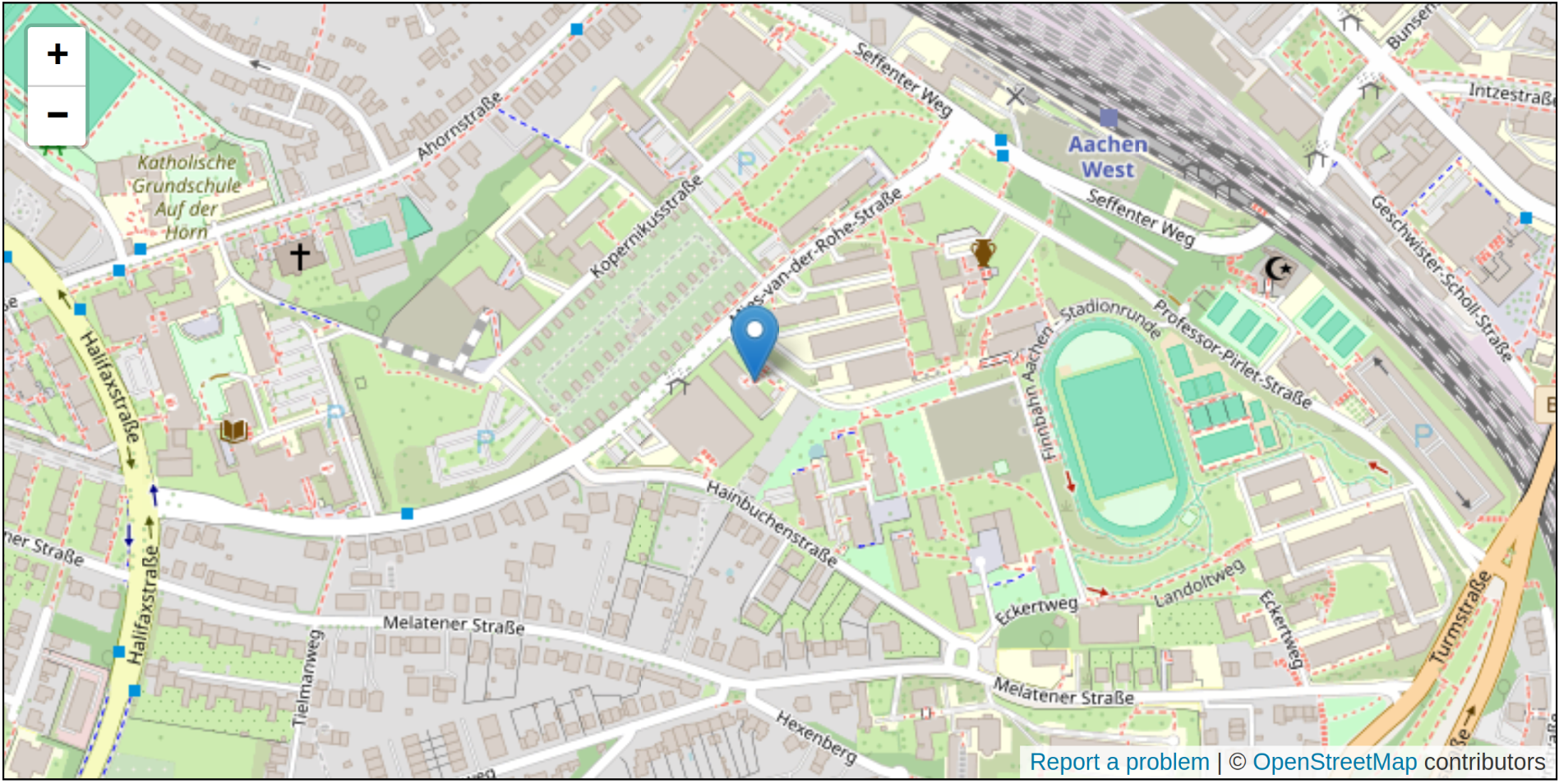

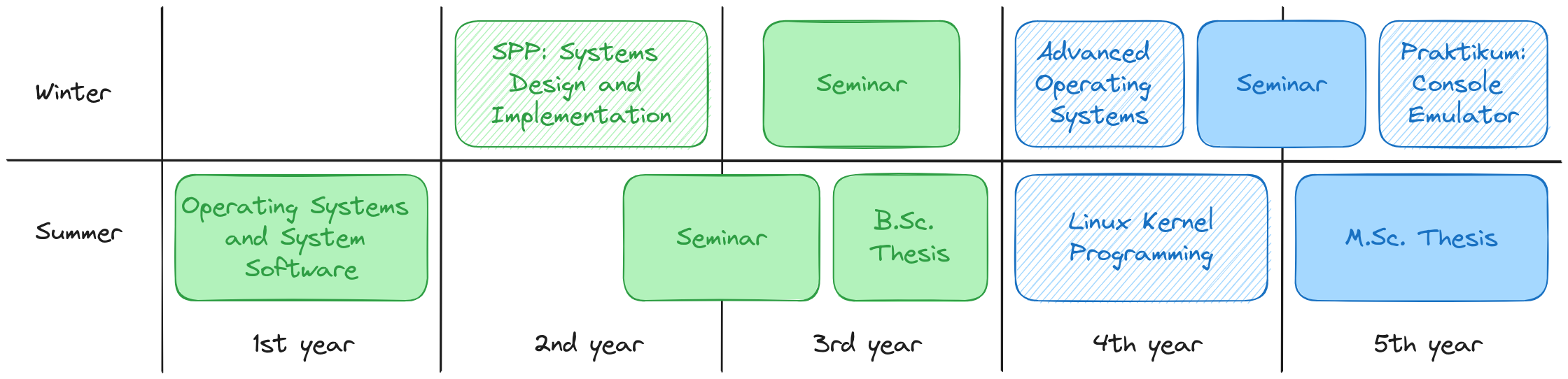














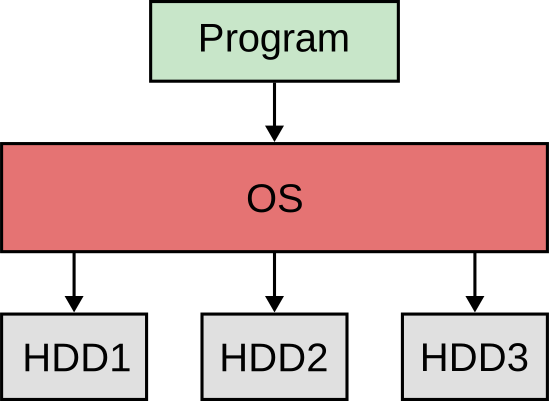
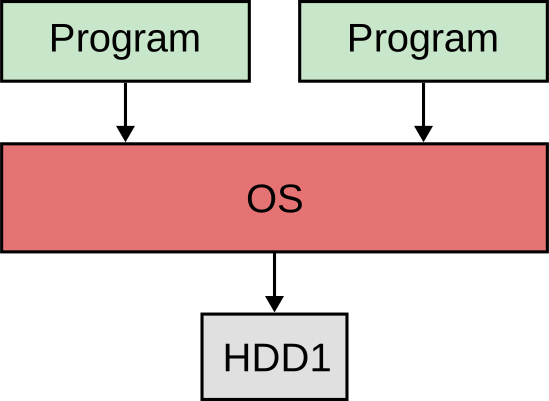


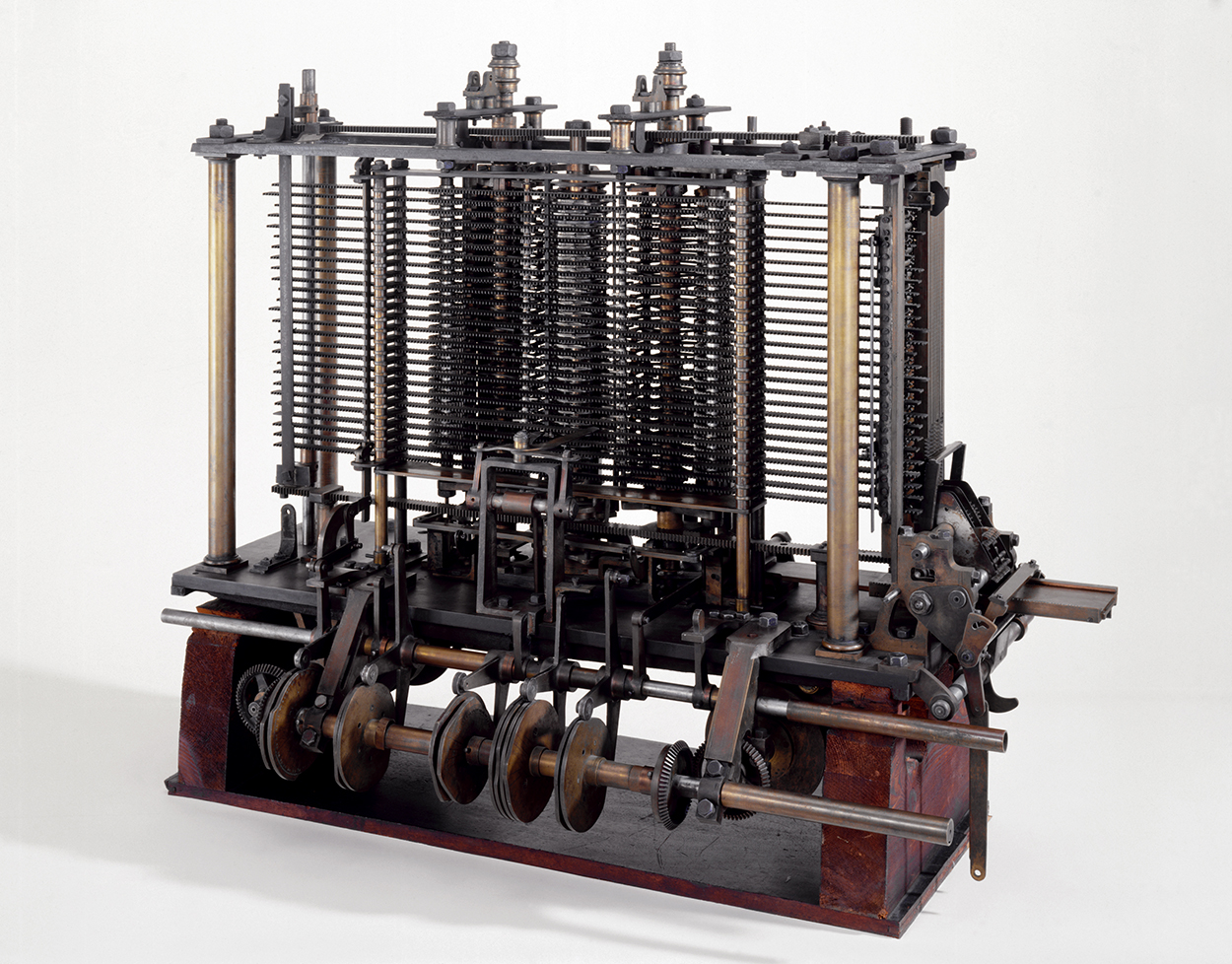
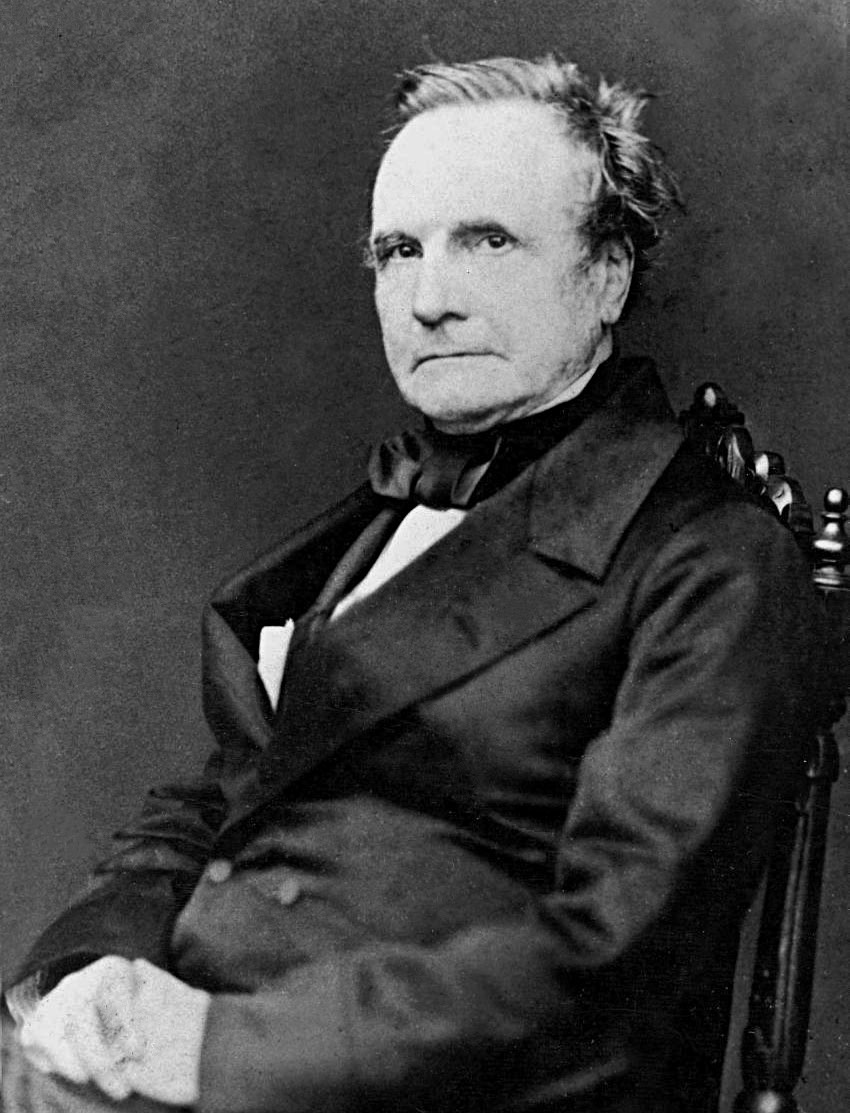

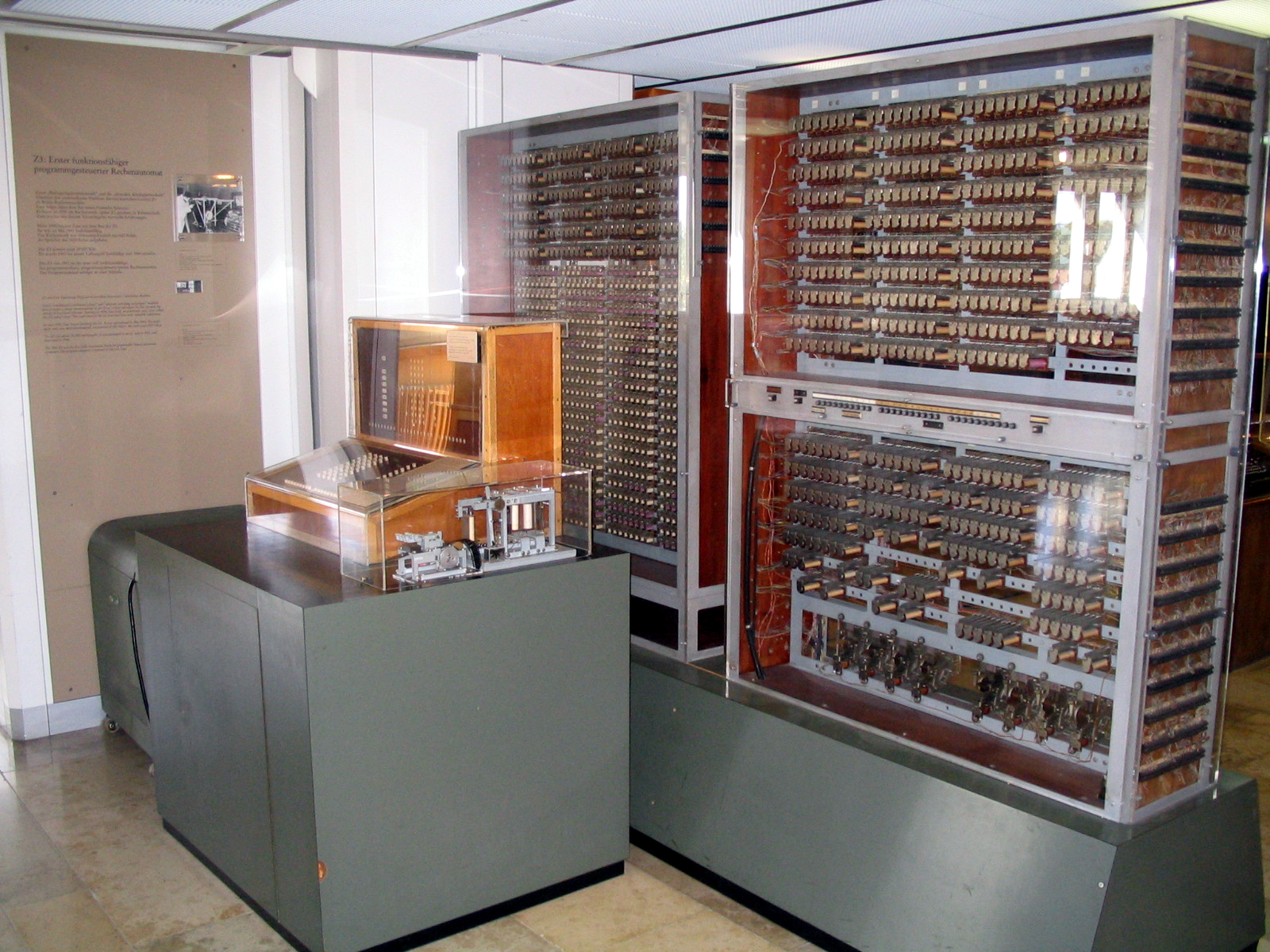
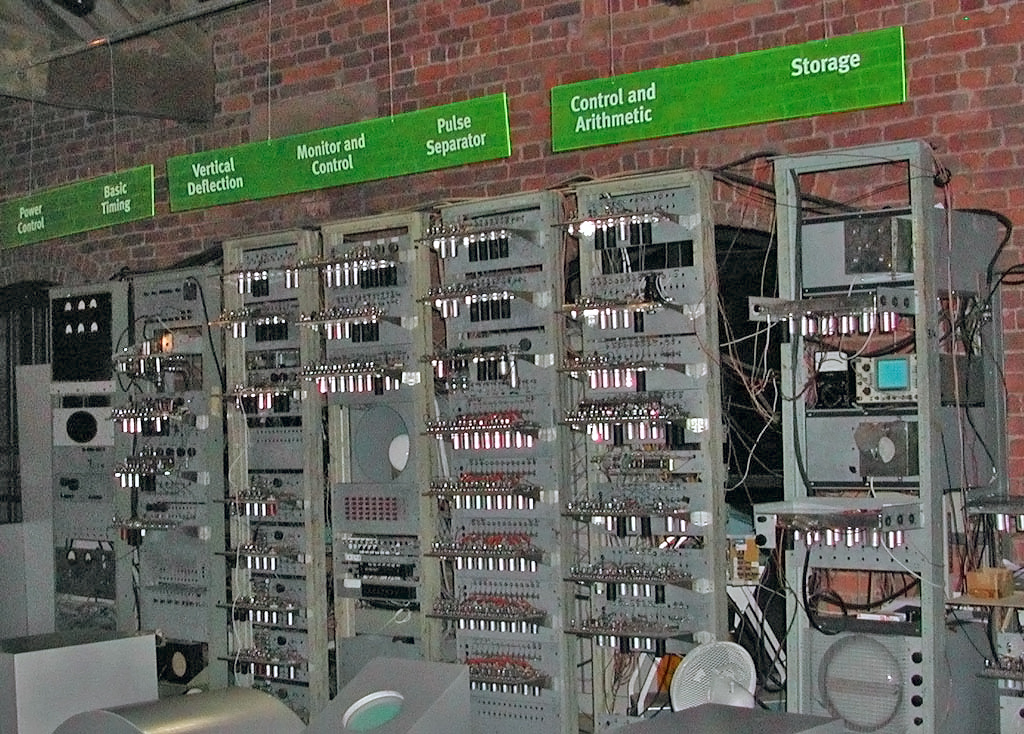


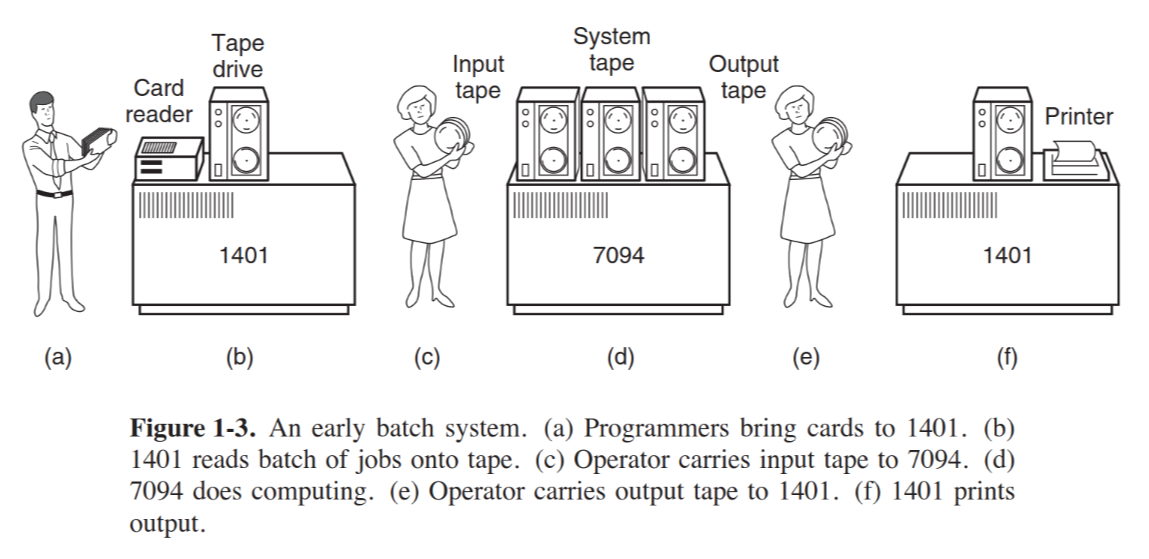
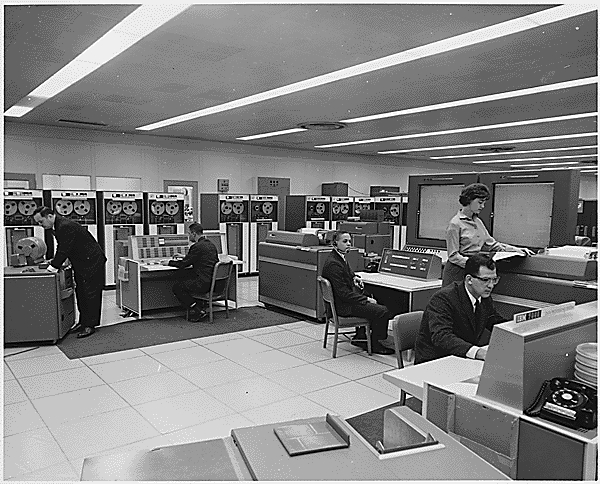
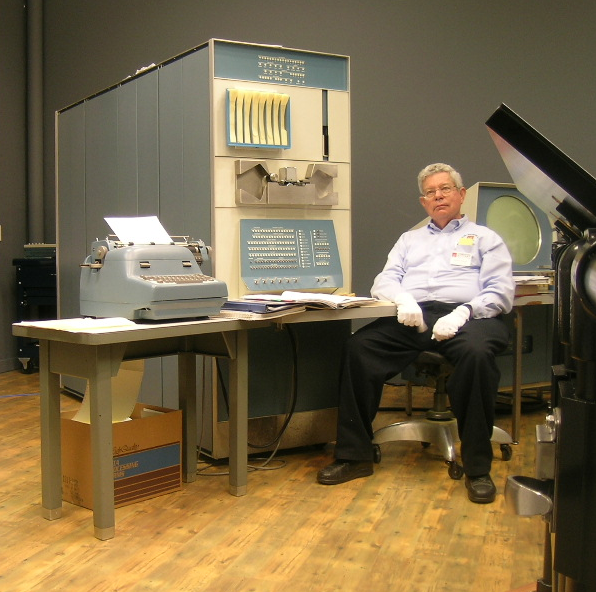
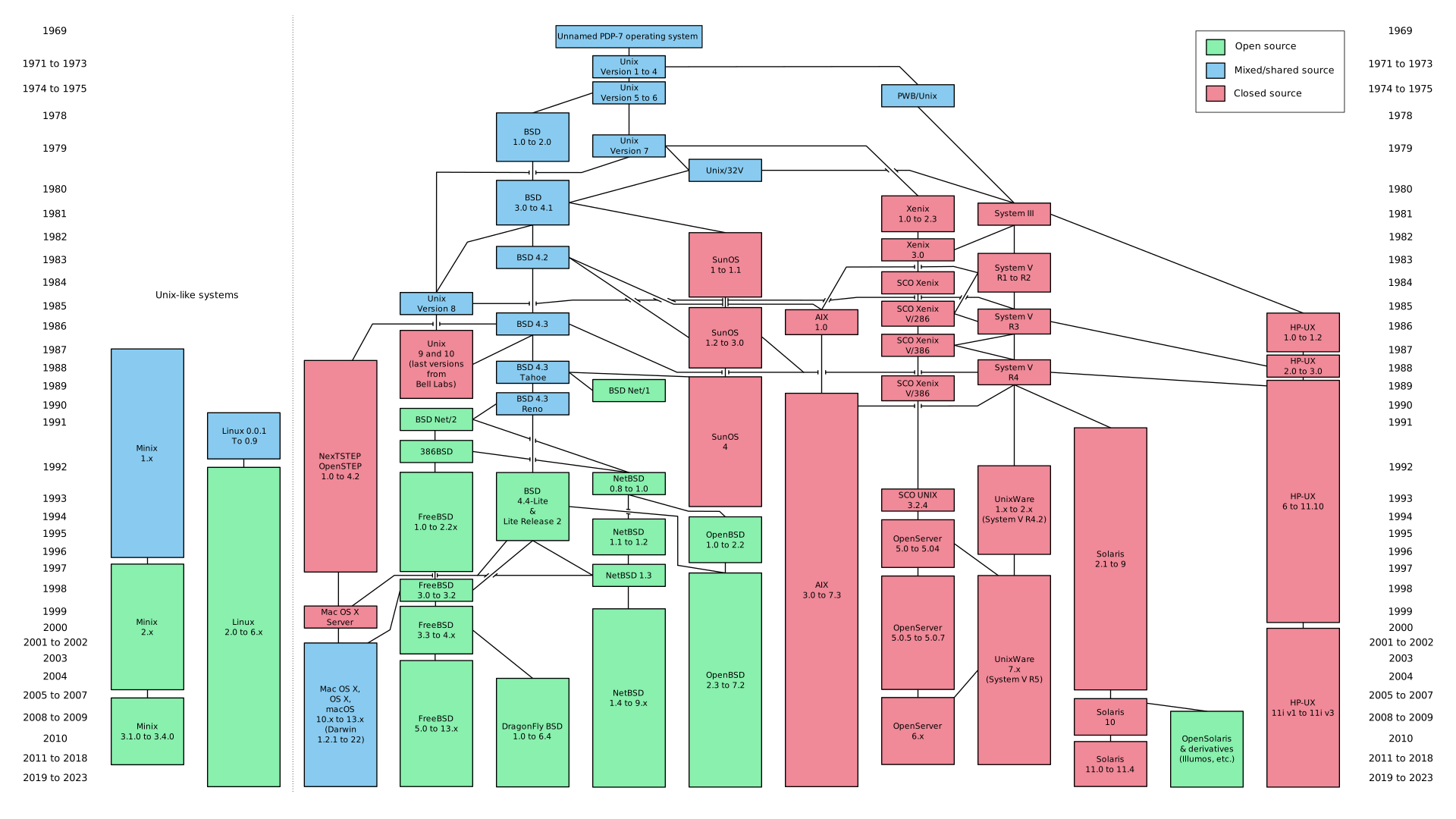





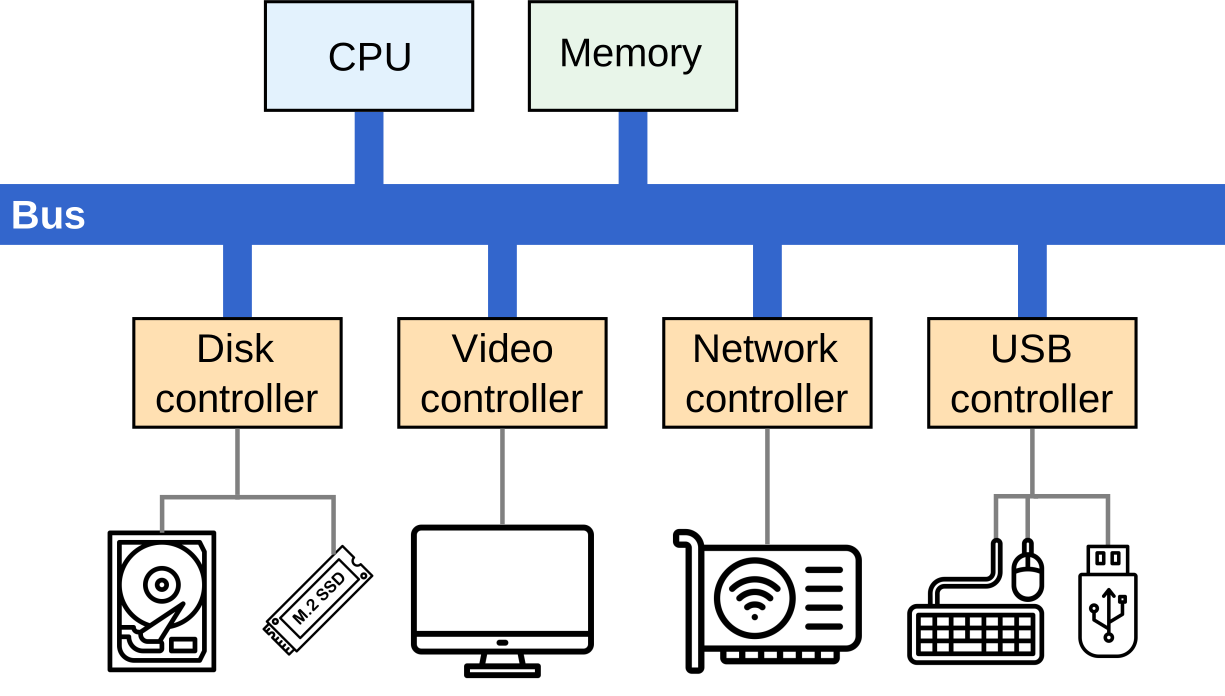


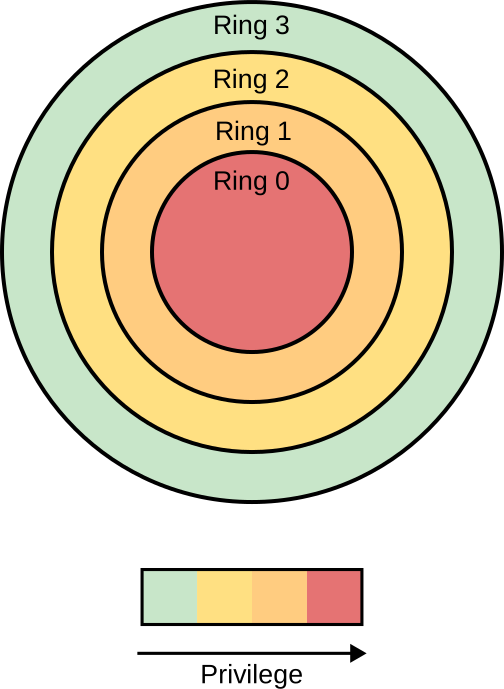
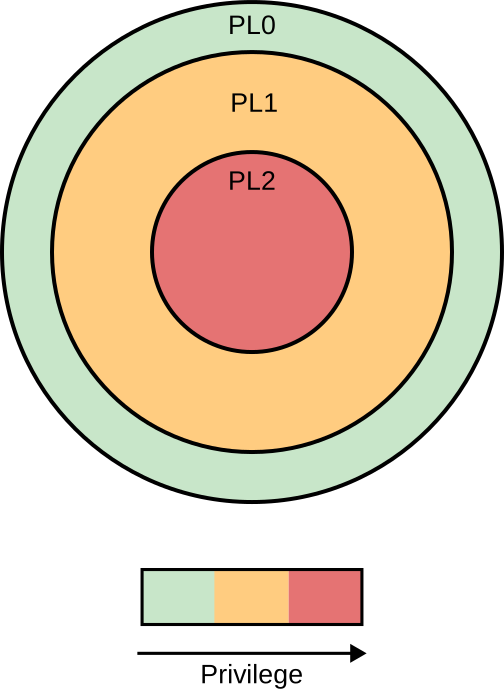
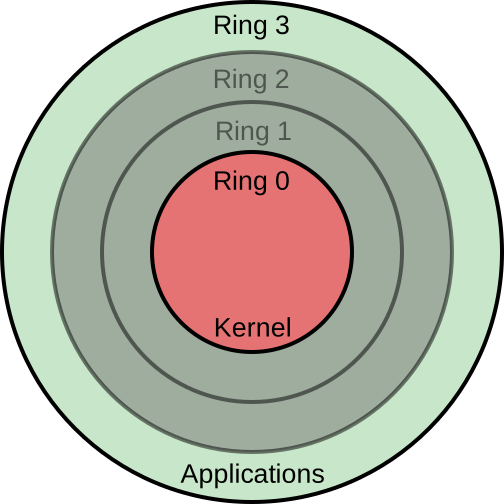
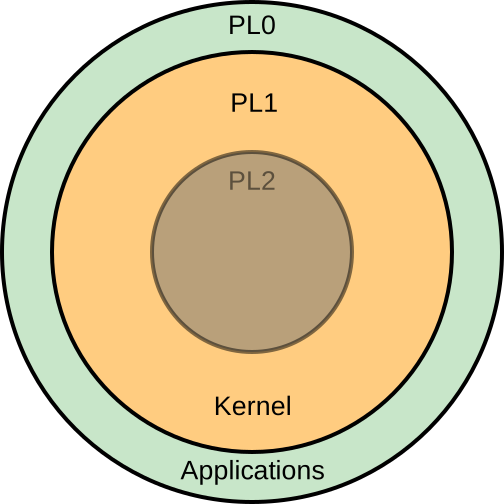

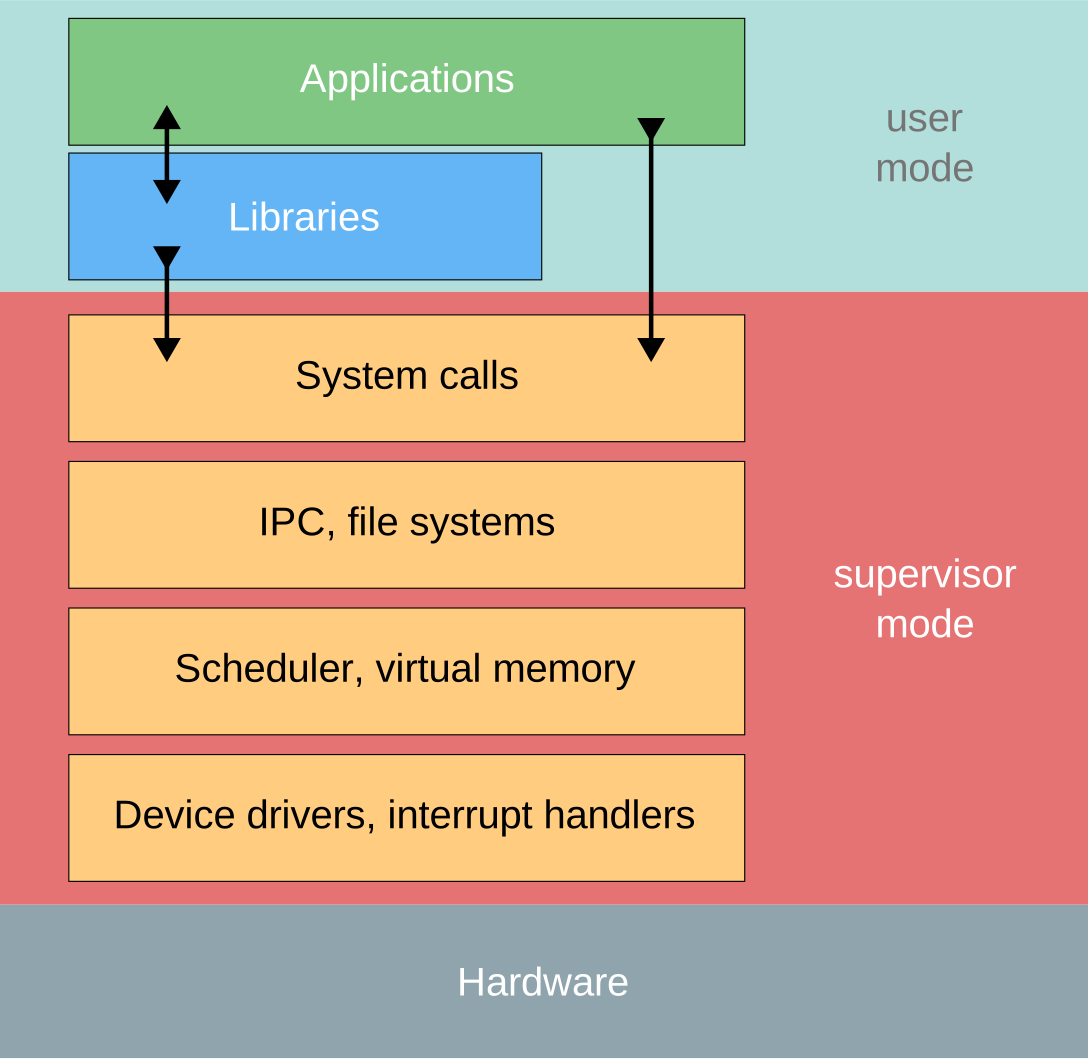
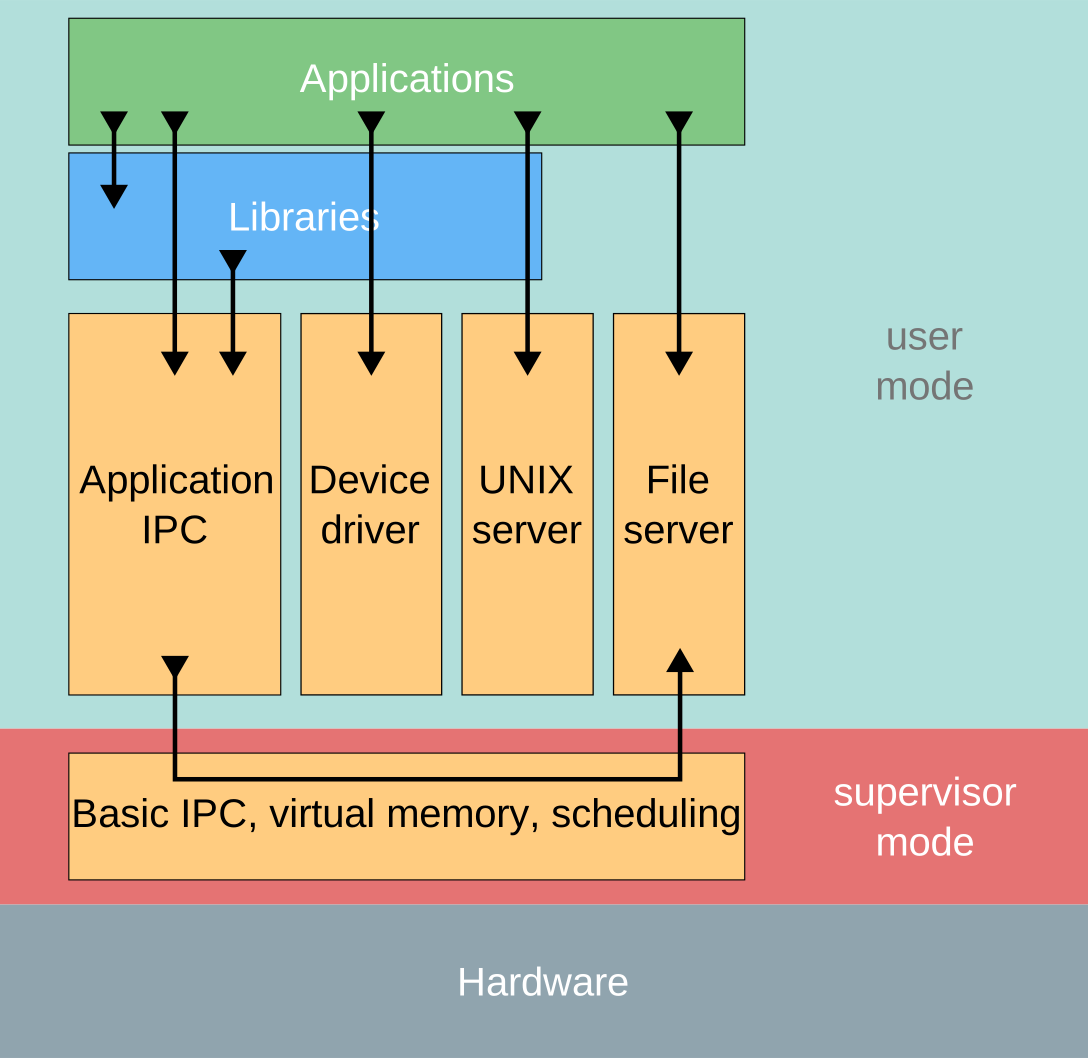
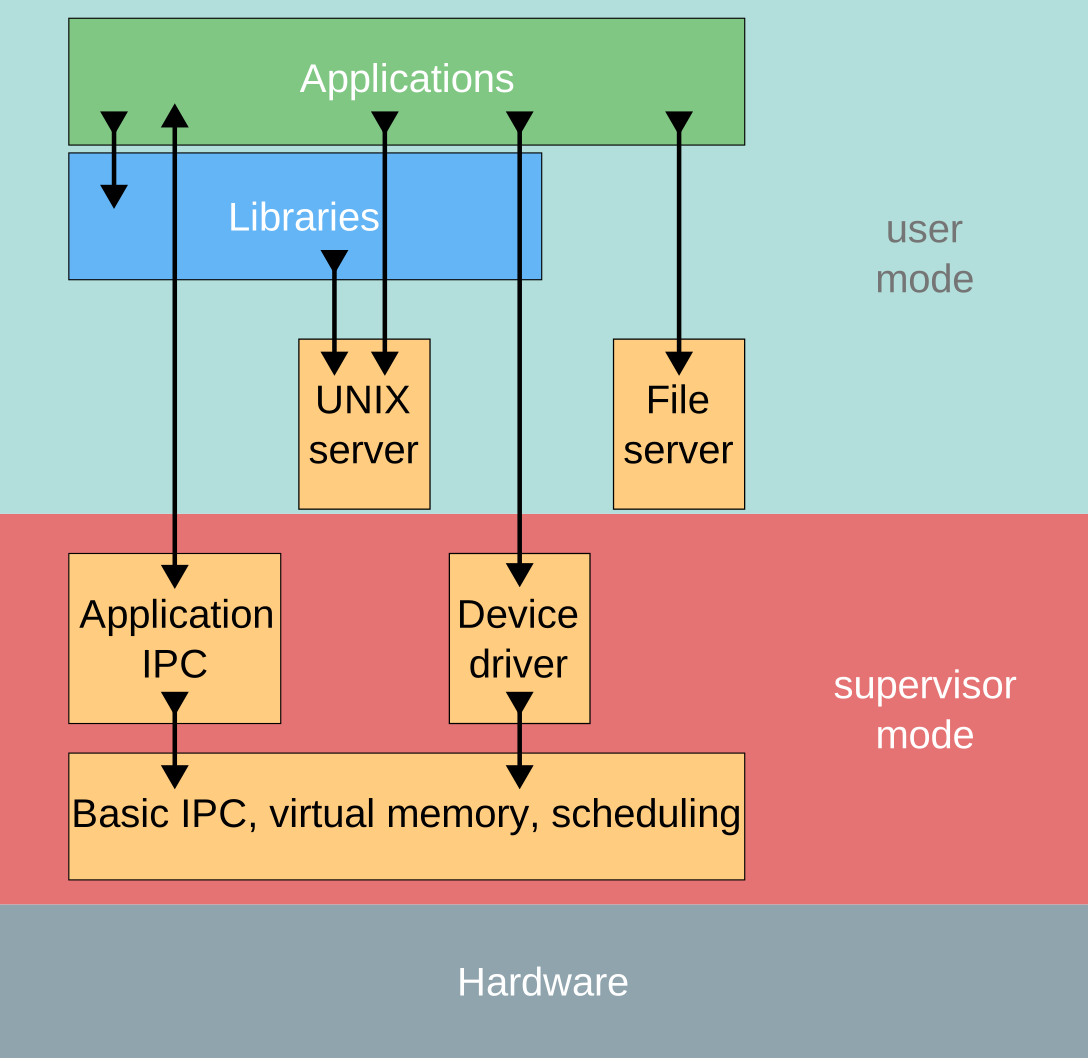
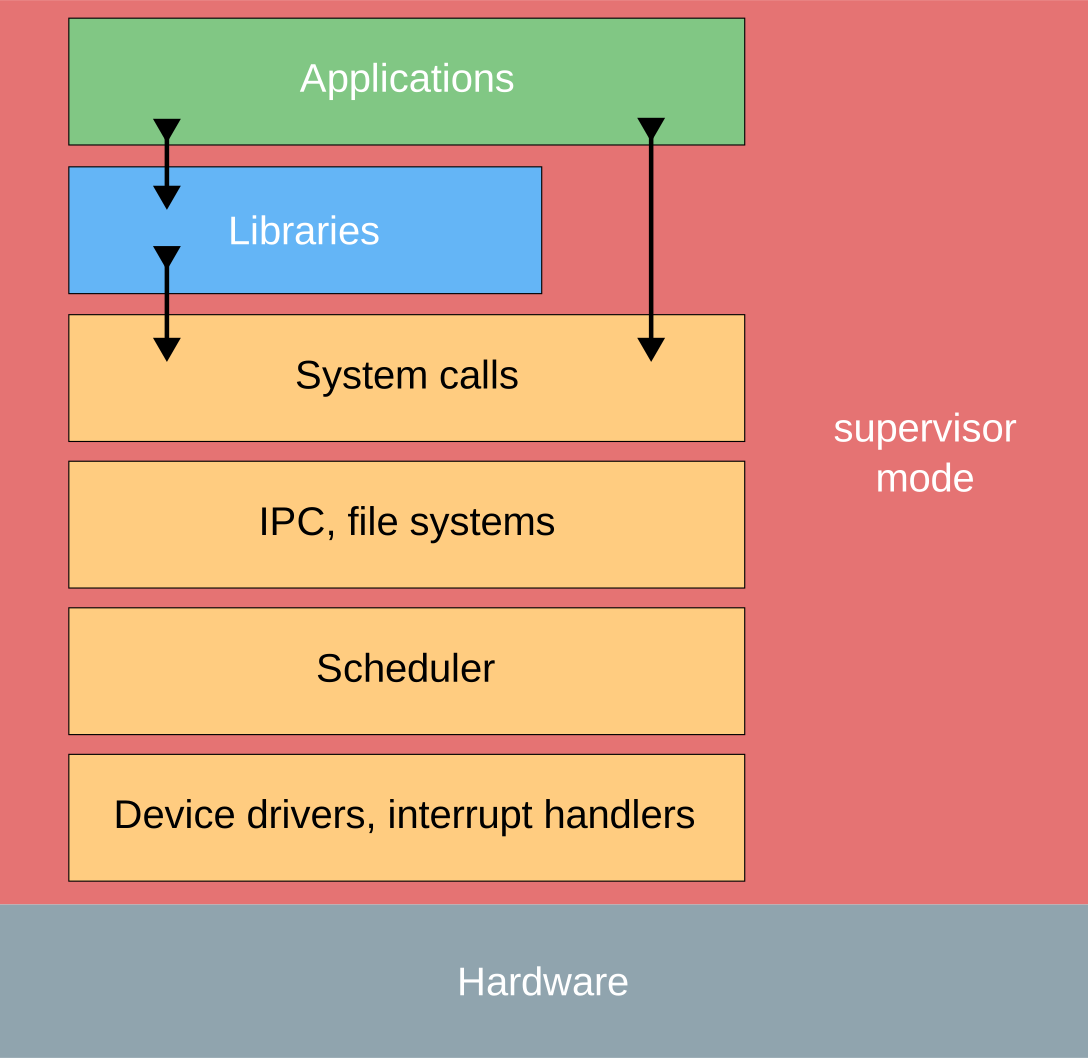
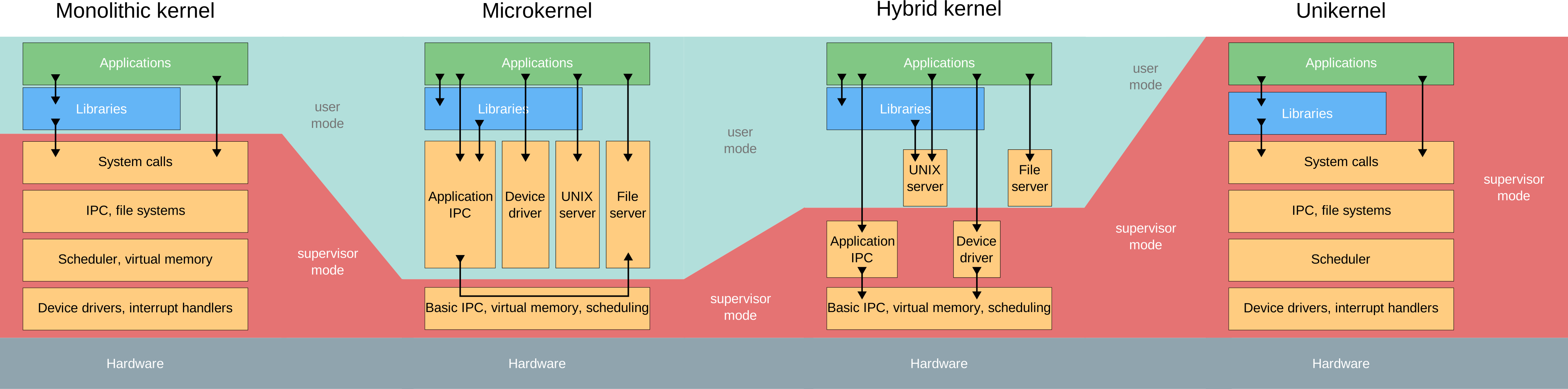




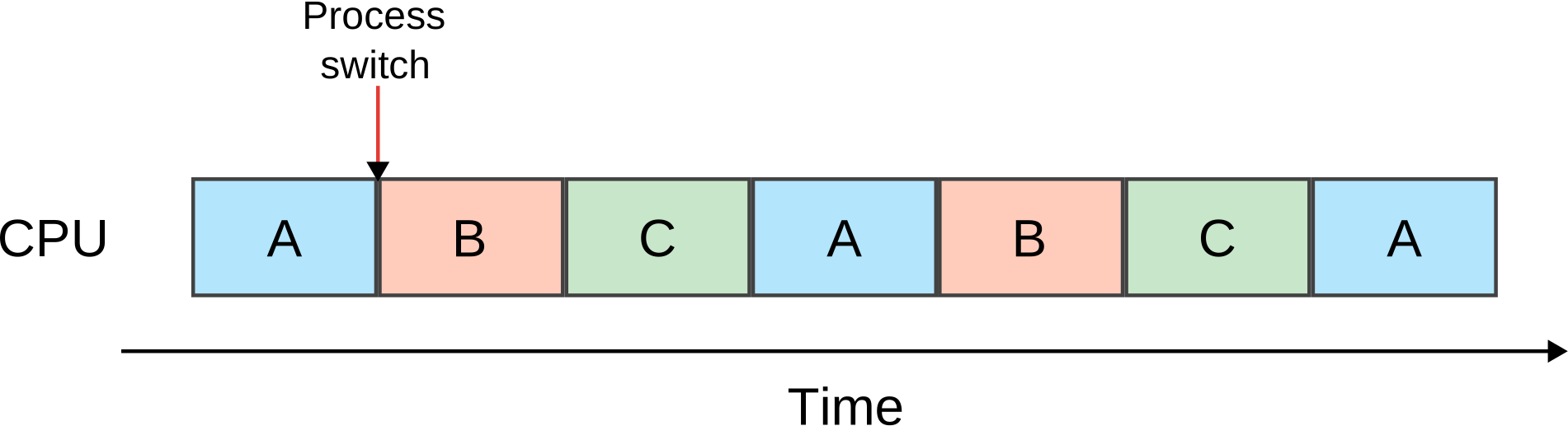


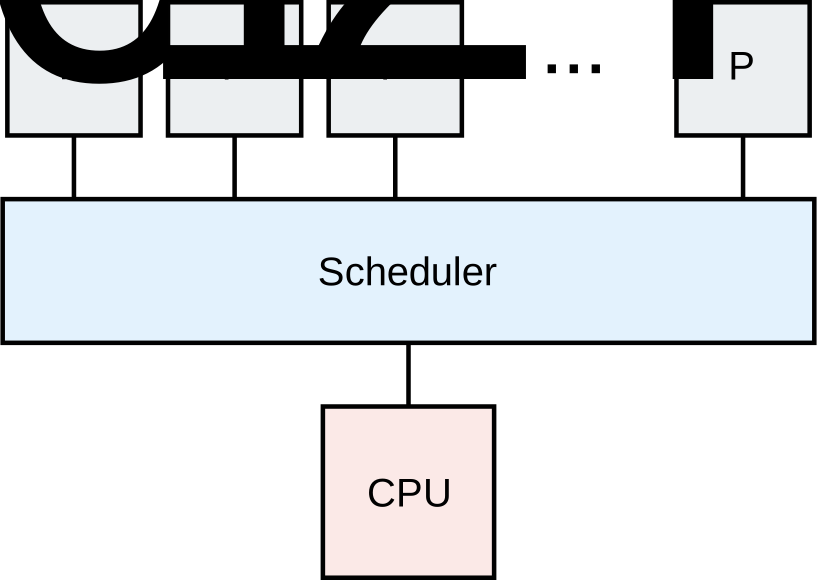


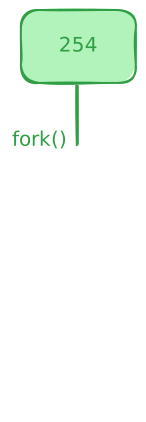
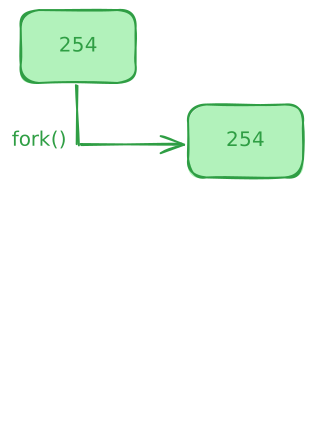

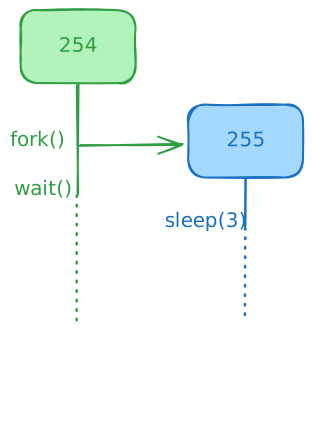


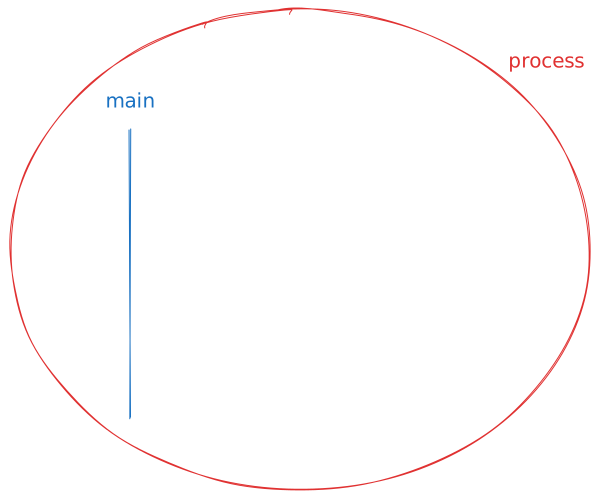
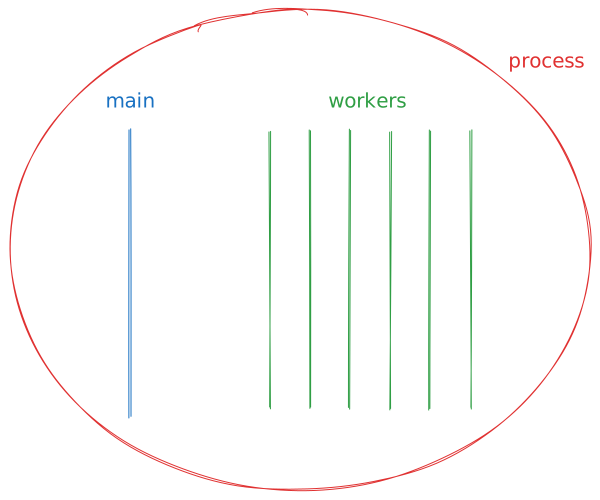
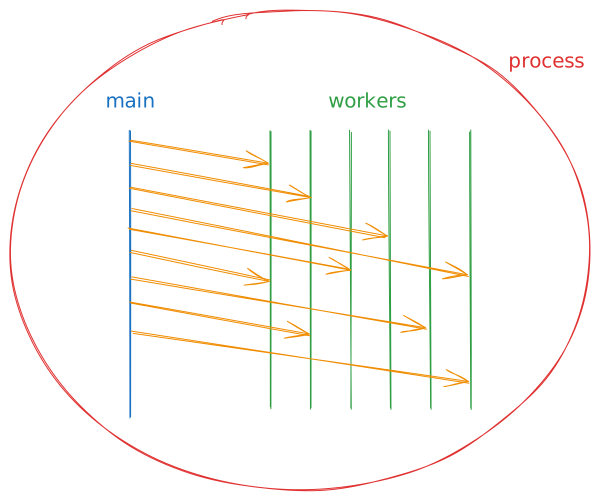
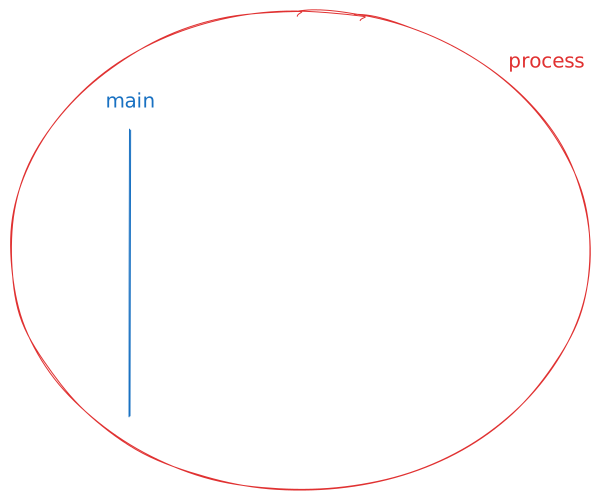


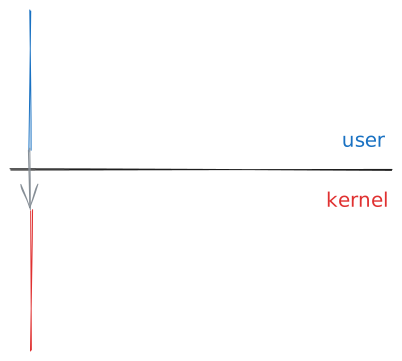

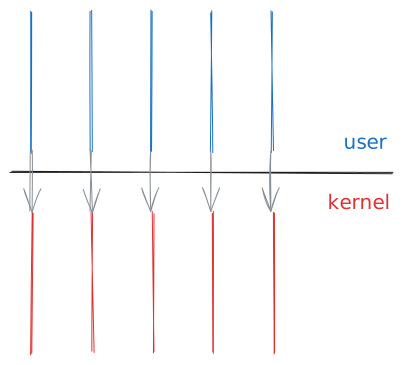
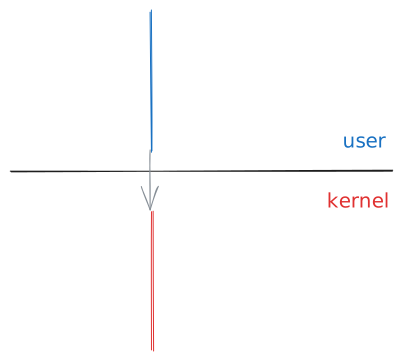


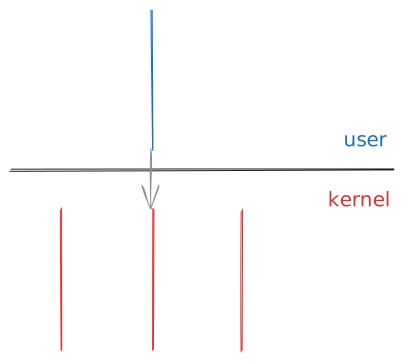

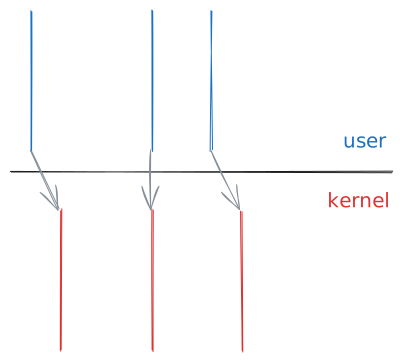



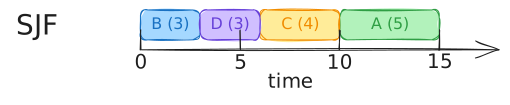
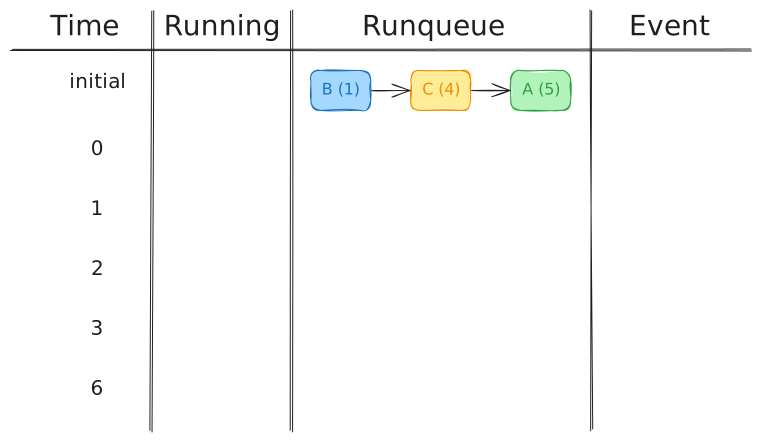
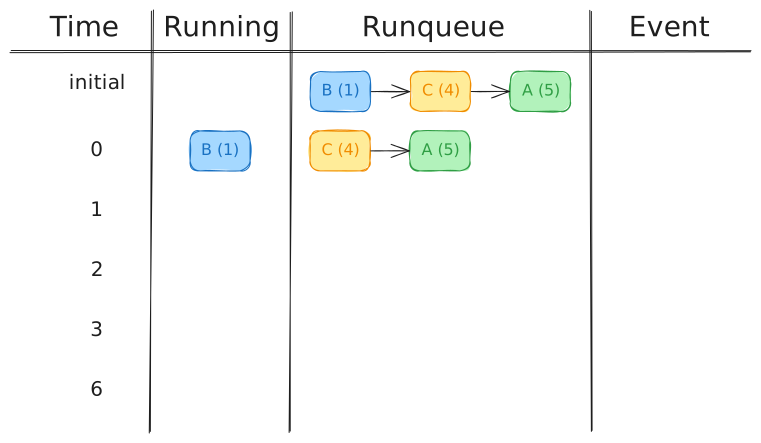
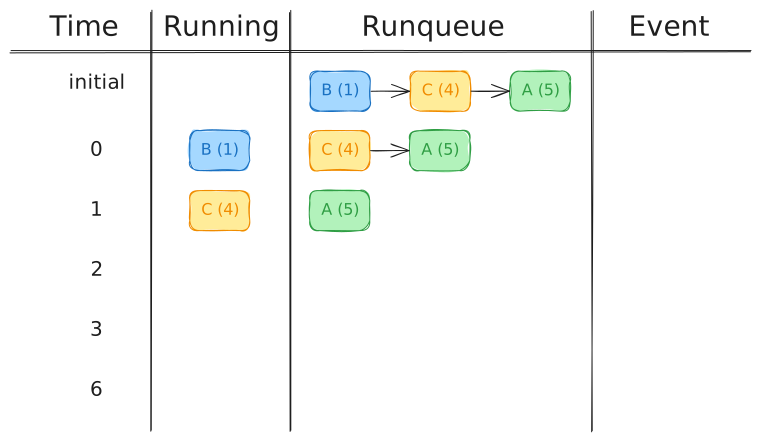
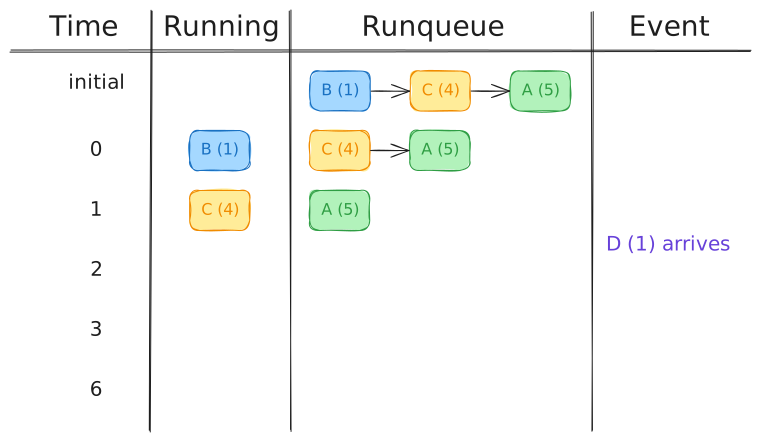
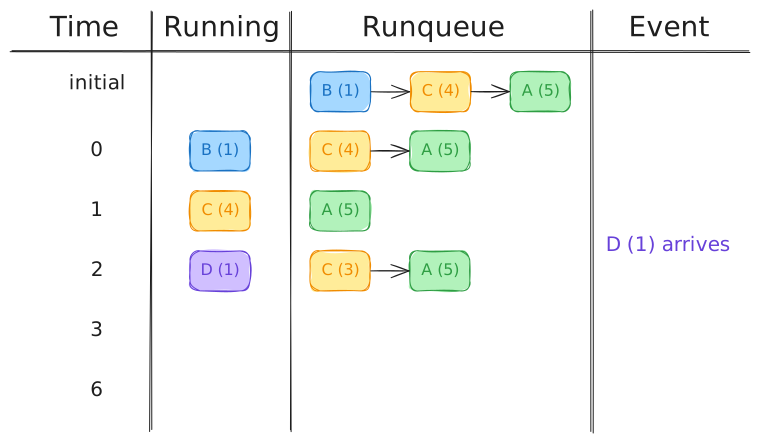
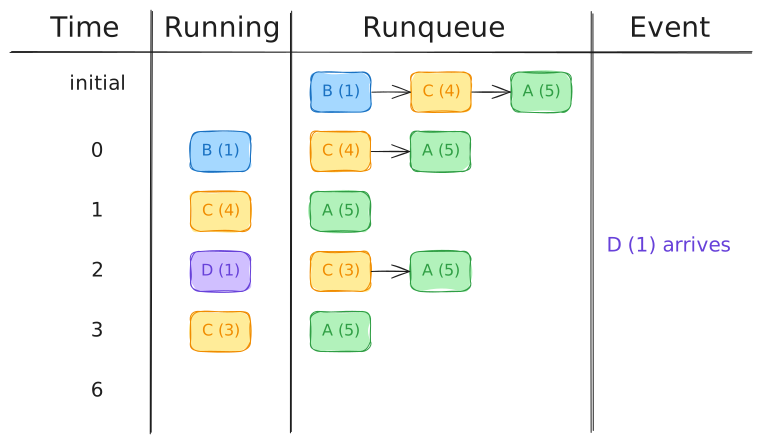
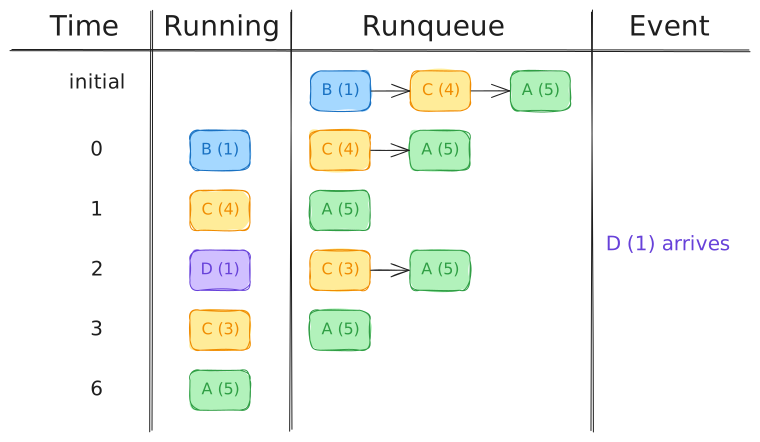


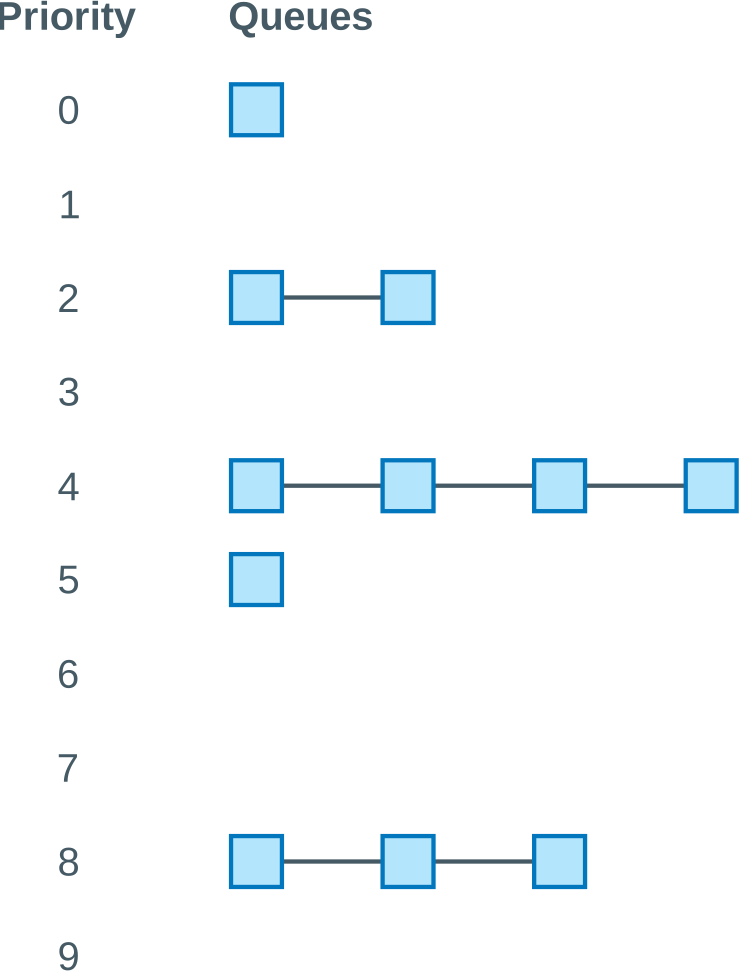


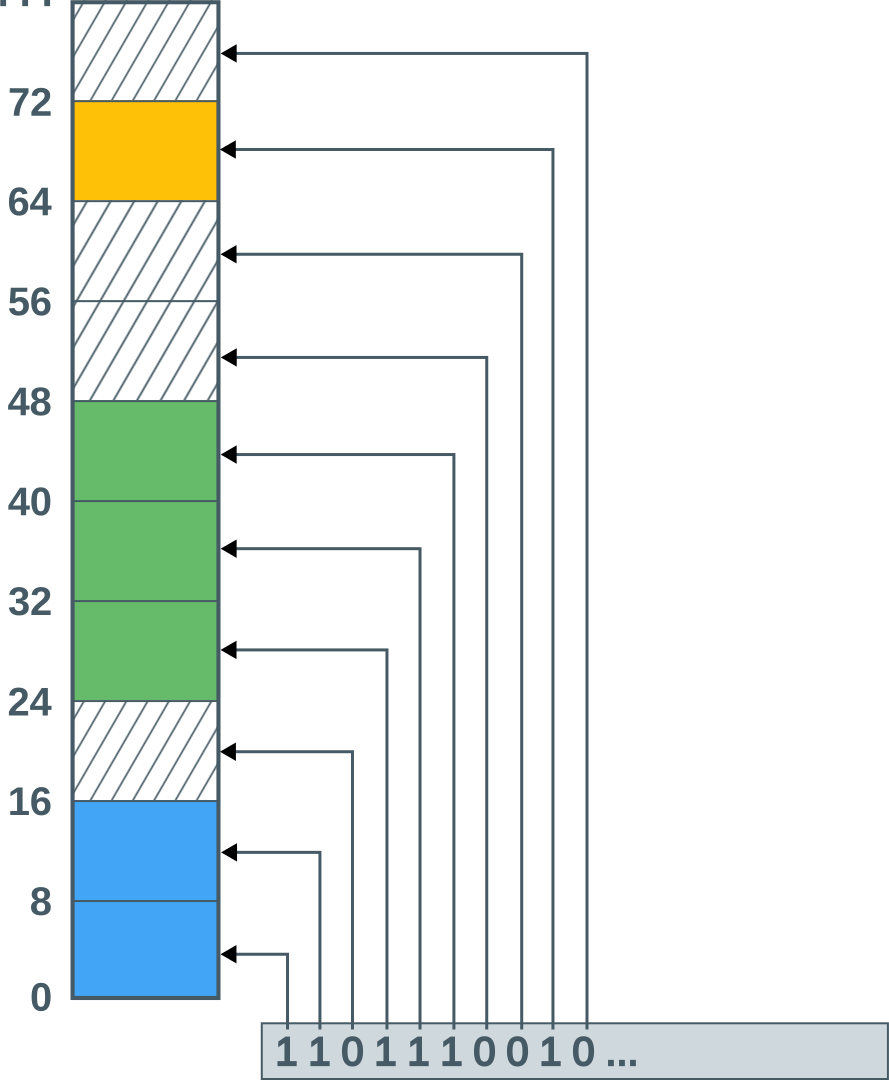
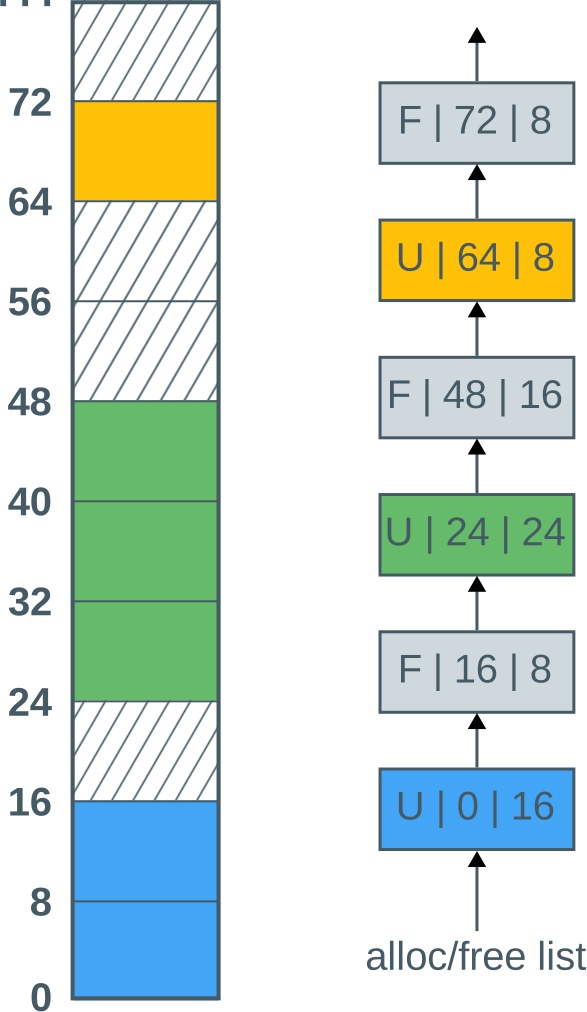
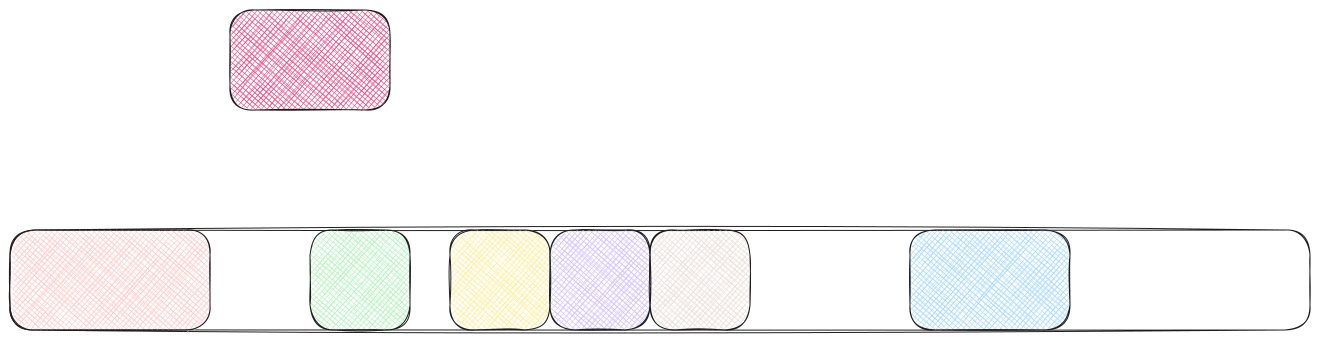
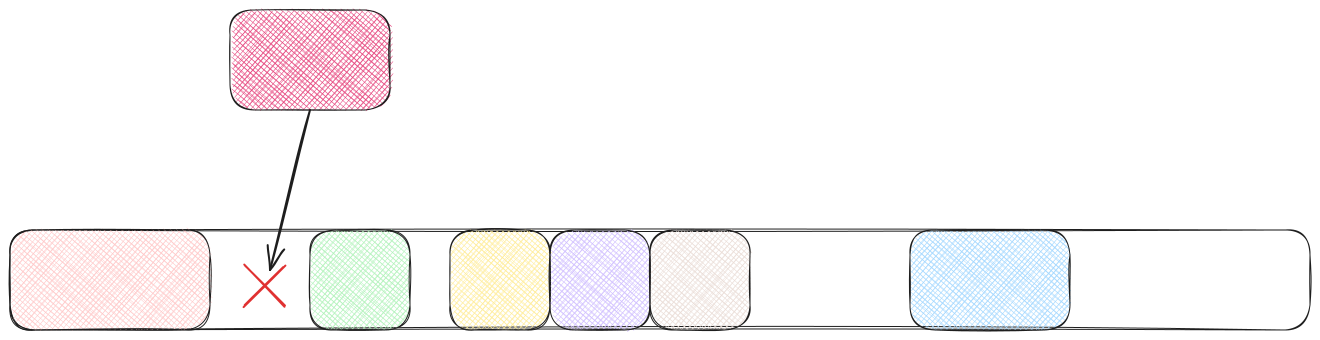
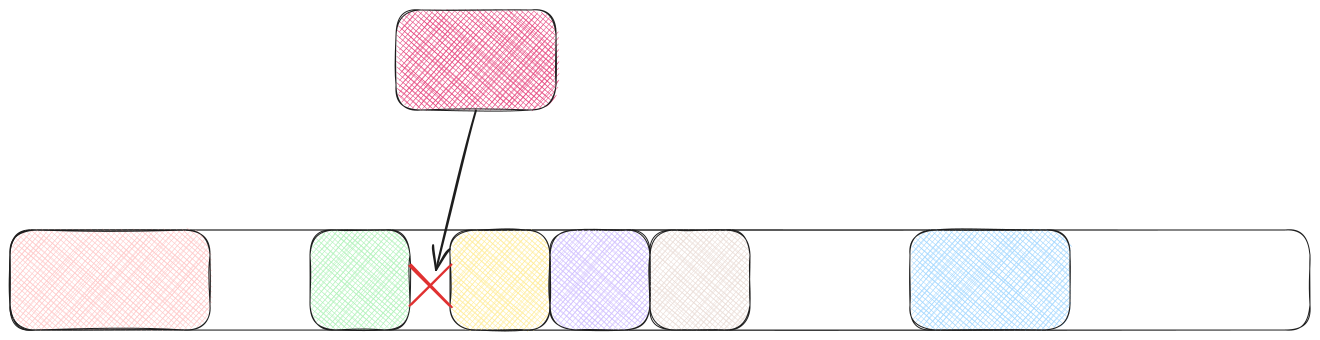
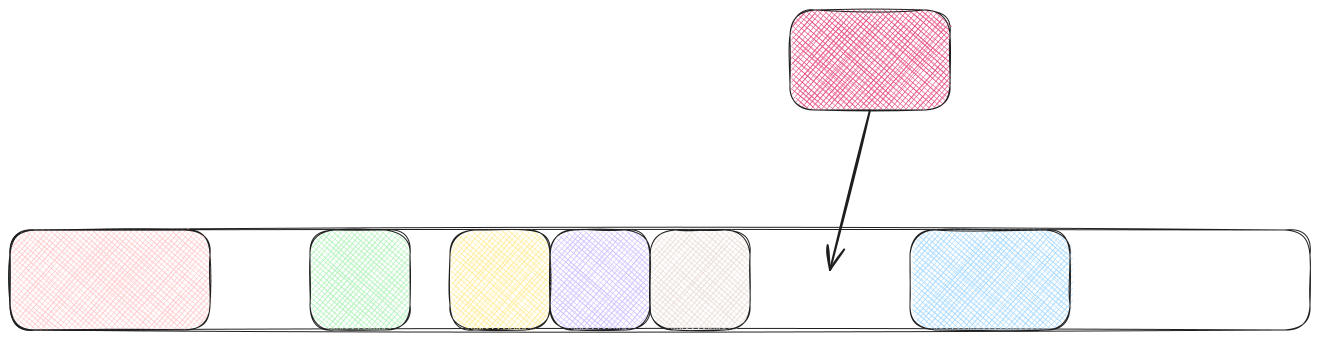
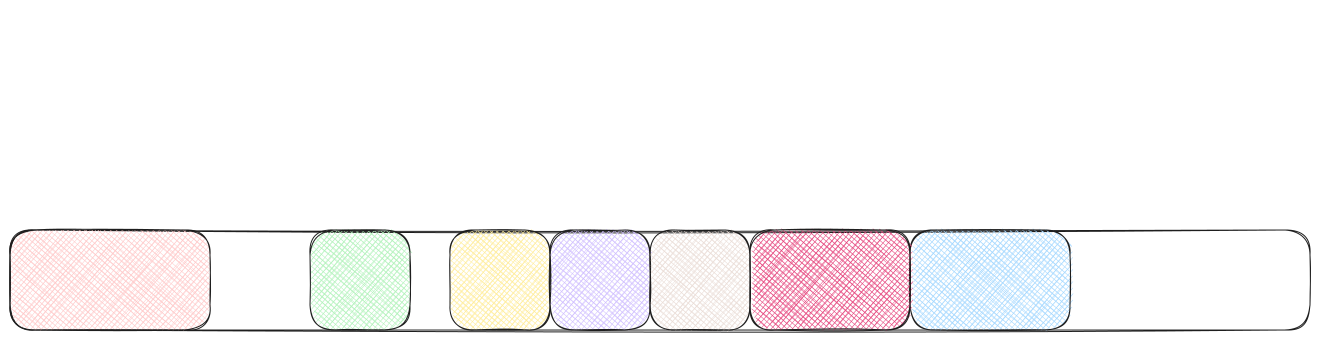
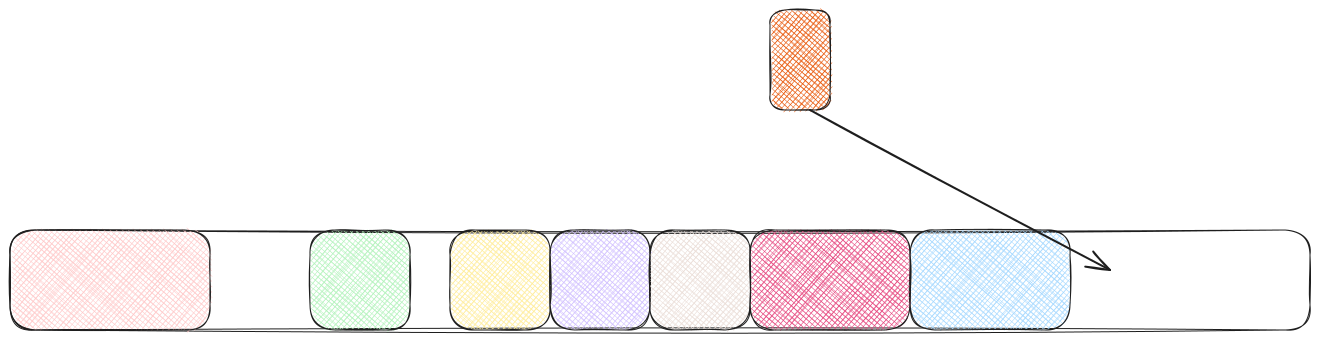

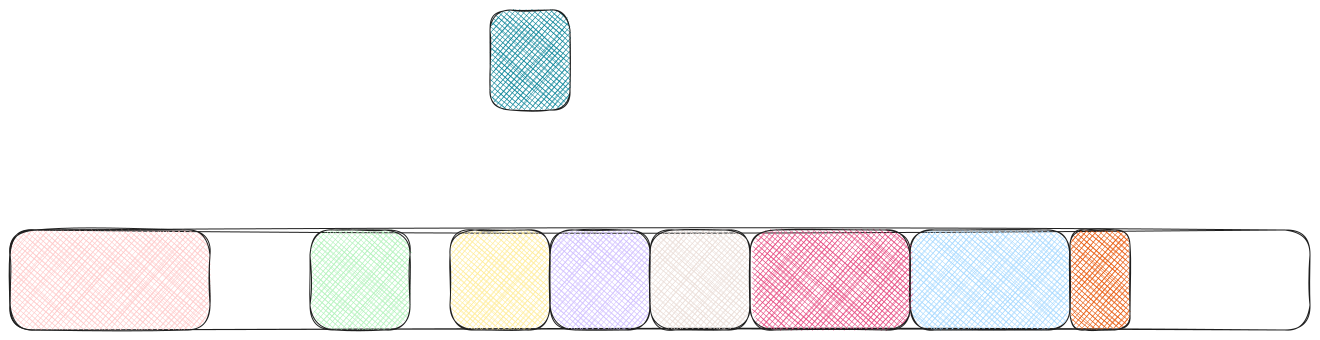
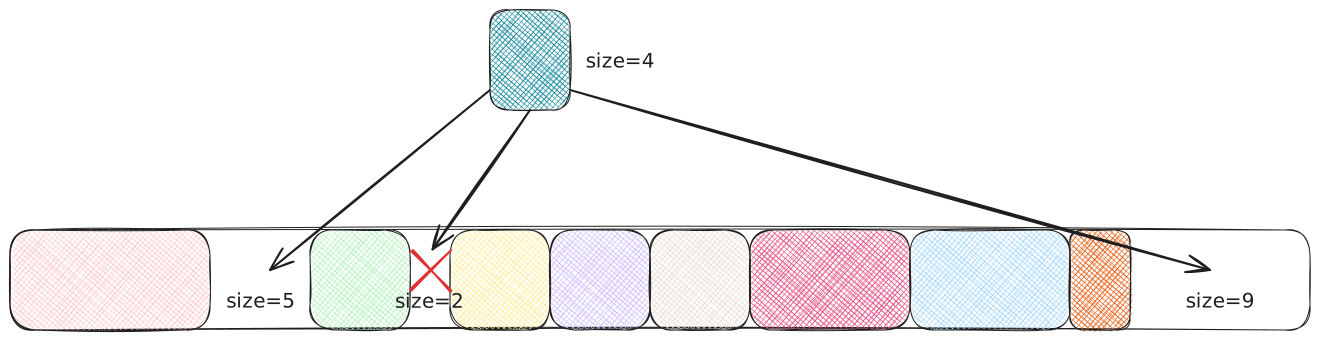
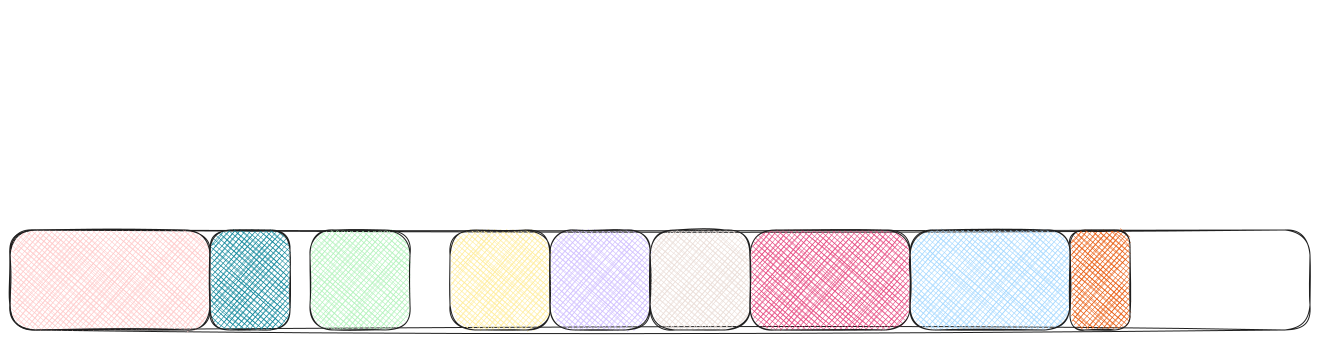
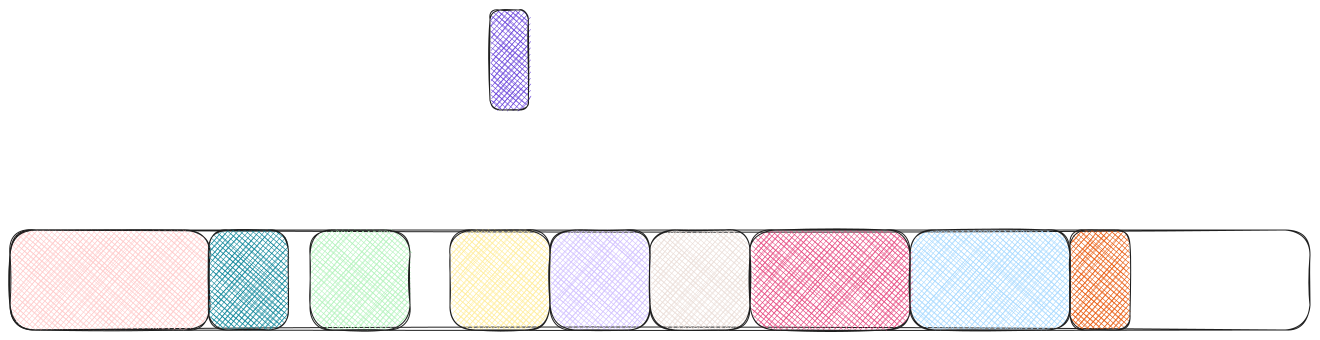



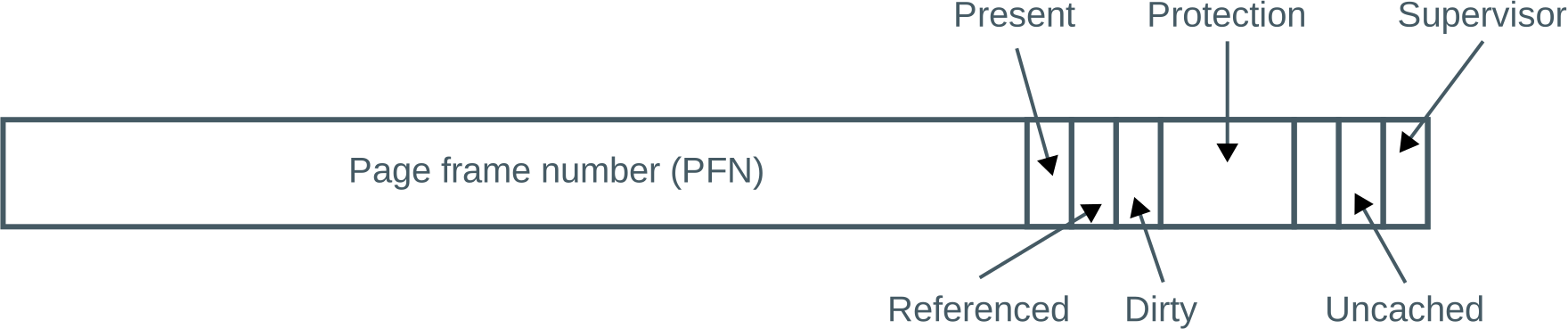


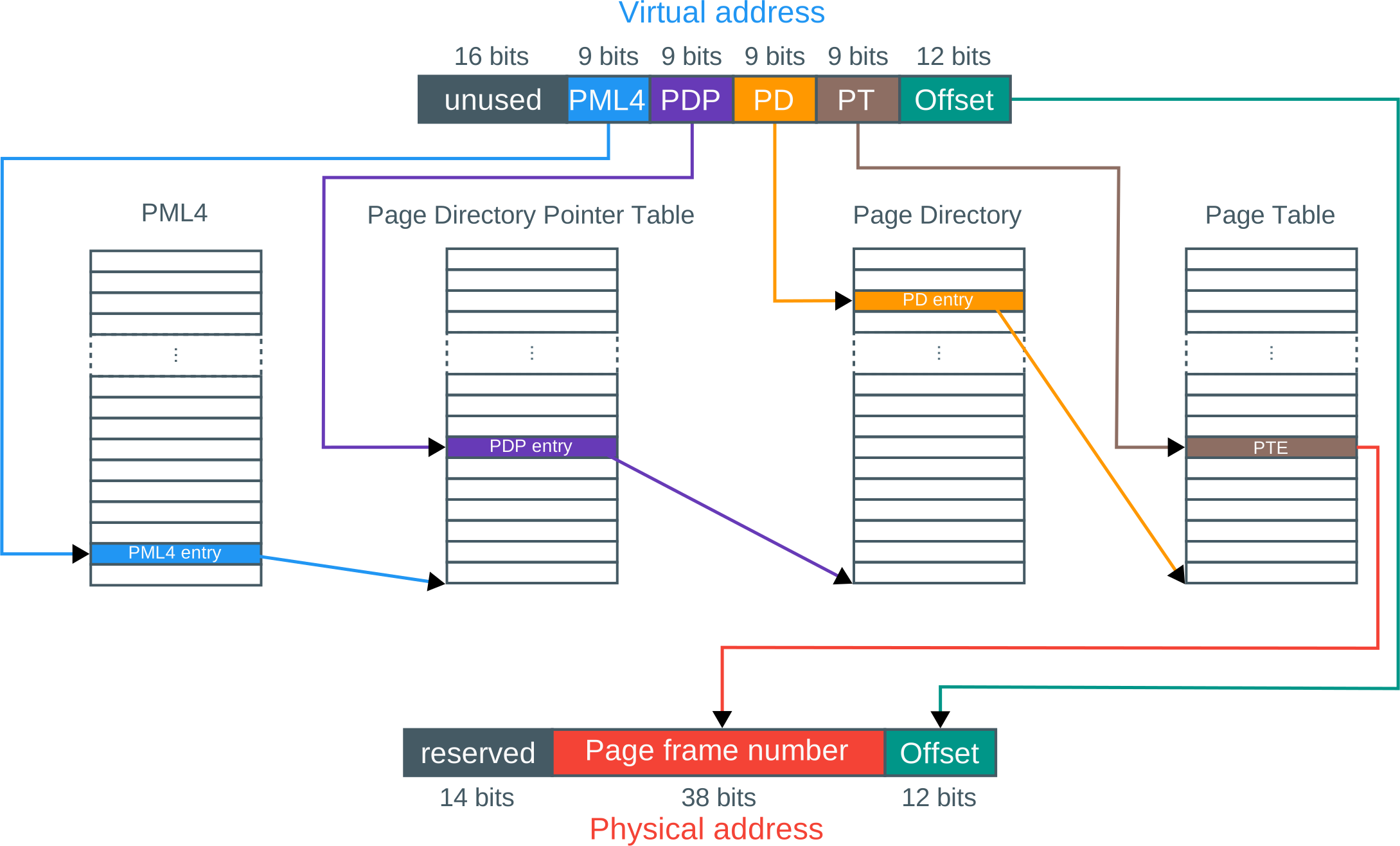
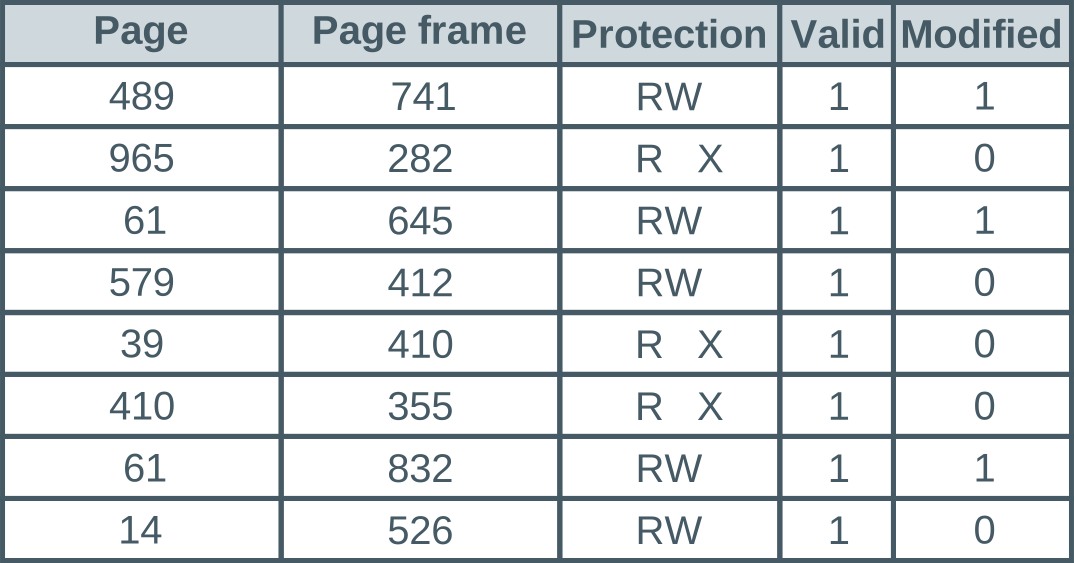


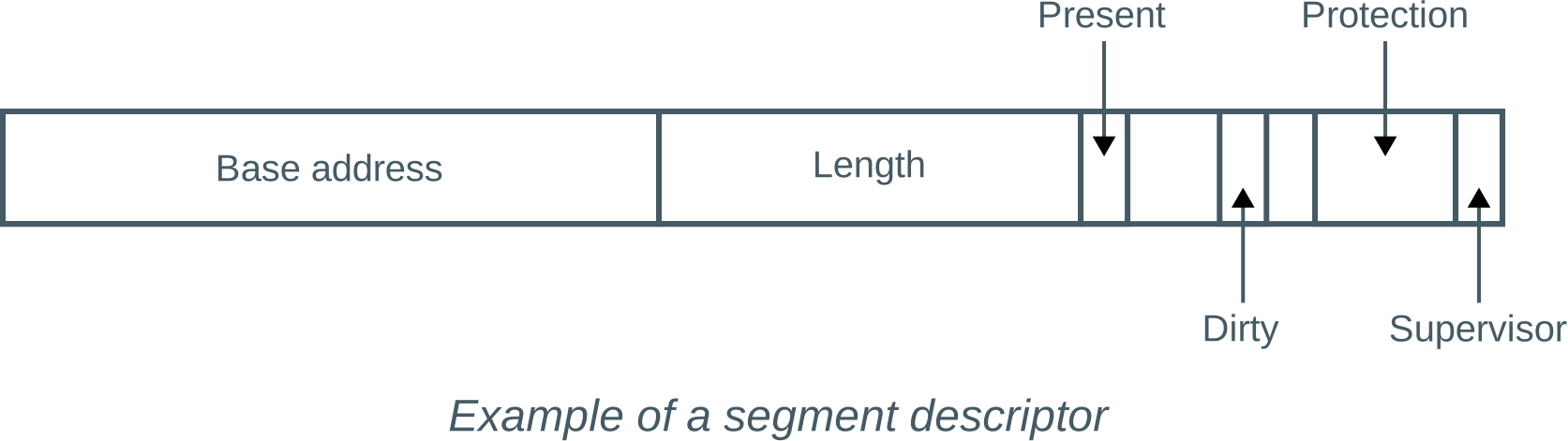
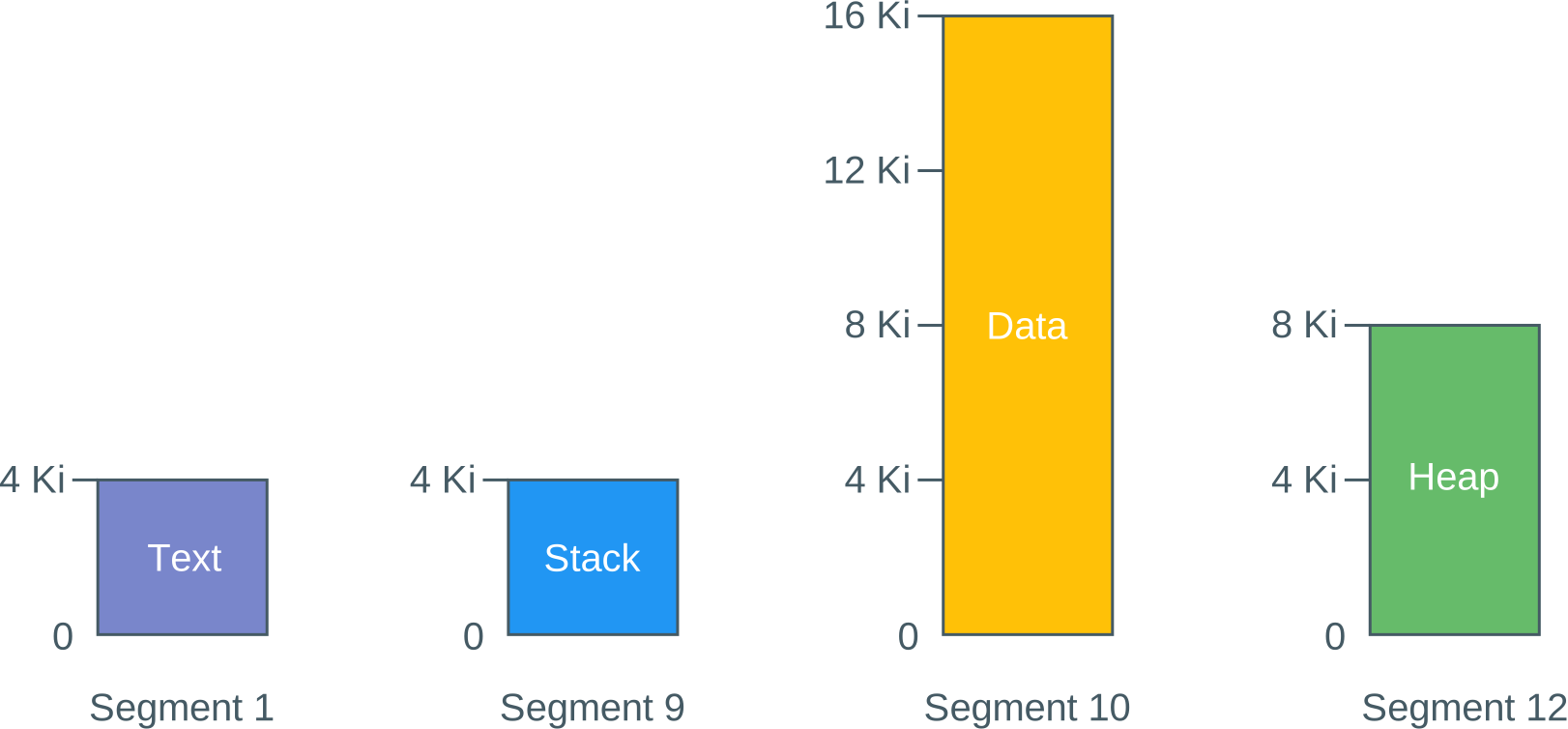


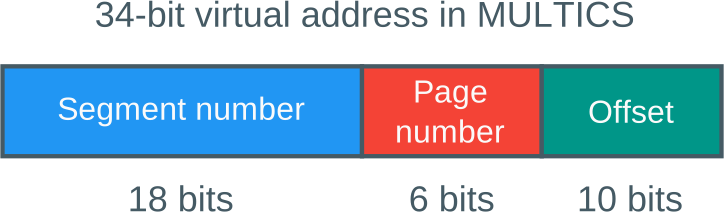
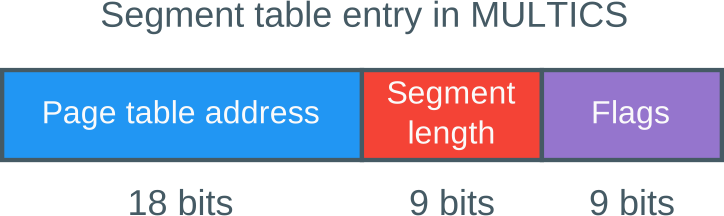





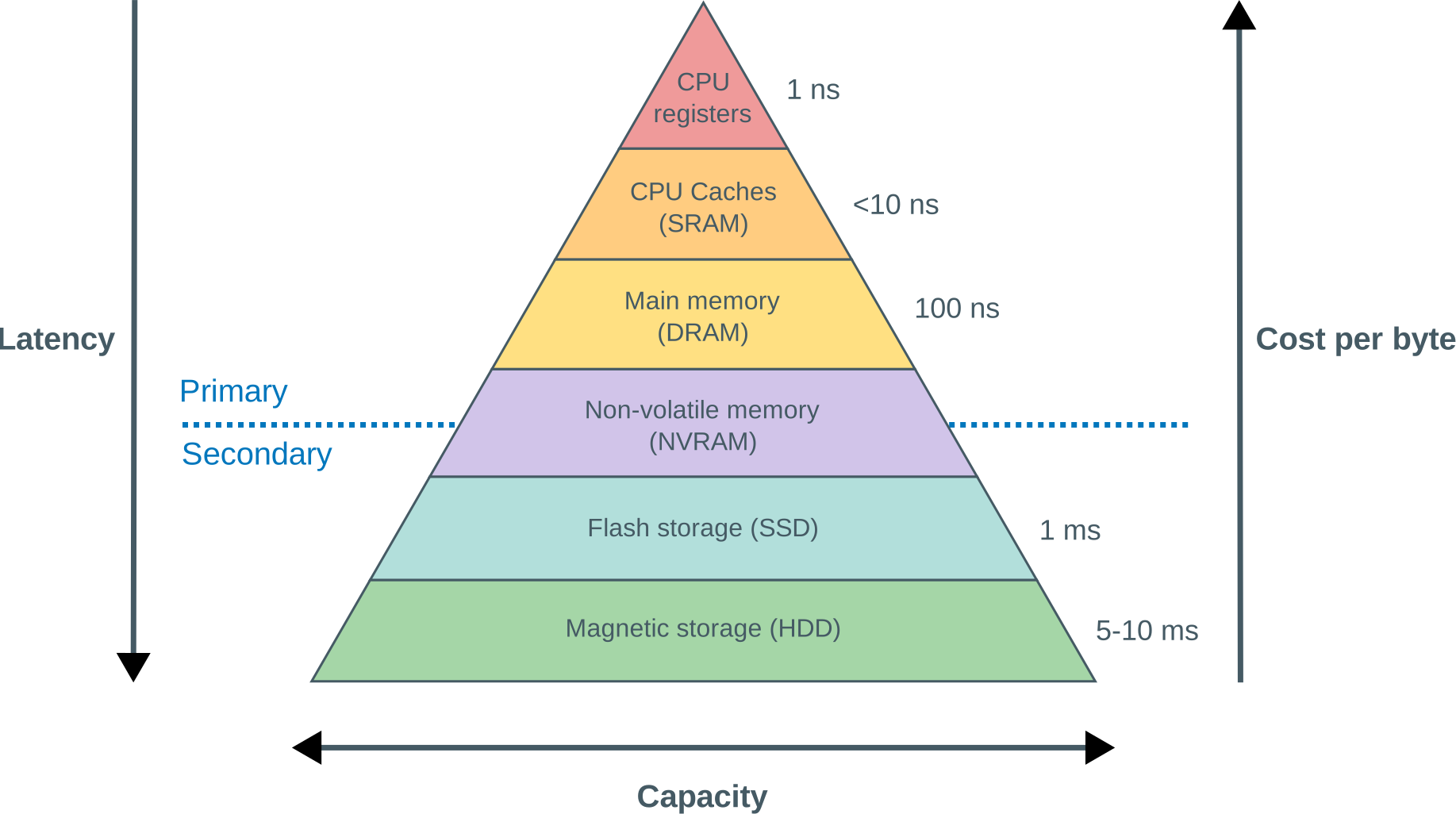



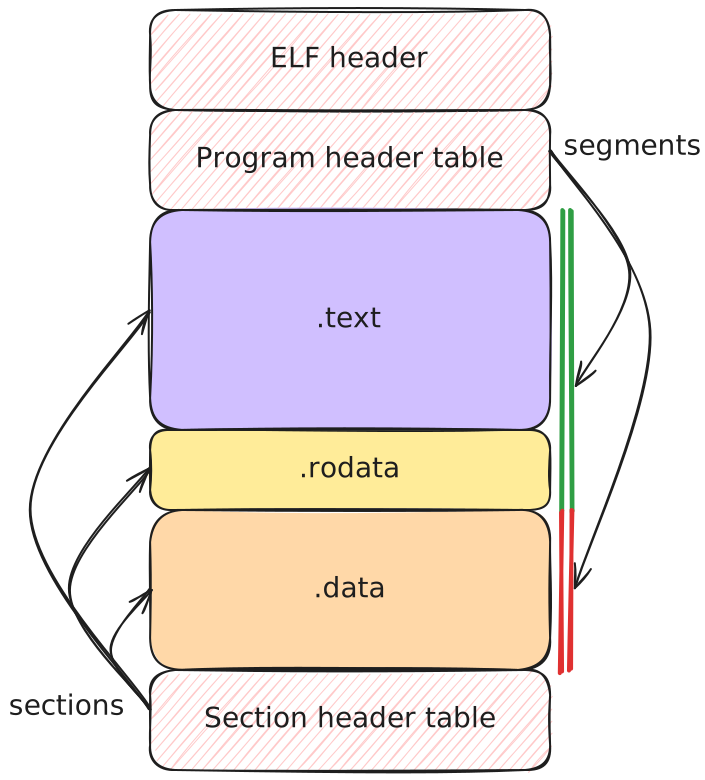
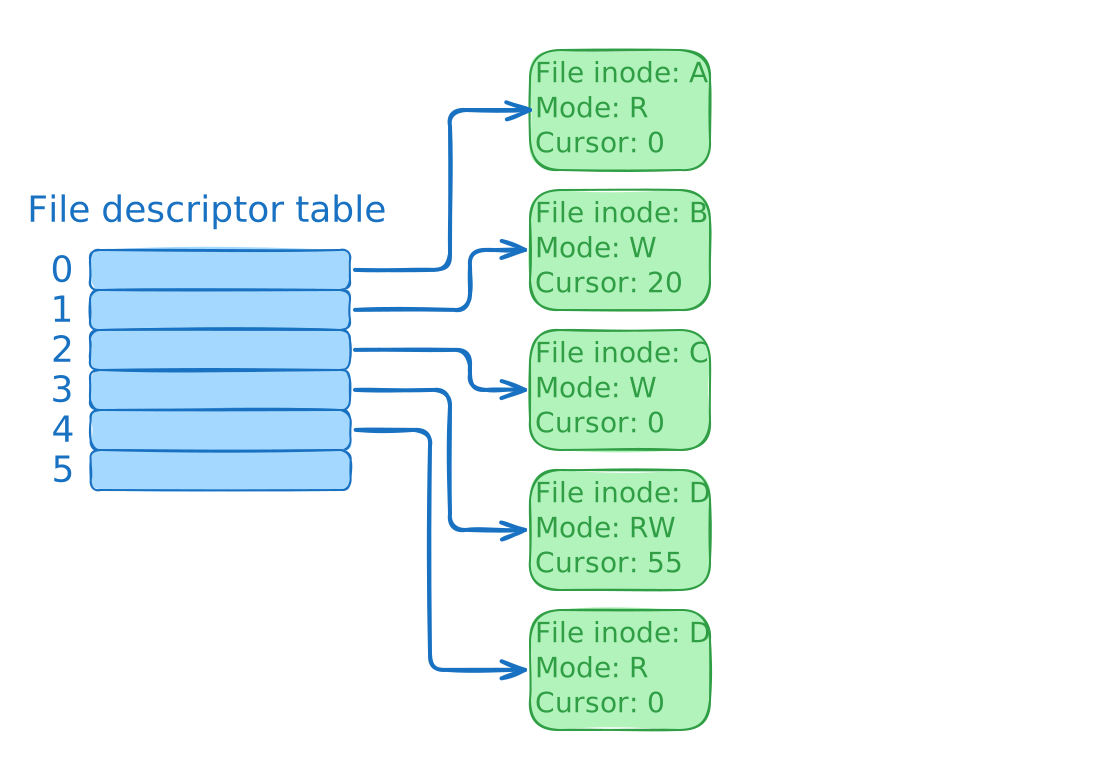



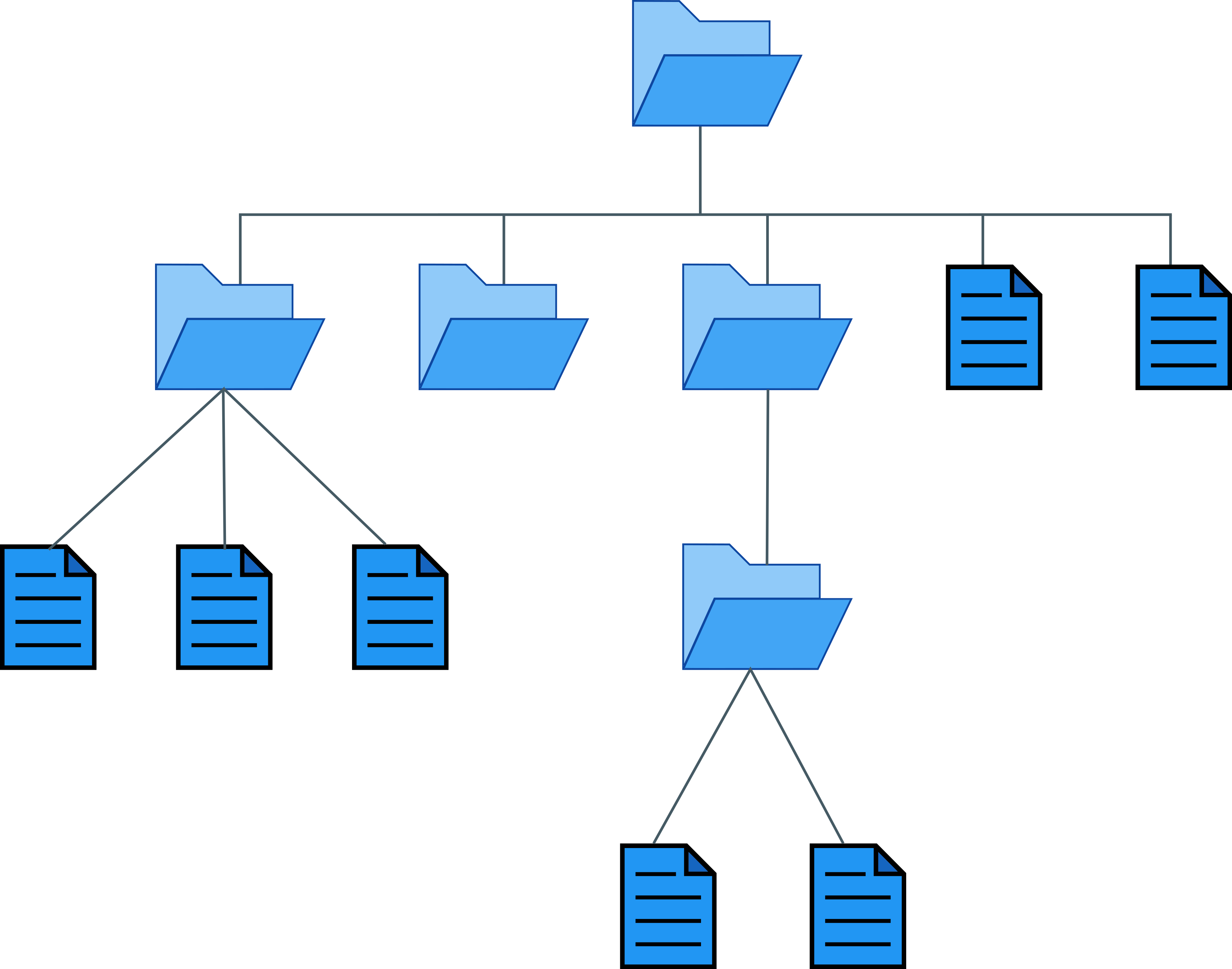


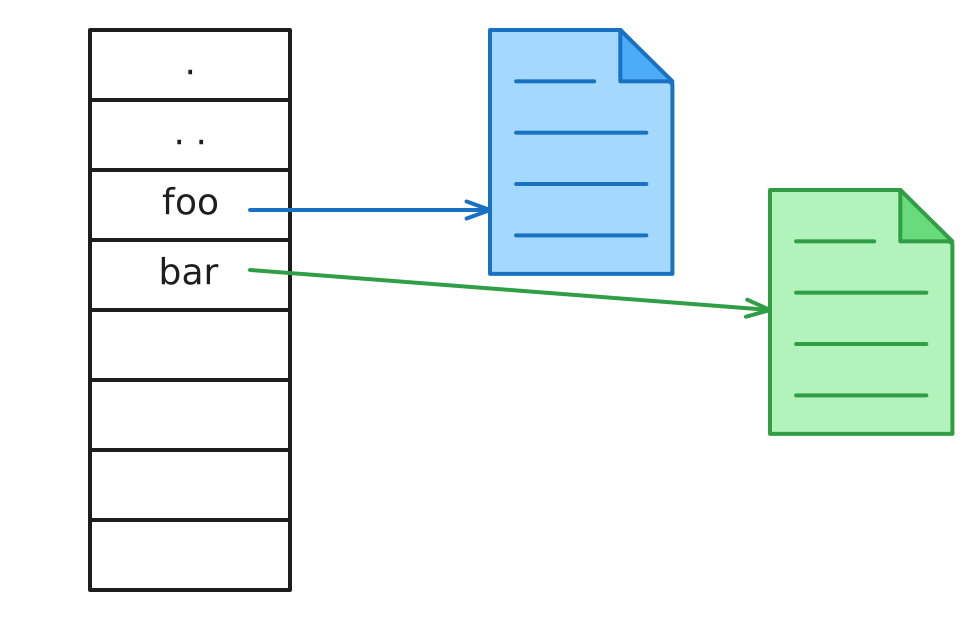
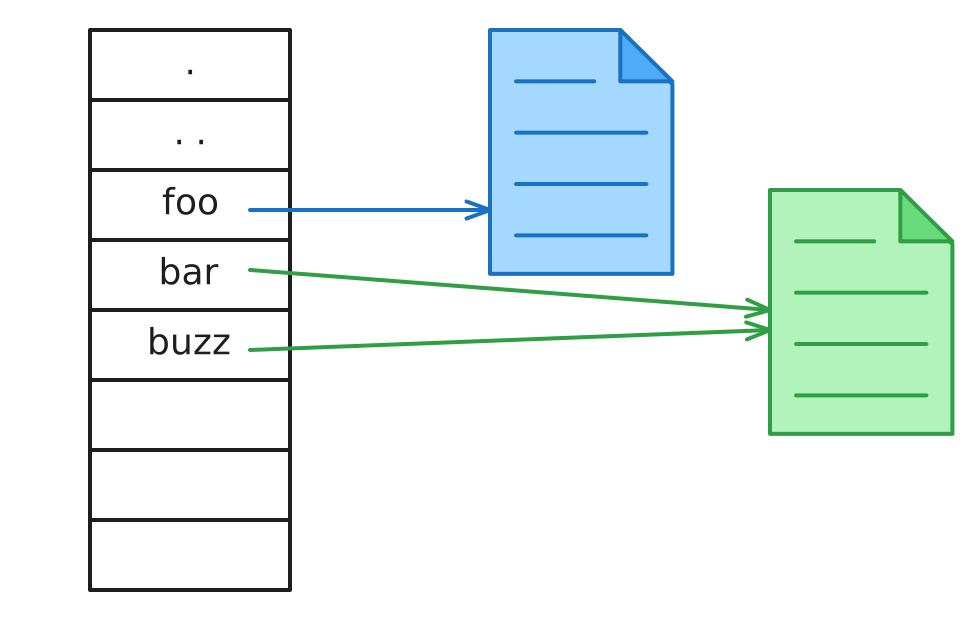
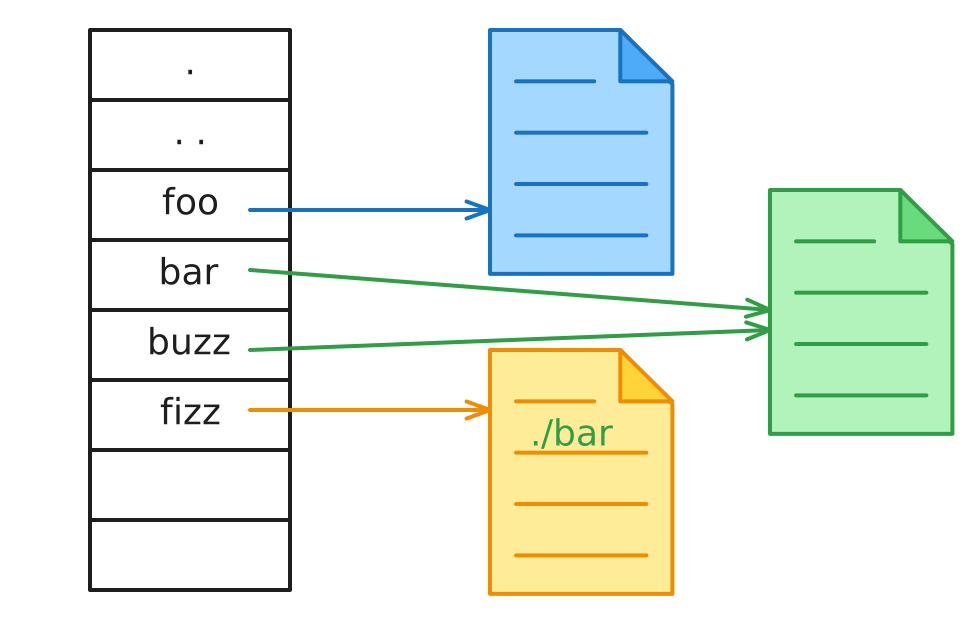

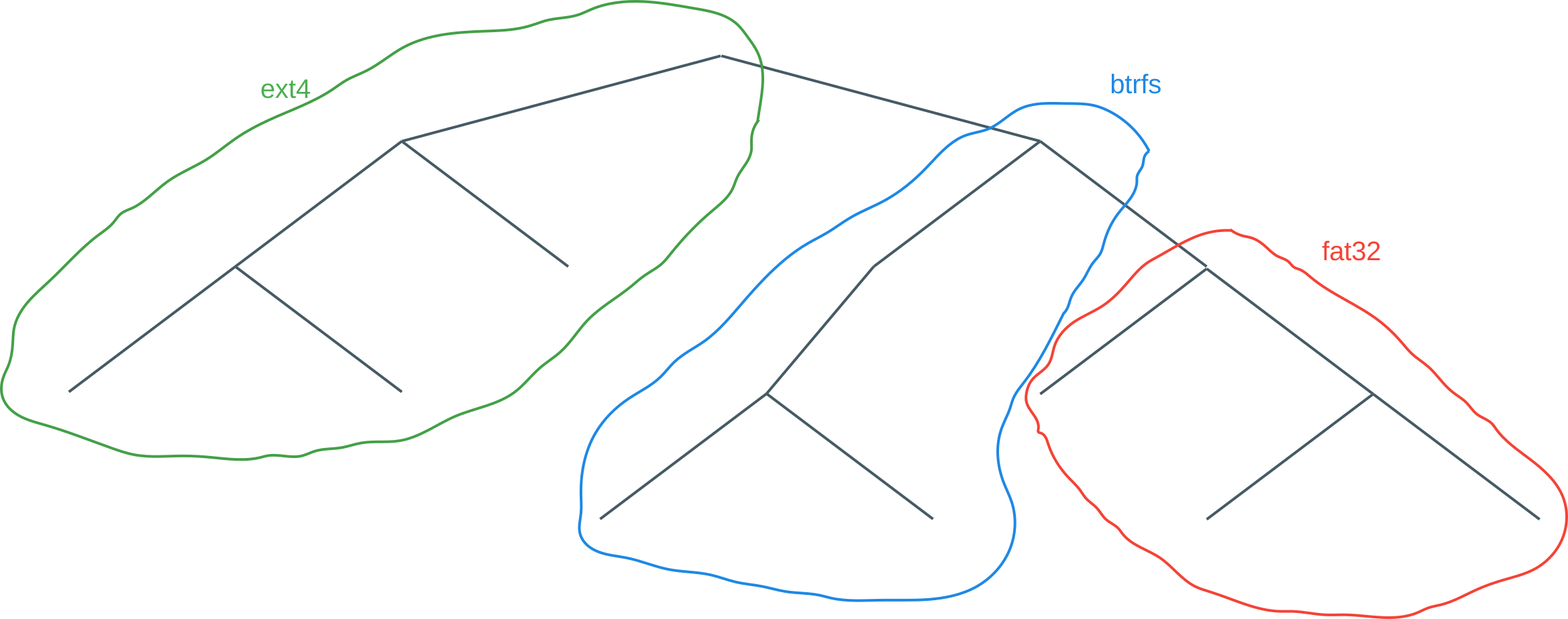
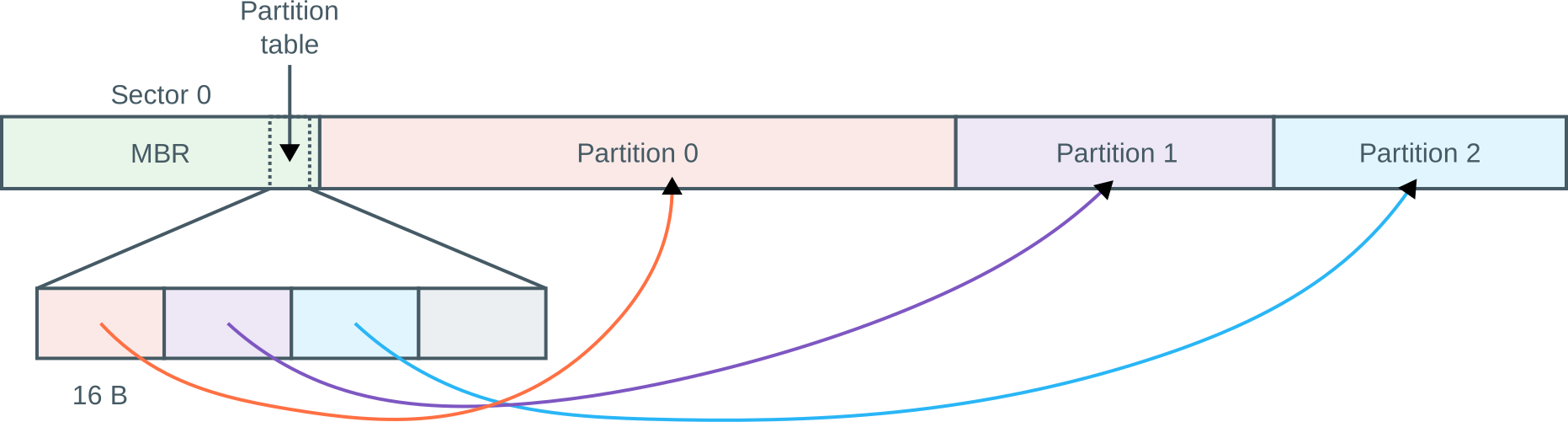









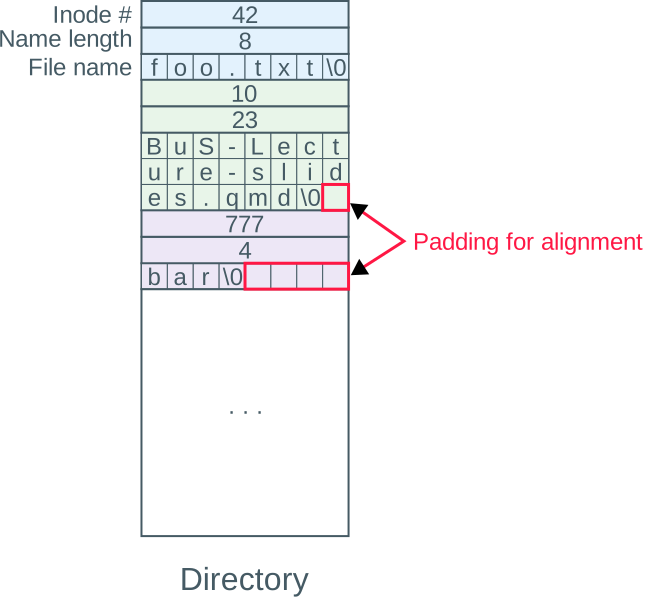
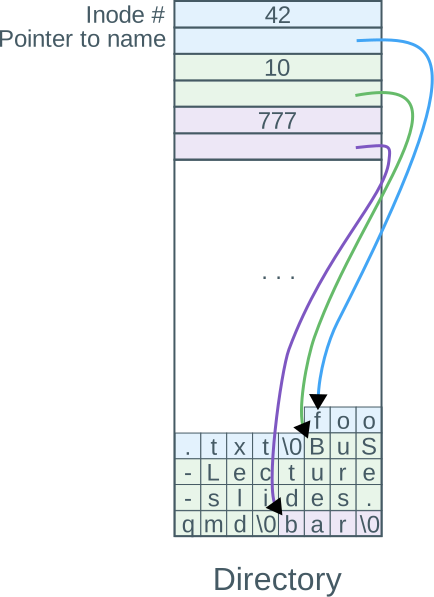


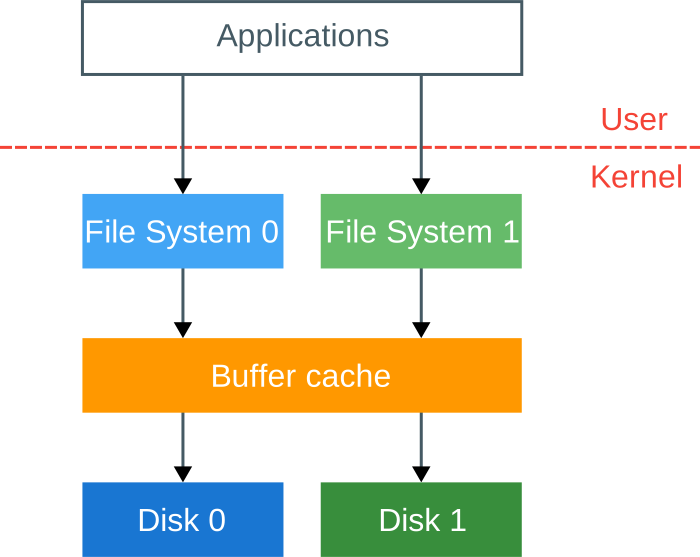
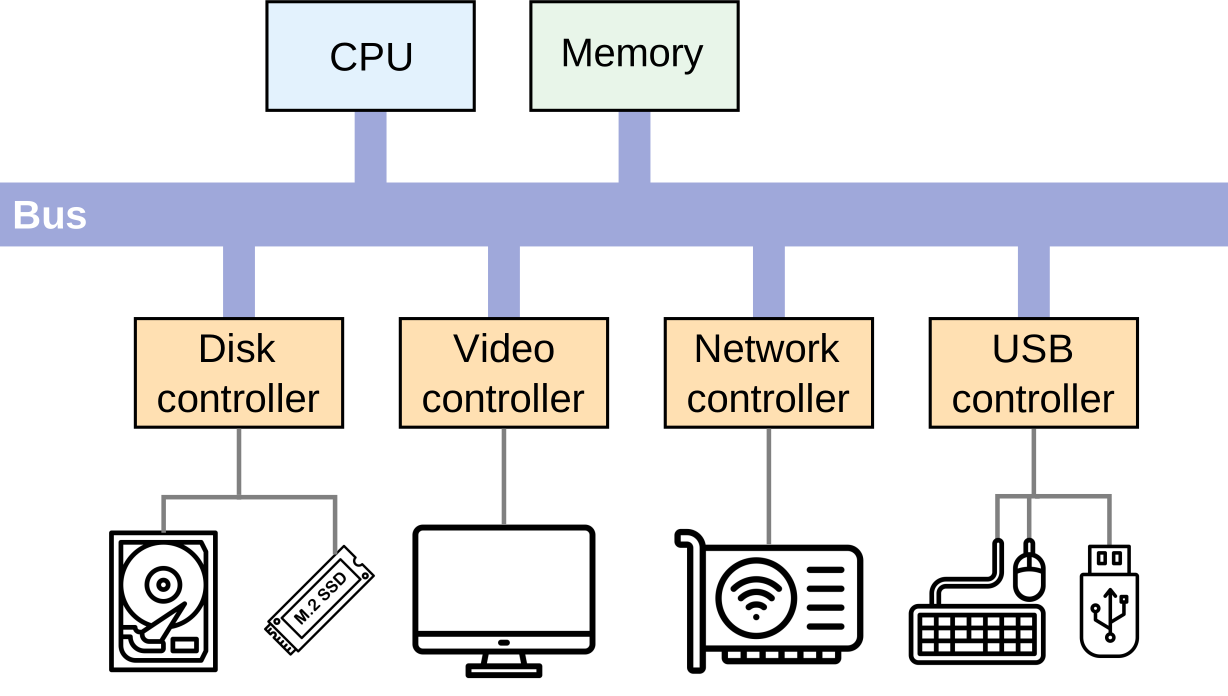
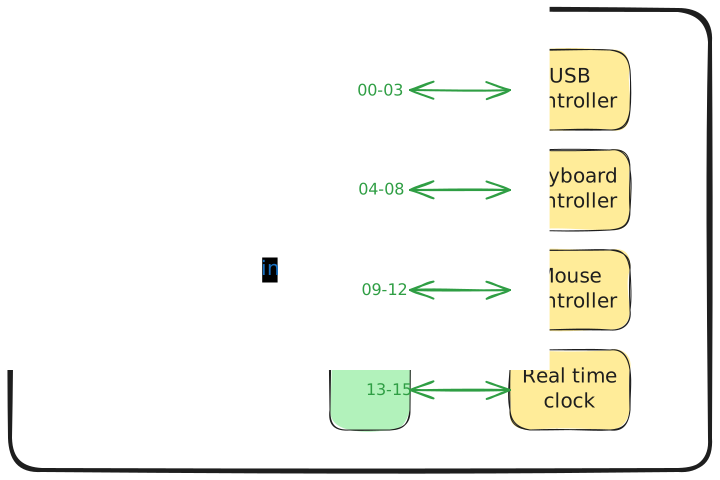
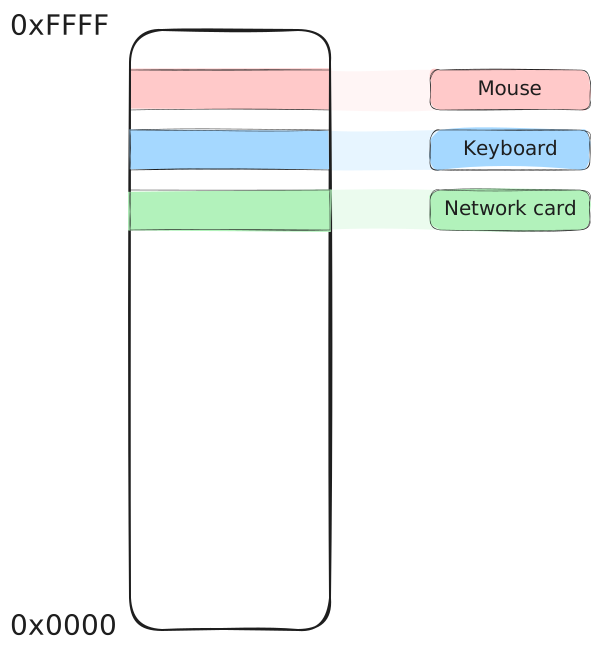


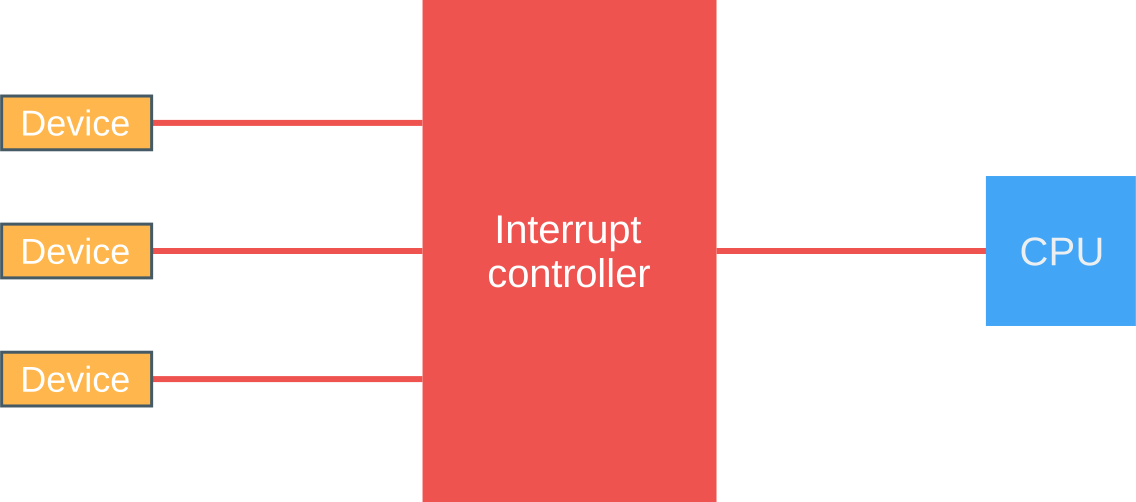


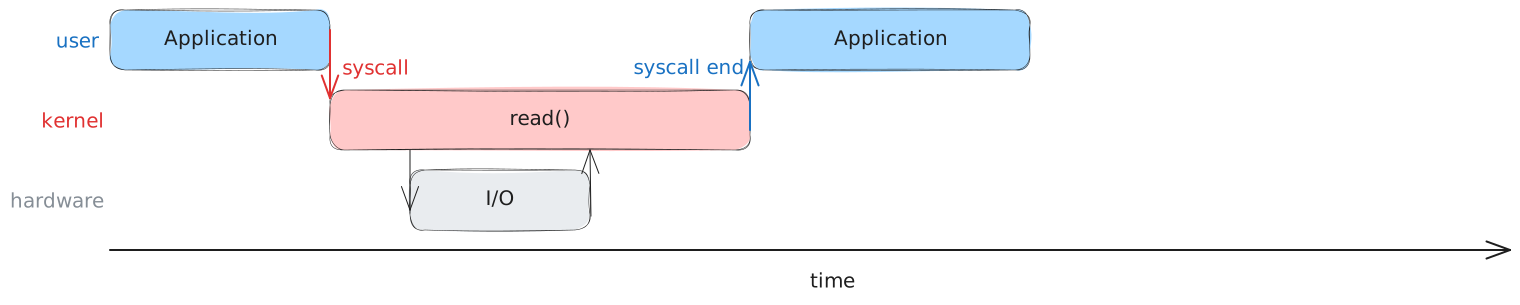
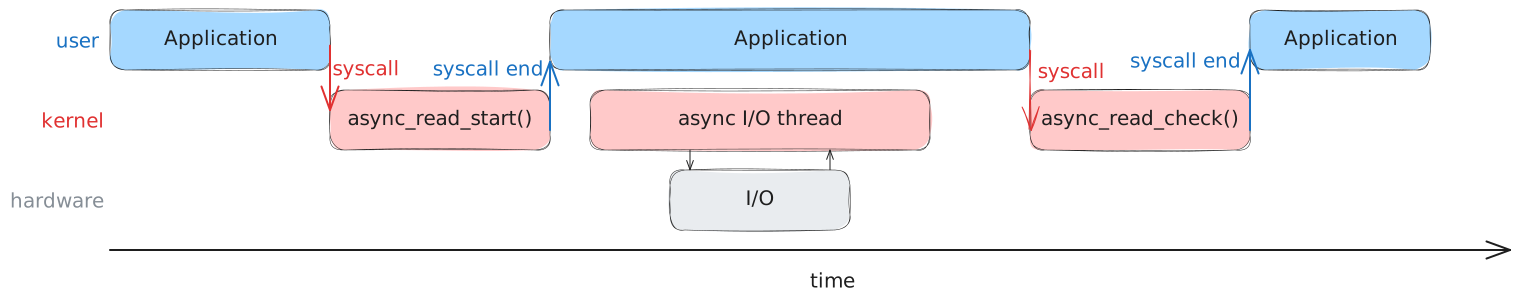
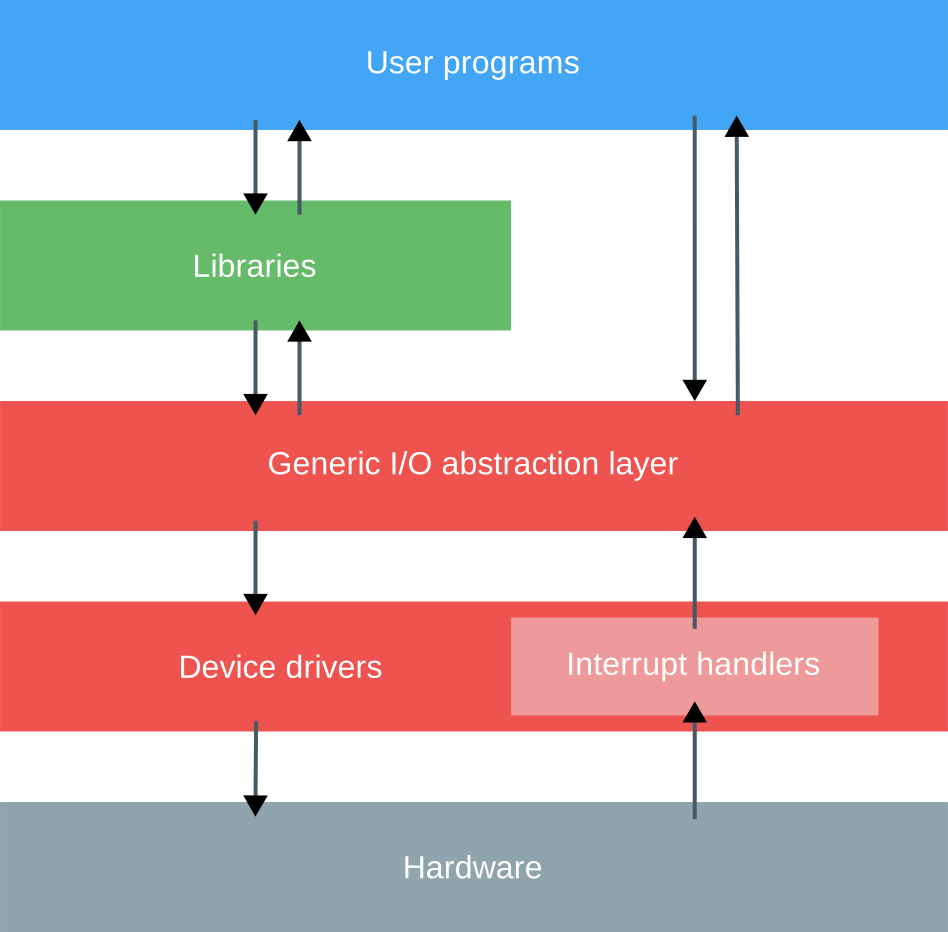


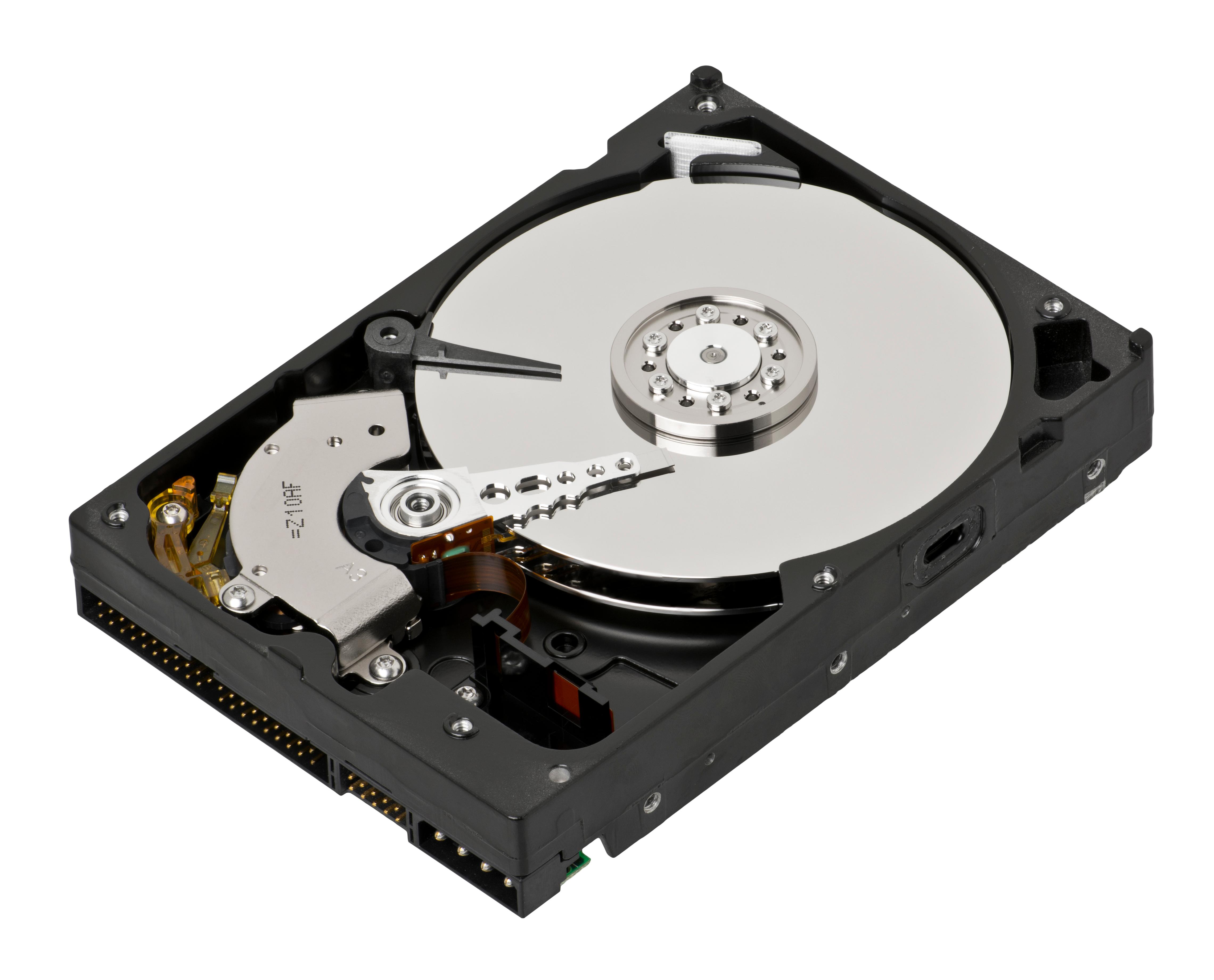
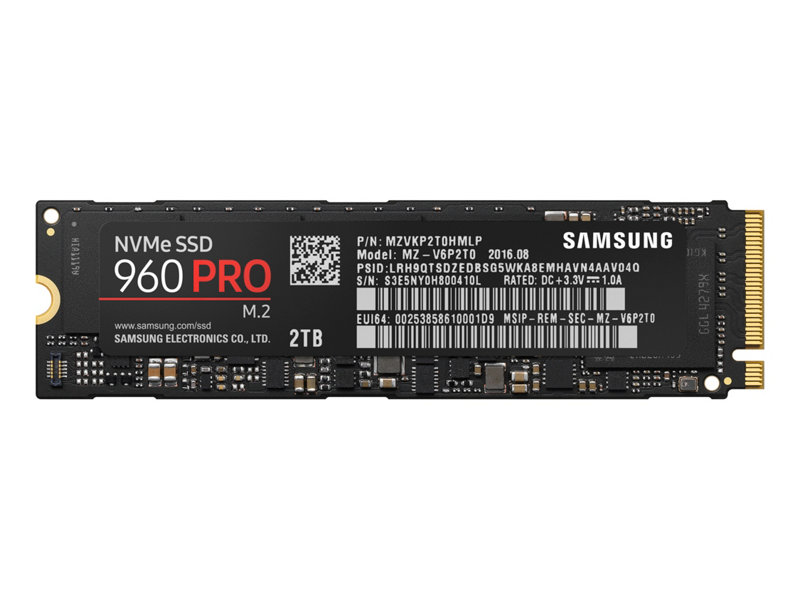


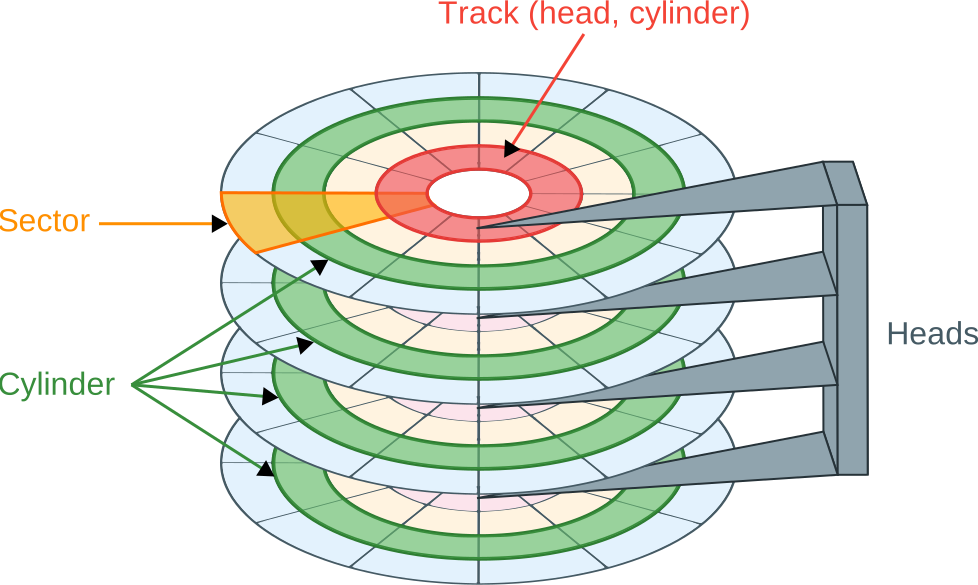


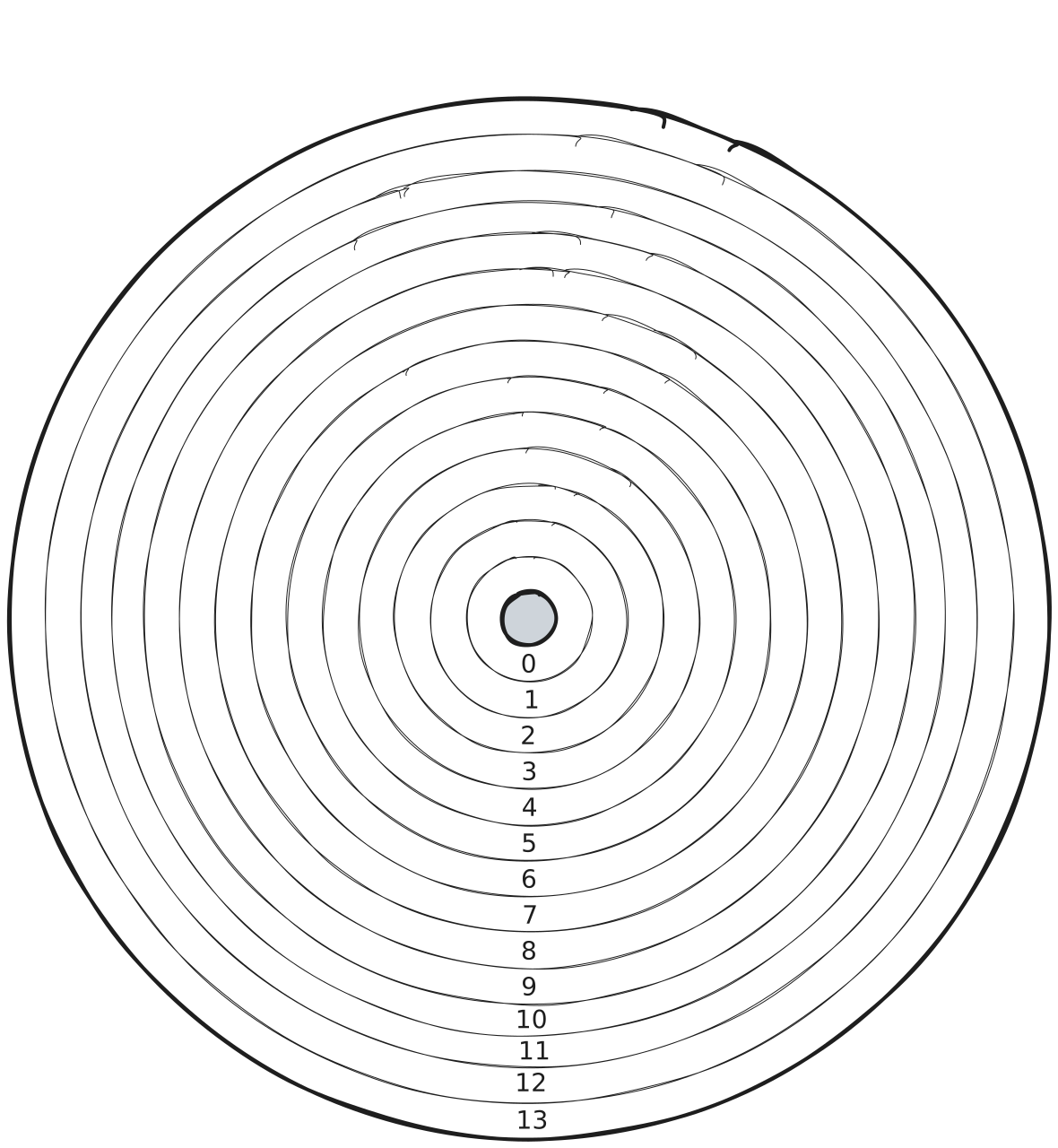




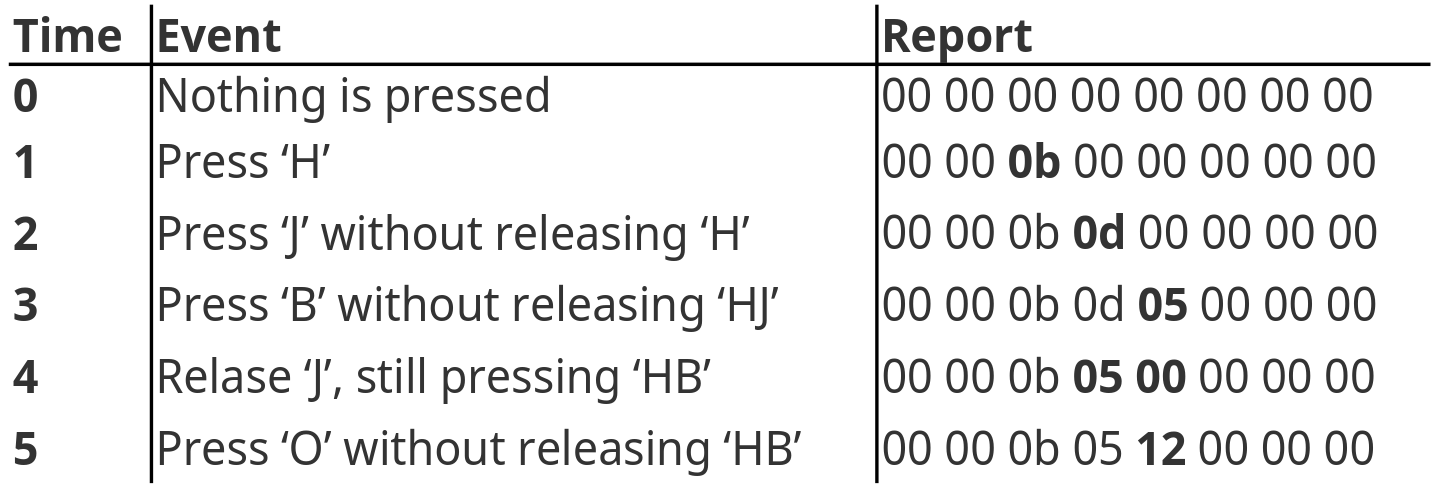

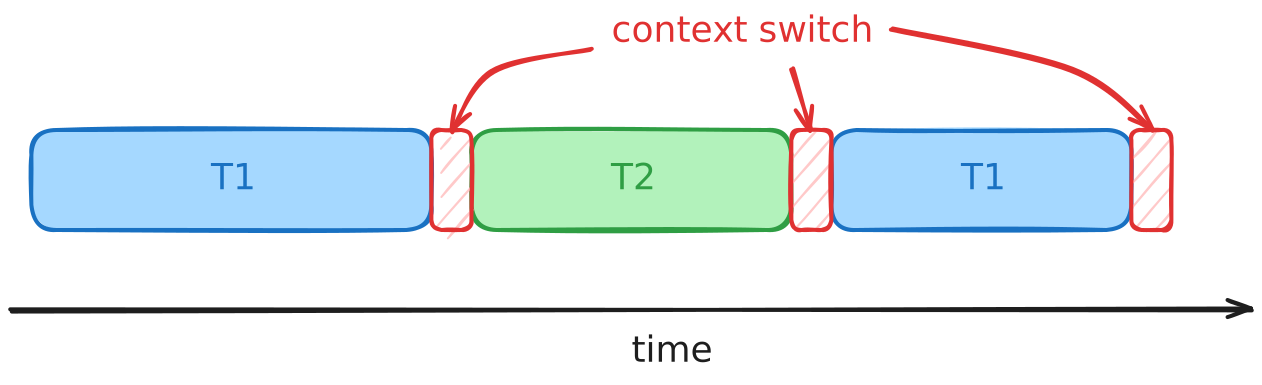
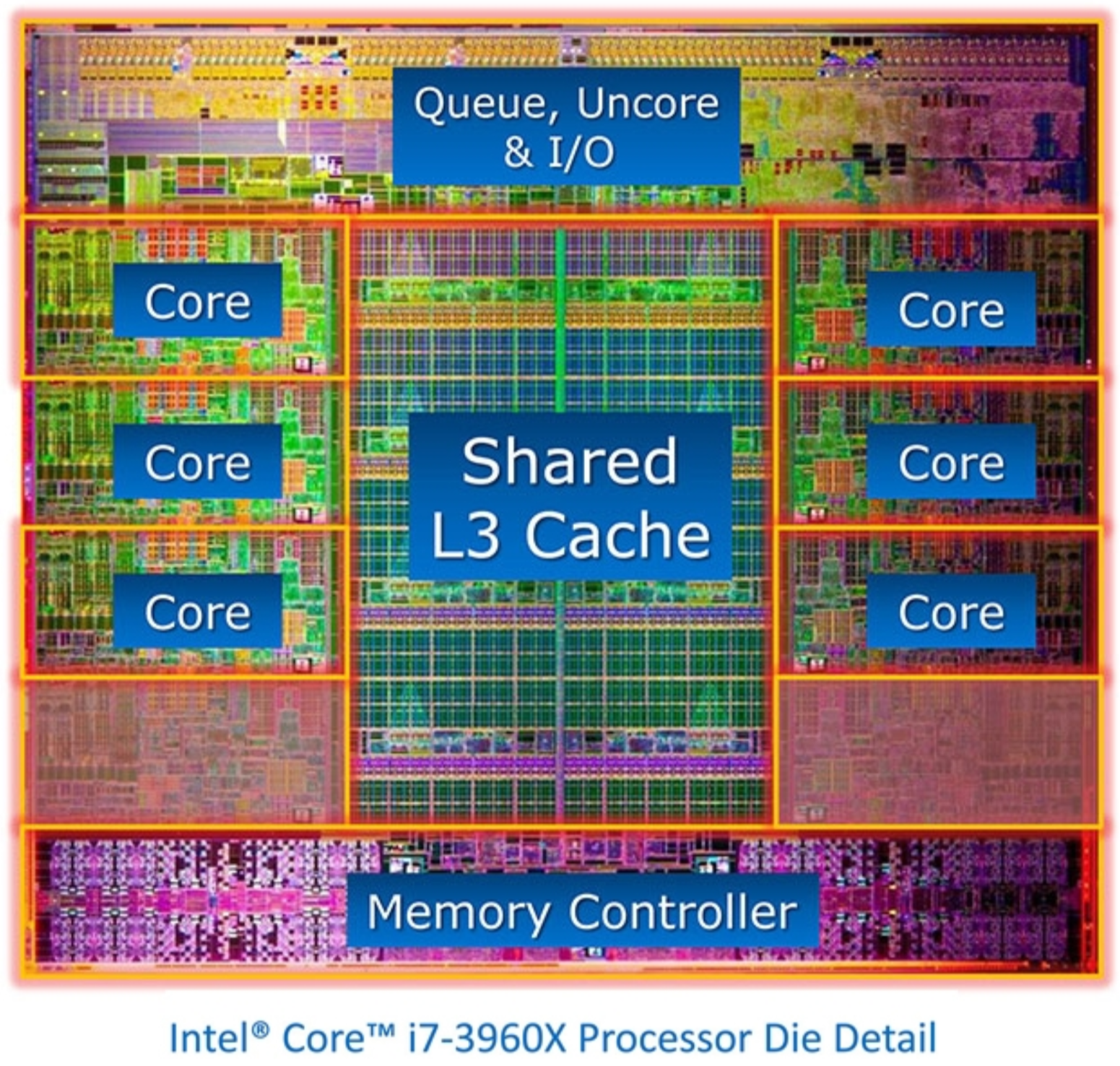
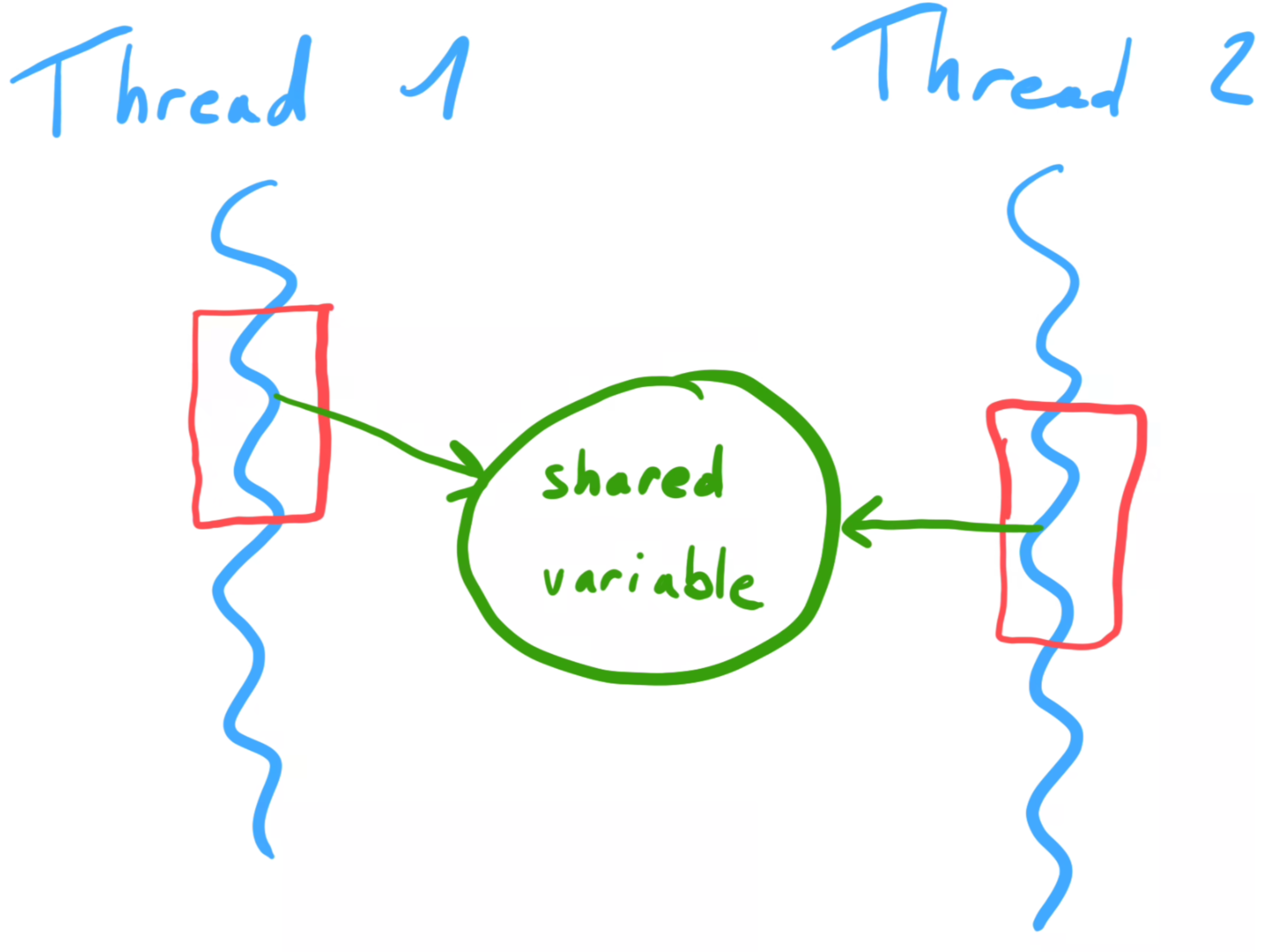
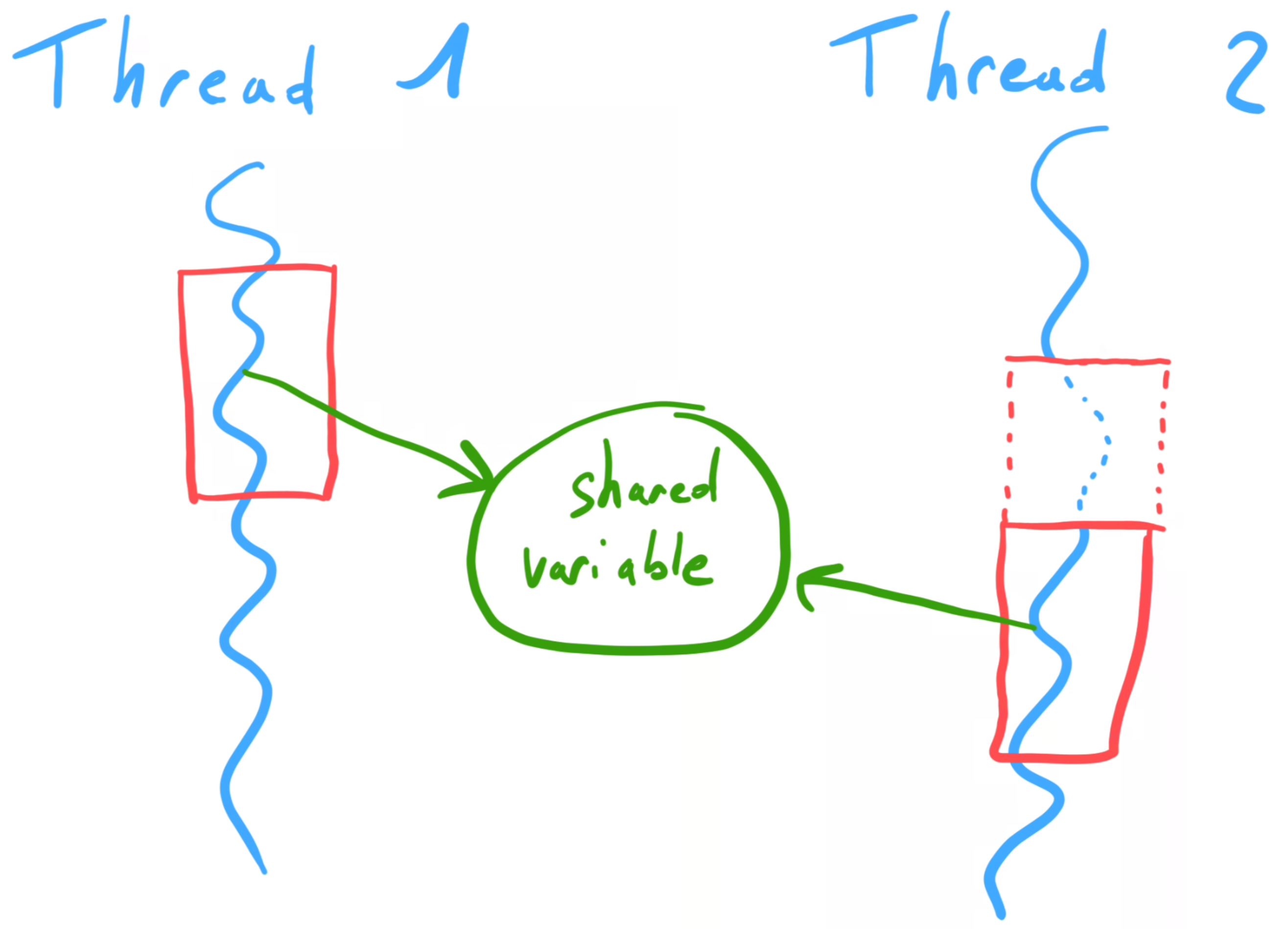




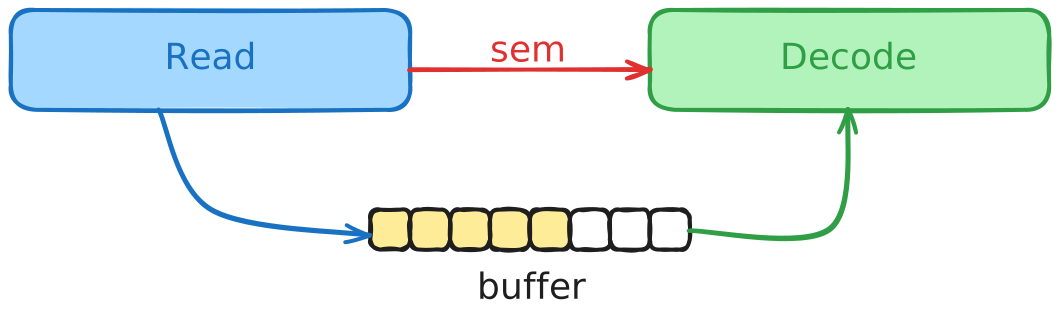
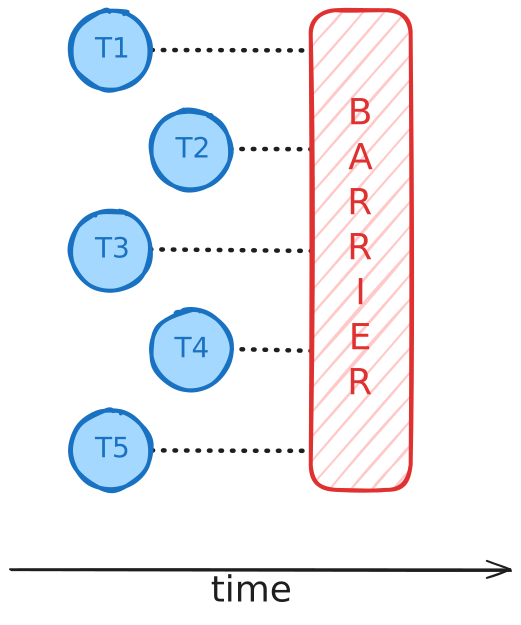
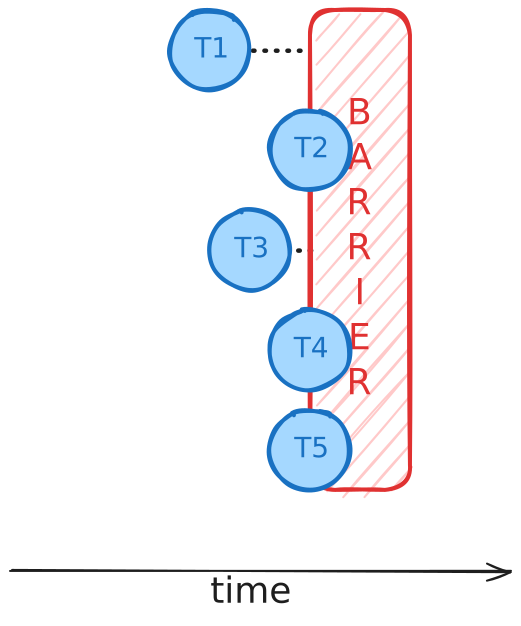
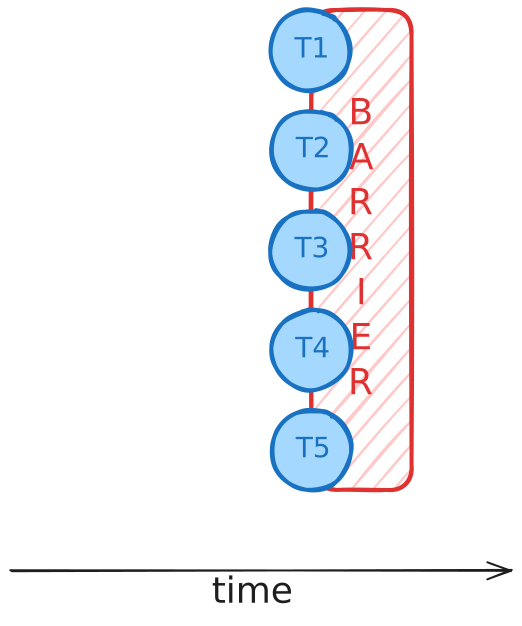
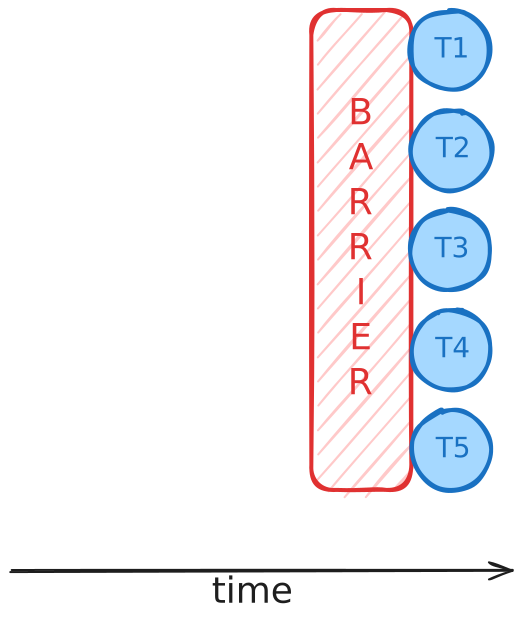

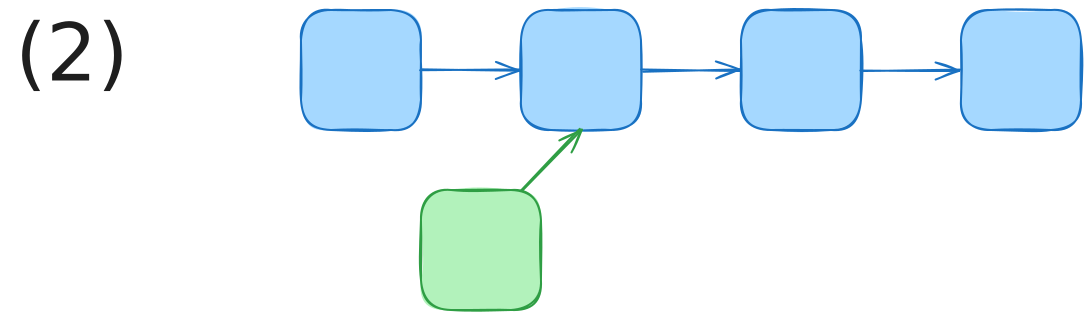
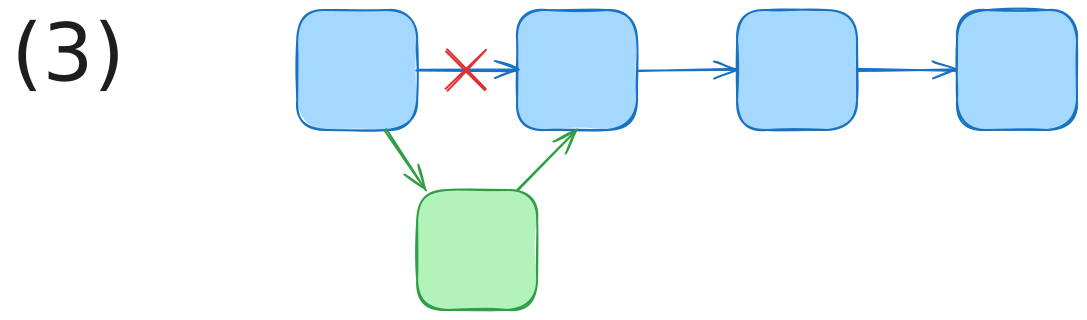



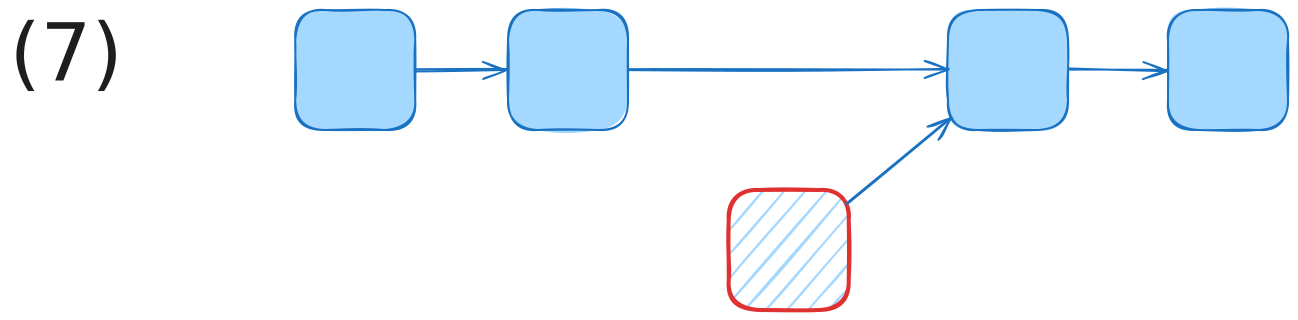
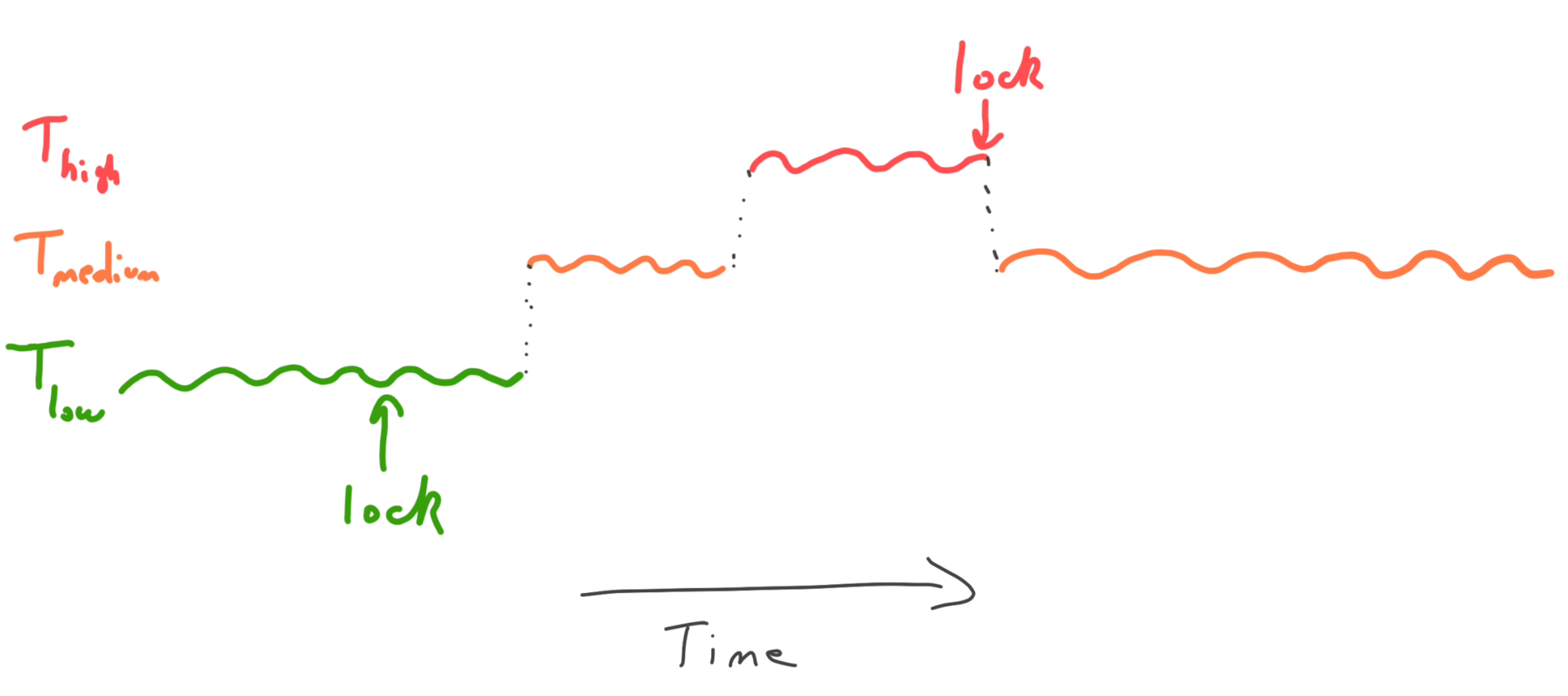
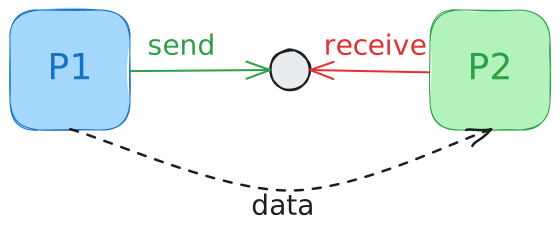
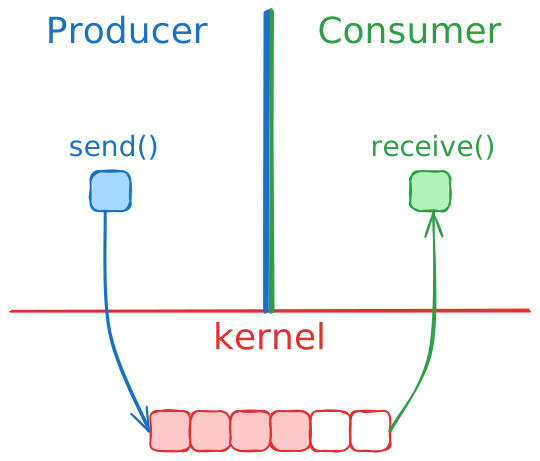
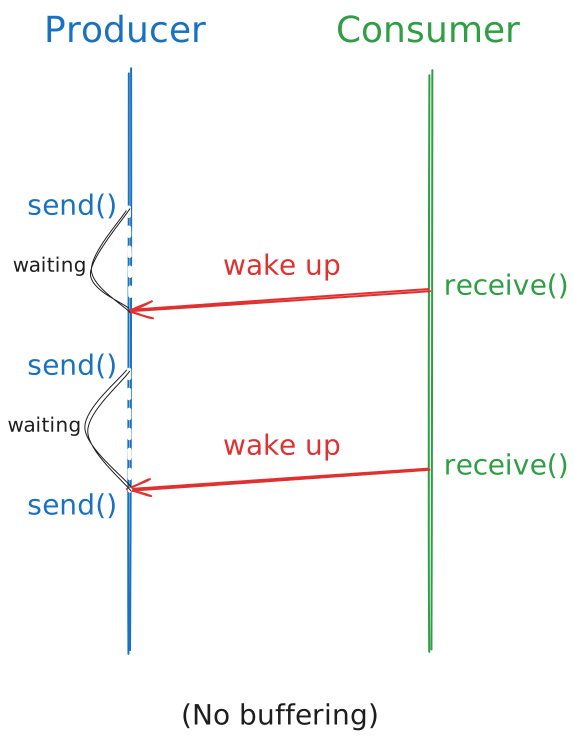
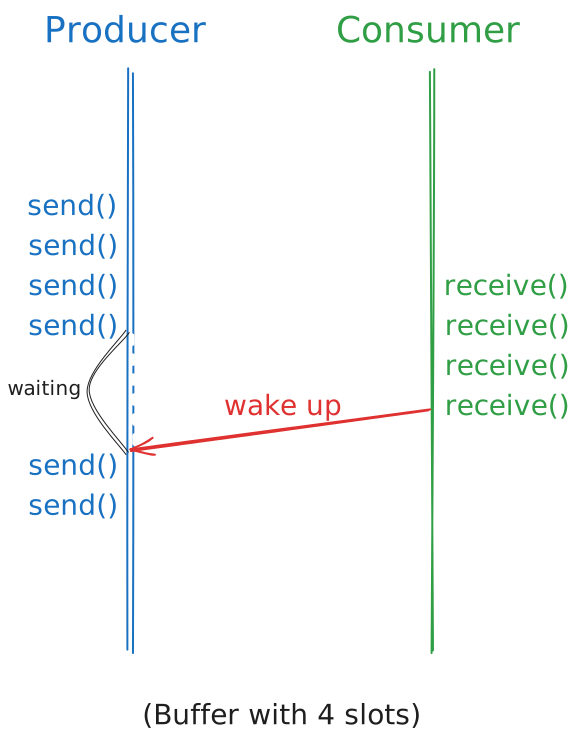
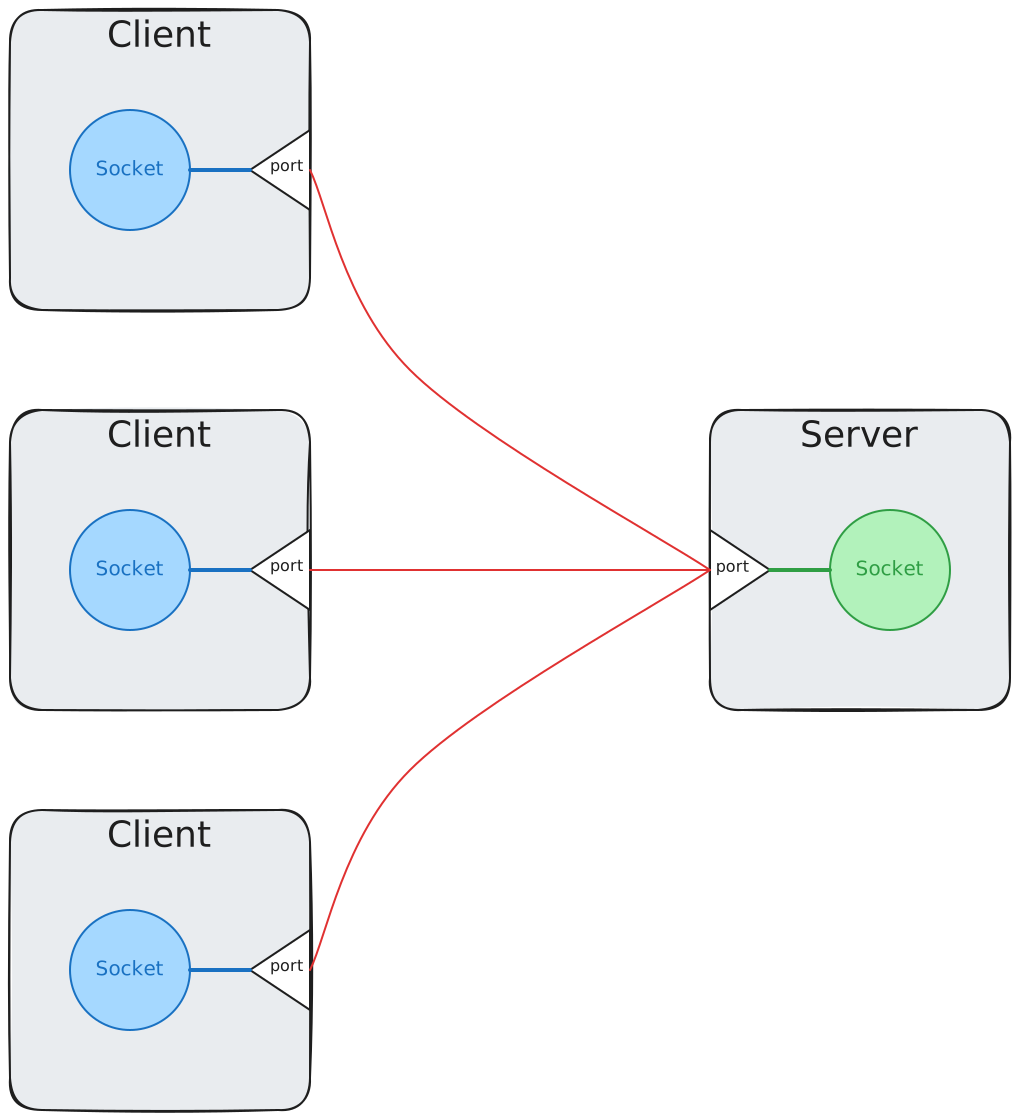
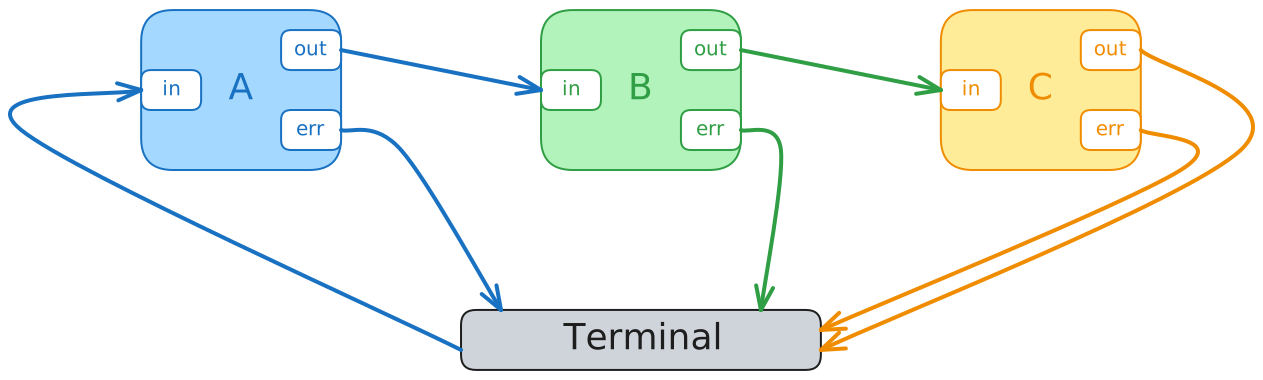
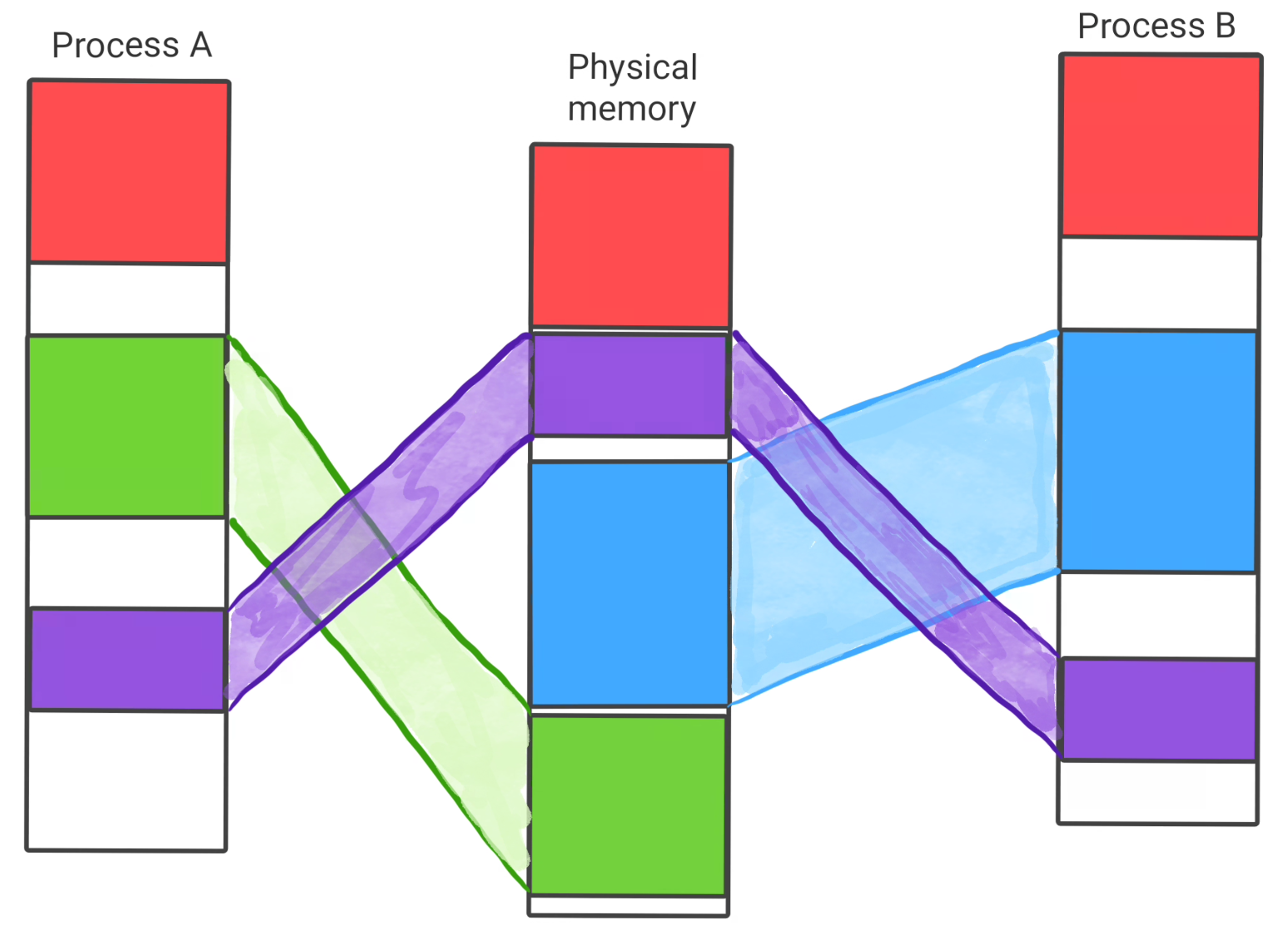
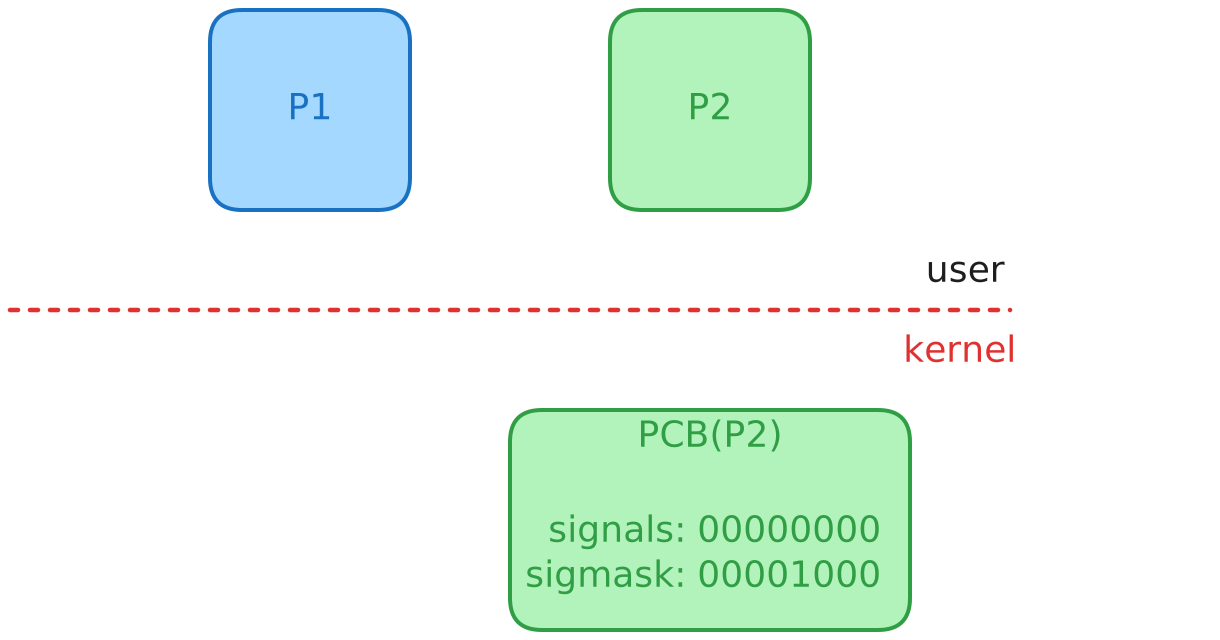
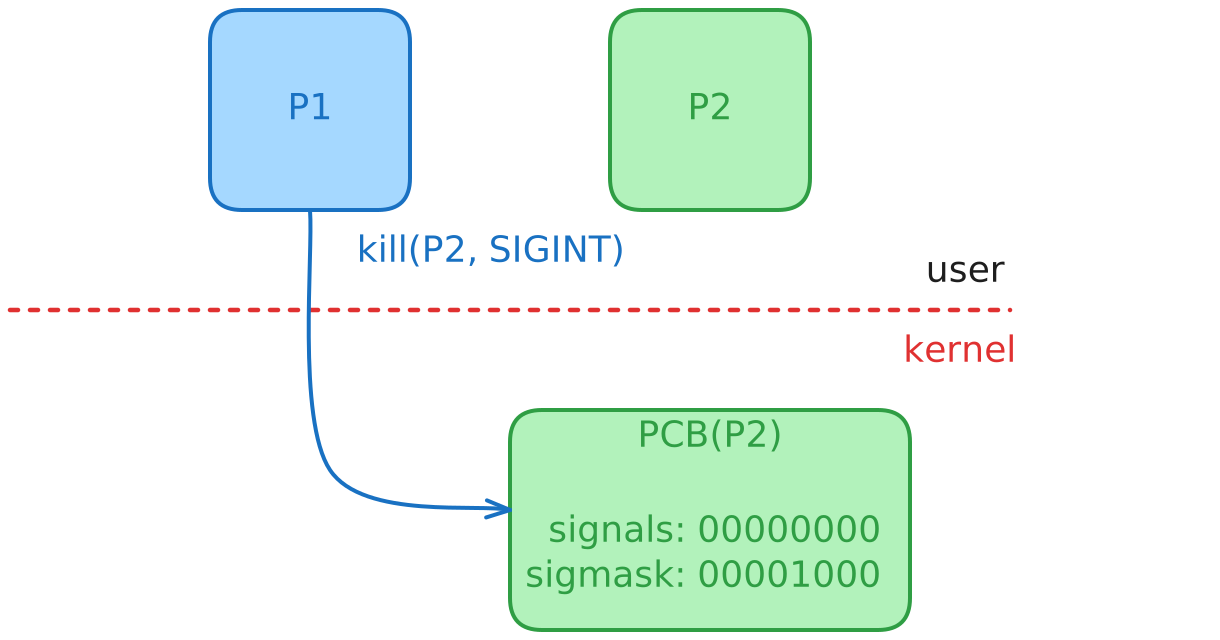
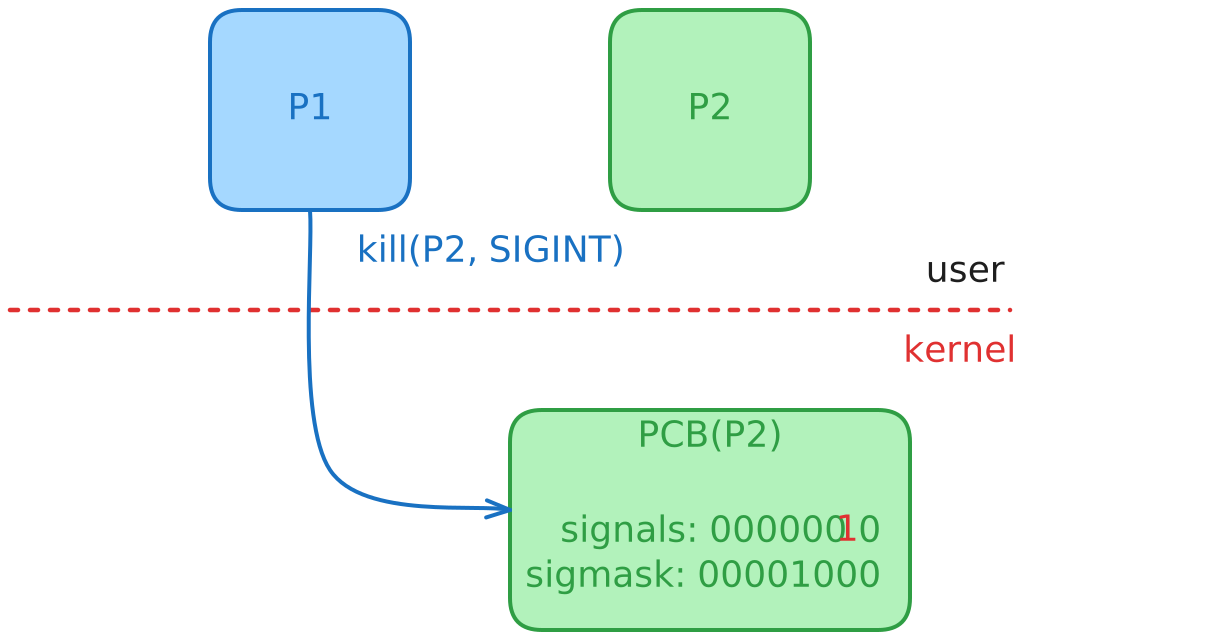
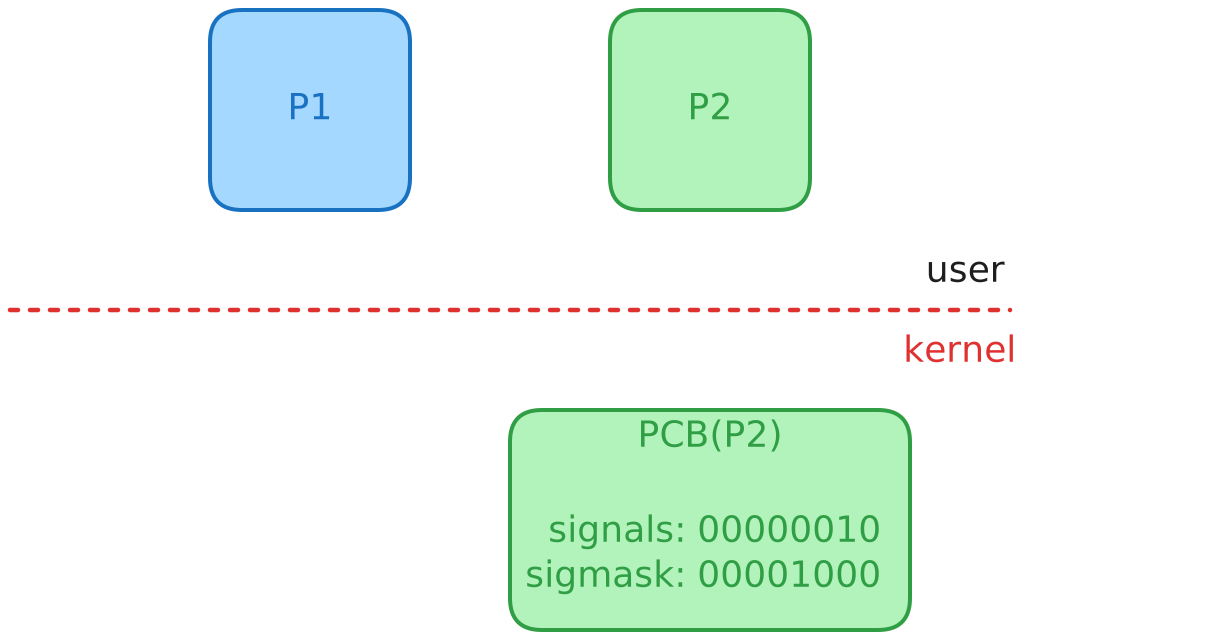
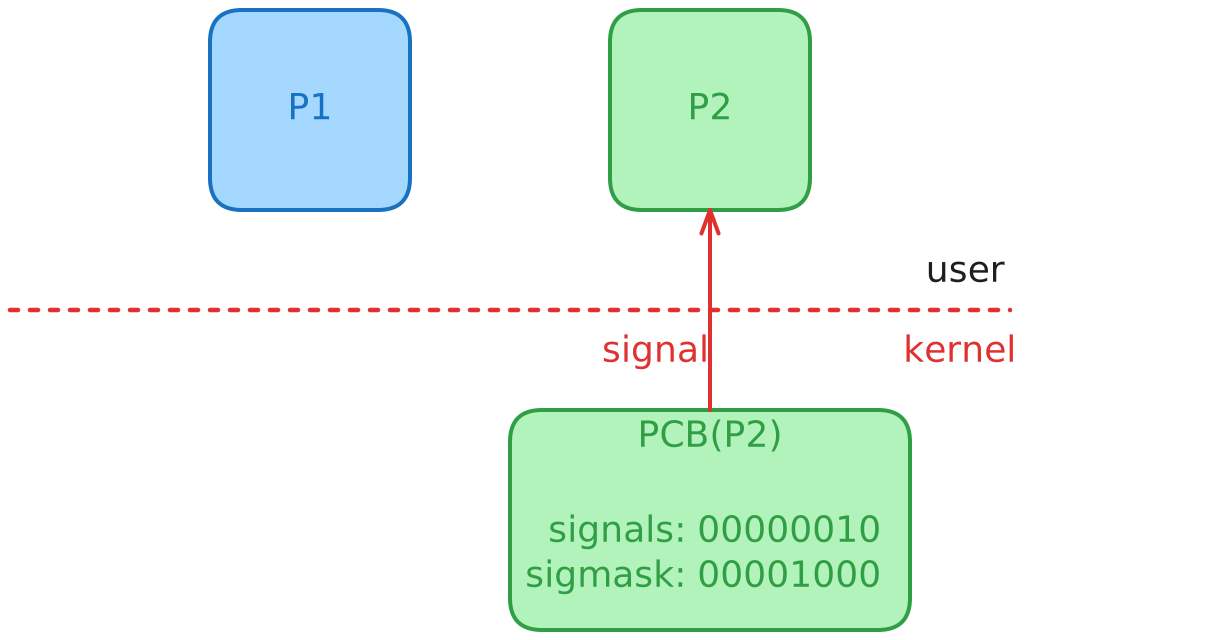

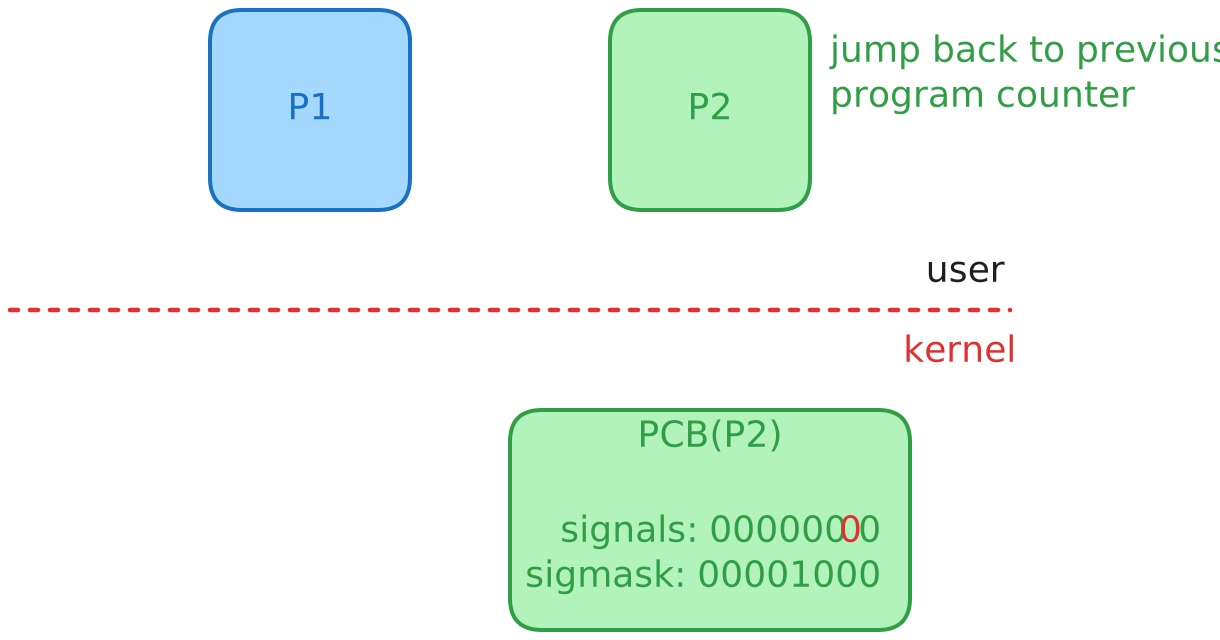


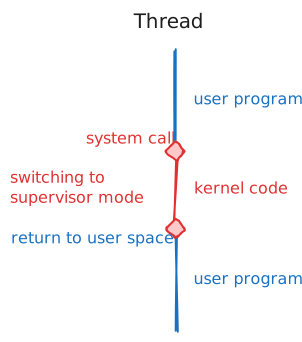
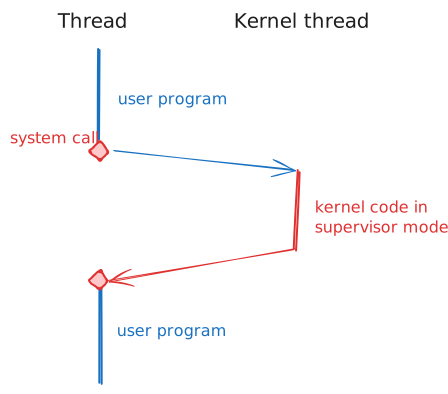
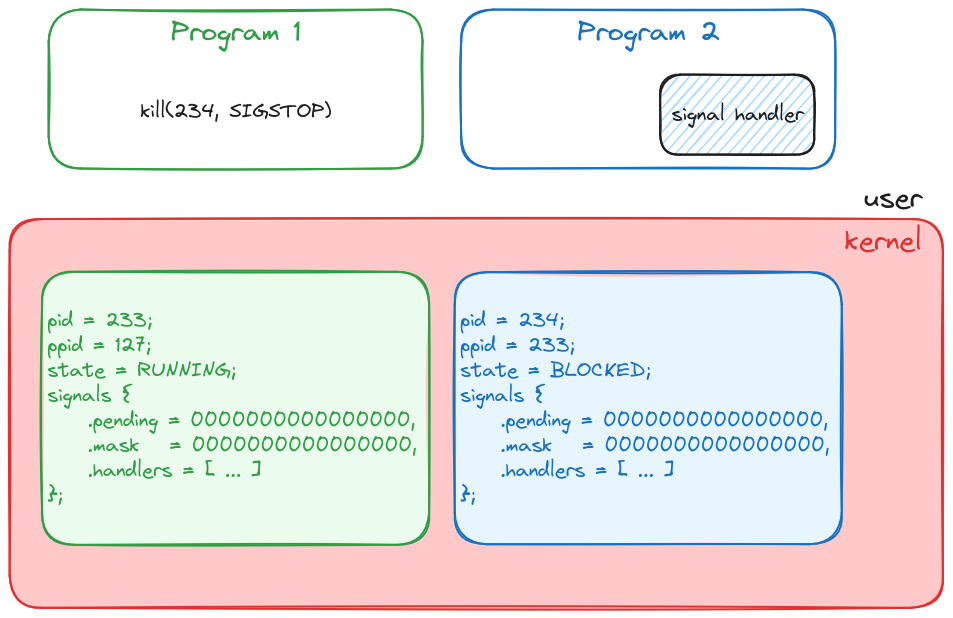
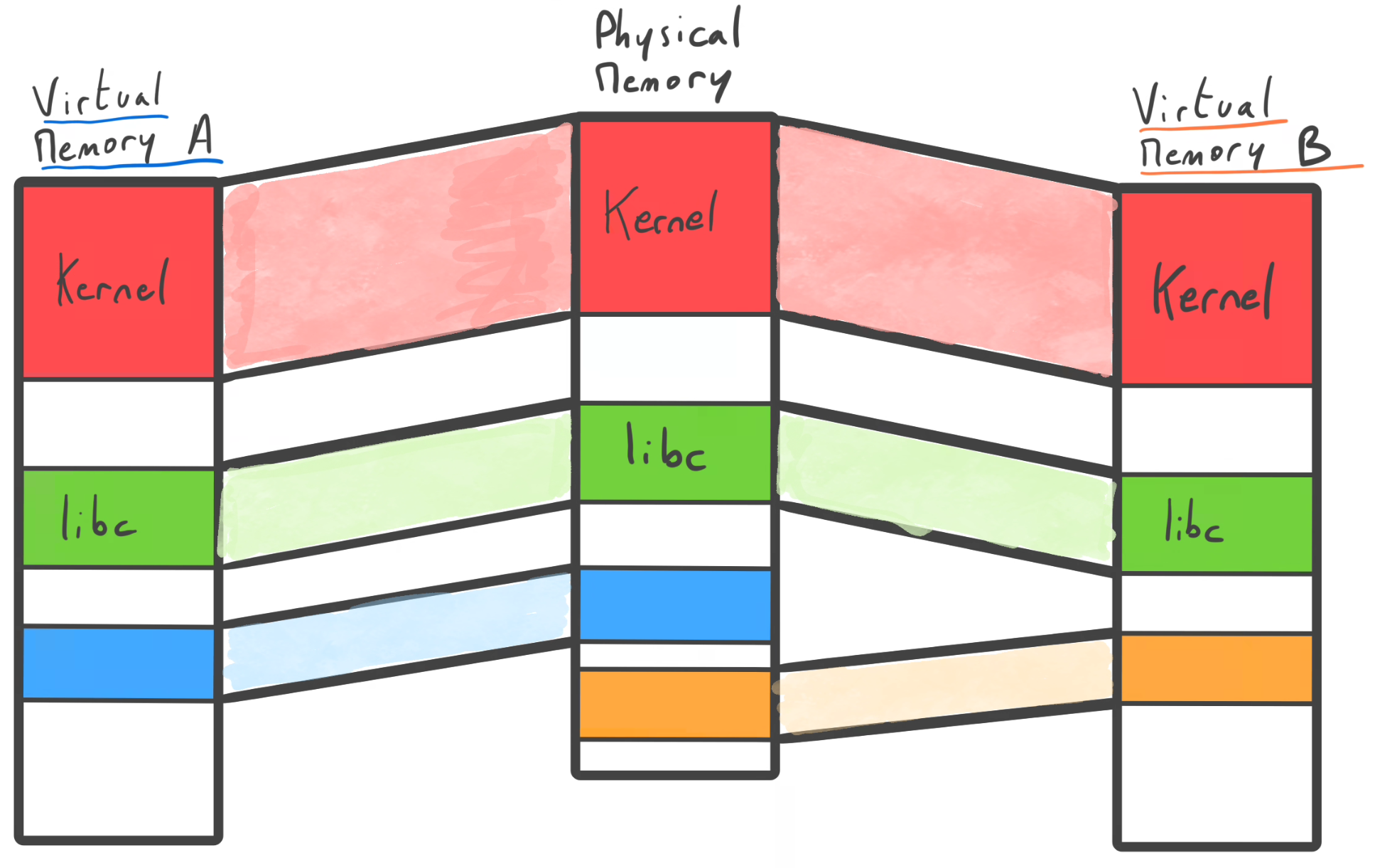
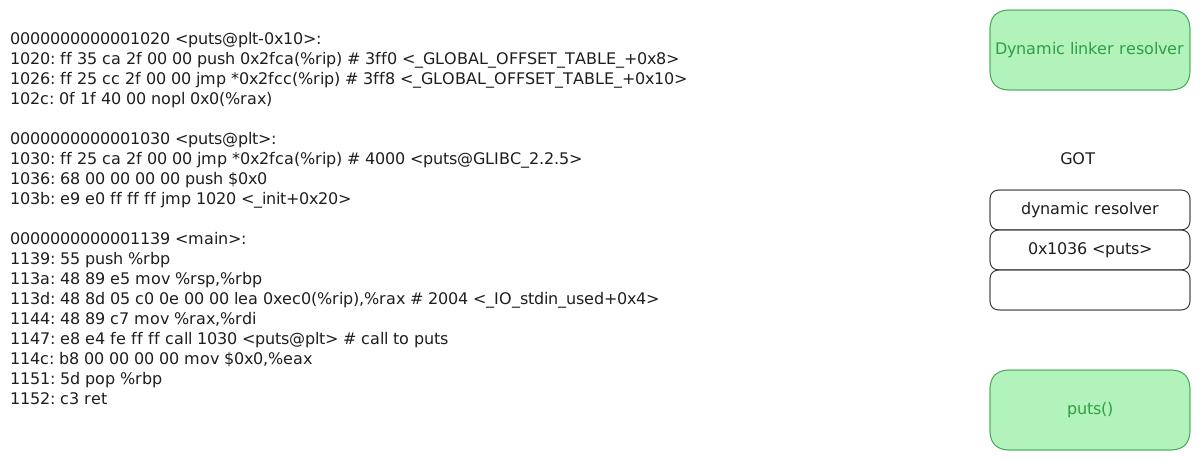
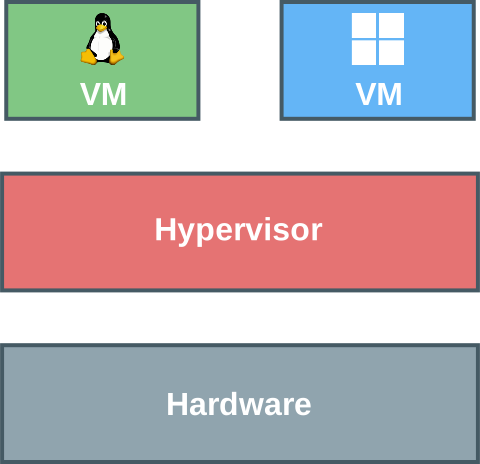
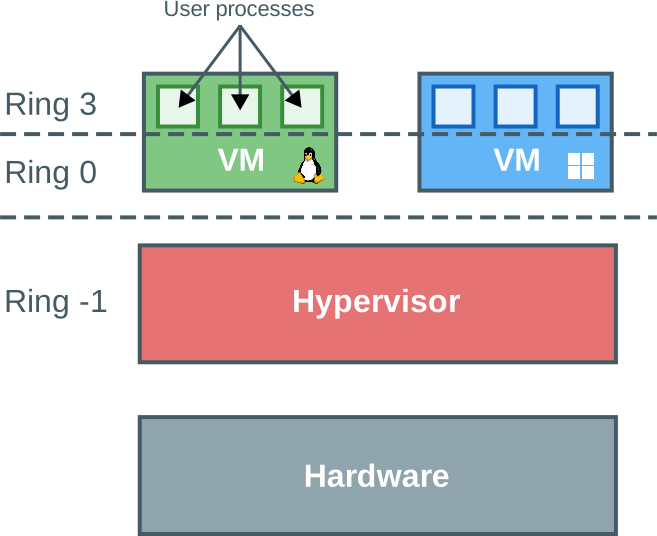
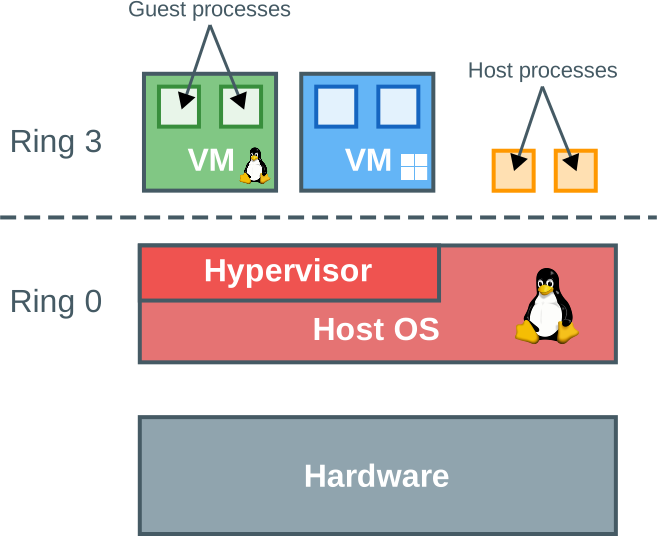
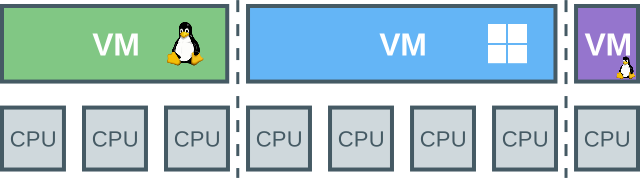
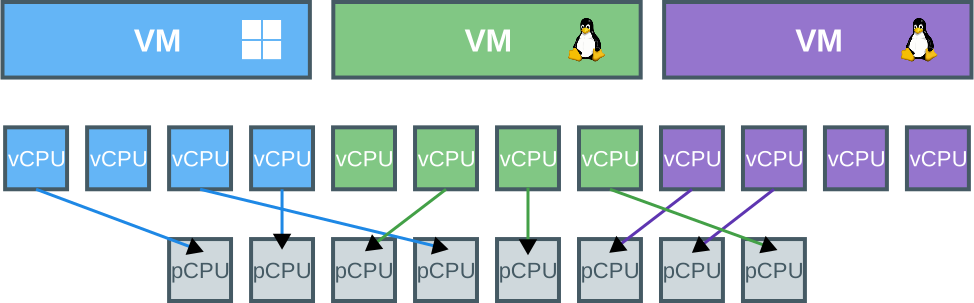
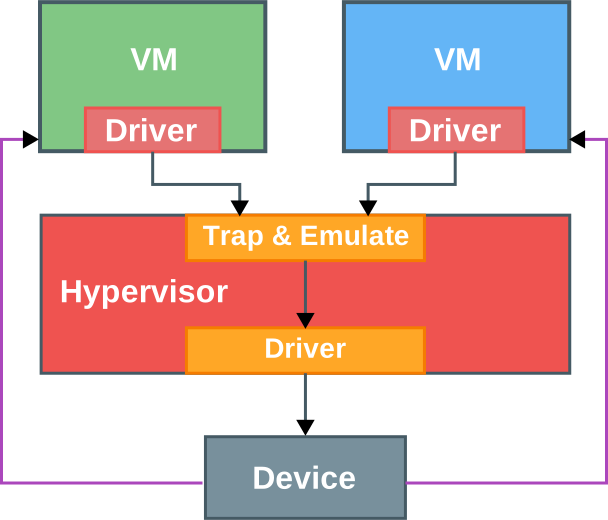
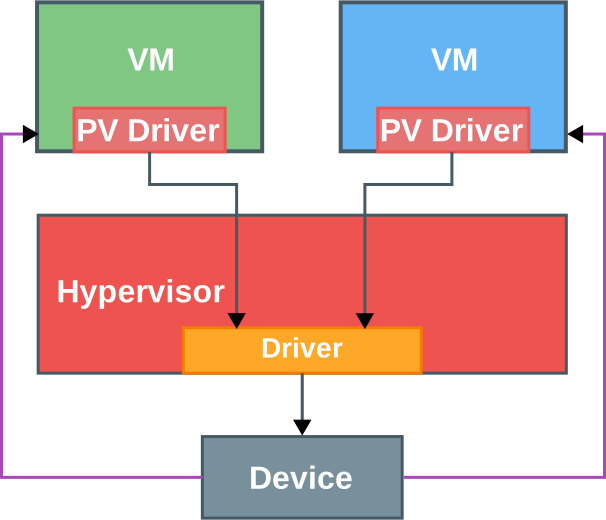
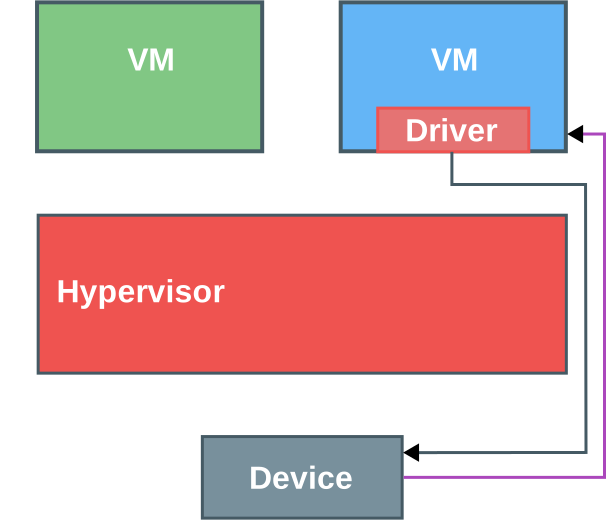
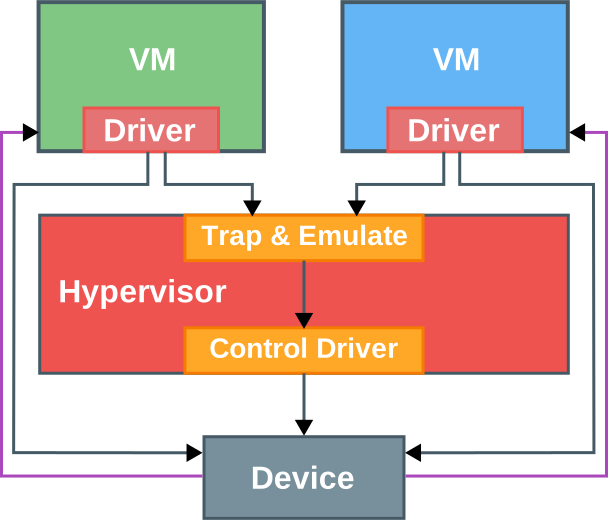
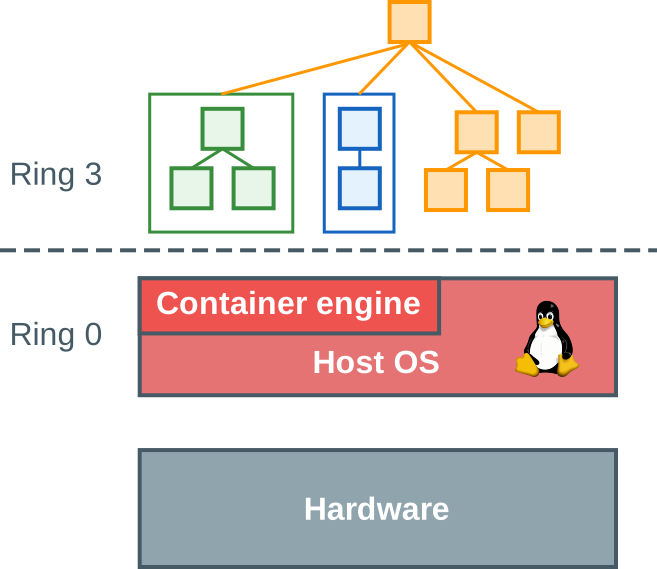


_in_1936_at_Princeton_University.jpg#/media/File:Alan_Turing_(1912-1954)_in_1936_at_Princeton_University.jpg)


